







How to deploy all AX2012 report
Views (27957)
 Deepak Agarwal
 8,602
8,602
 Like
Like Share
Share
 Report
Deploy all AX2012 report
We have 3 different ways to deploy Dynamics AX2012 reports:- Through AOT
AOT > SSRS Reports > Reports > right click on report > Deploy Element - Through Visual Studio
Open the report project > Right click on the project or solution node > Deploy - Through PowerShell
Publish-AXReport -ReportName *
- Go to AOT > SSRS Reports > Reports > right click > Deploy Element

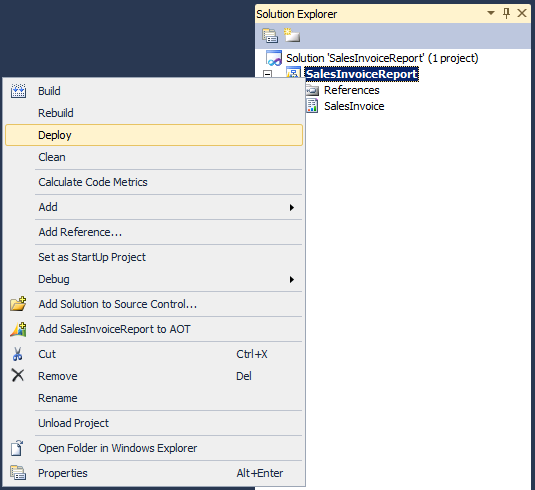
Through Visual Studio
- Open your AX/Report project
- Right click on the project or solution node
- Click "Deploy"
Through PowerShell
- Go to: Start > Administrative Tools > Microsoft Dynamics AX 2012 Management Shell
- Then enter Publish-AXReport -ReportName *
For Complete post follow below link...
http://mybhat.blogspot.in/2011/10/how-to-deploy-all-ax2012-report.html.
-Harry
This was originally posted here.
*This post is locked for comments