







DAX 2012 R3 CU9 Retail database version mismatch and GAC issues
 Kurt Hatlevik
 2,067
2,067
 Like
Like Share
Share
 Report
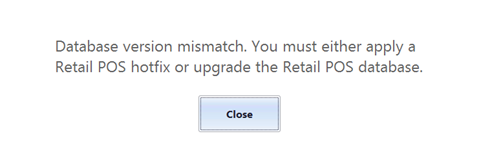
When upgrading the Contoso AX 2012 R3 CU8 to AX 2012 R3 CU9 and then trying to open the ePOS, you might get the following error. “Database version mismatch. You must either apply a Retail POS hotfix or upgrade the Retail POS database”
In the event viewer you might see the following:

The following TechNet article have me some indications that the issue was related to the CreateDatabase.dll in the Retail Channel Utility.
My trick to make this work again was to open the installation folder for CU9, and apply the retaildatabaseutility.msp
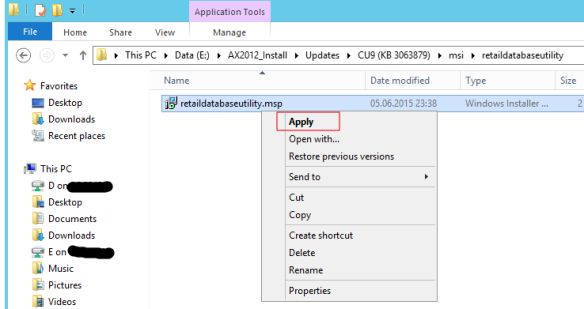
This upgraded the CreateDatabase.dll to include upgrade to version 6.3.105

When I then re-run the Retail Channel Configuration Utility on the channel database and on the offline database
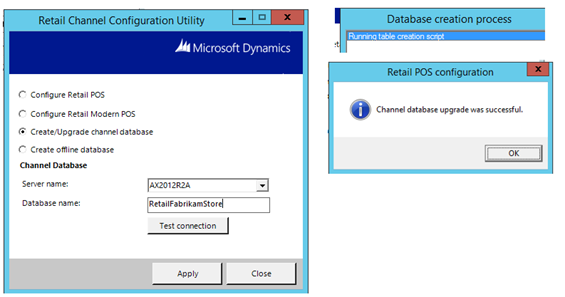
After successfully upgraded the channel database, when trying to startup the POS, I get the following error;
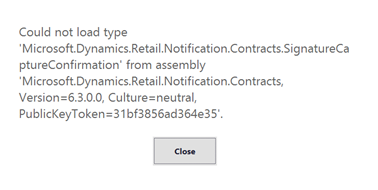
And the POS screen shows no login, just the following “corrupted” screen.
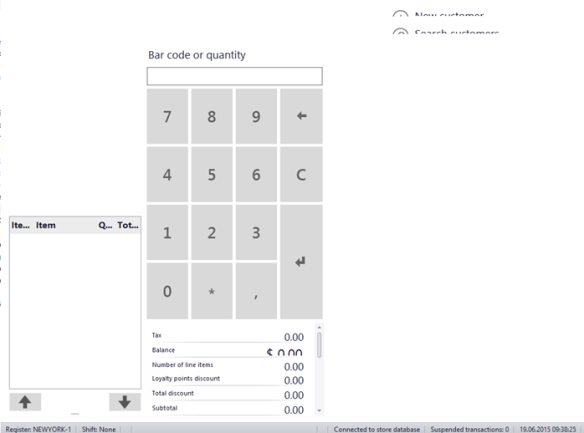
I raisted a service request to Microsoft, and I got my answer today. It is related to All .NET applications will check first if the required assembly is available in the Global Assembly Cache (GAC) before searchin in the AppBase folder.
If we look at the C:\Windows\Microsoft.Net\assembly\GAC_MSIL we see the following

The date is much older than the CU9. Microsoft explained me that this issue occures, because we have a “one-box” installation, and As we didn’t redeploy the Online Store after upgrading to CU9, the old assemblies were still in the GAC, causing the error. This would not come up in a real situation where all components are installed in separated server, but with this being an all in one environment we had this side effect.
The solution is therefore to uninstall the assembly from the GAC.
1. Check that GACUTIL is located at C:\Program Files (x86)\Microsoft SDKs\Windows\v8.1A\bin\NETFX 4.5.1 Tools in the VM-image

2. Run the command “gacutil /u Microsoft.dynamics.retail.notifocation.contracts”

Then you can start the ePOS as expected J

Thank you Microsoft J


This was originally posted here.
*This post is locked for comments