







Can a Residual Amount be Set on a Fixed Asset in Microsoft Dynamics 365 Business Central
Views (52)
 Ian Grieve
 22,784
 Like
Like Share
Share
 Report
 While I still class myself as early in my learning about Microsoft Dynamics 365 Business Central, I have recently helped a client implement the Fixed Assets module. One of the questions I was asked, and which took me a short time to work out, was if it was possible to set a residual on the asset of 30%; meaning that when an asset is depreciated it will not go below 30% of it’s acquisition cost.
I did some investigating and found that it isn’t possible to set a residual percentage, but if you calculate the residual amount you want, then you can enter this and depreciation will not take the value of the asset below this amount.
The field you need to enter this into is Ending Book Value which is available on the FA Depreciation Books page which accessible through the action bar of the Fixed Asset Card (Fixed Asset Card » Fixed Asset » Depreciation Books):
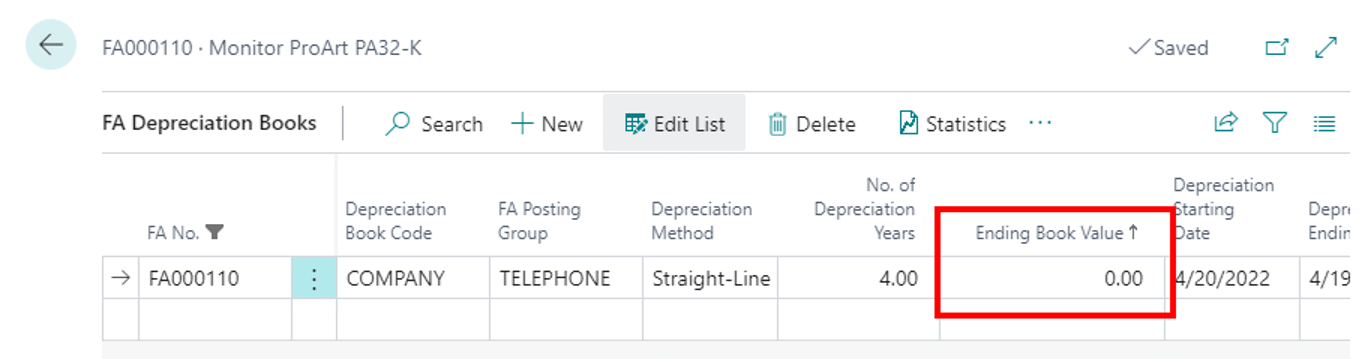
This field is not visible by default, so you will need to customise the page to make it available.
Read original post Can a Residual Amount be Set on a Fixed Asset in Microsoft Dynamics 365 Business Central at azurecurve|Ramblings of an IT Professional
This was originally posted here.
*This post is locked for comments