







Use AAD Groups to set up your PowerApps / Dynamics teams
 ashlega
 34,477
 Like
Like Share
Share
 Report
Have you tried creating a team lately? If not, give it a try, and you may see a couple of team types that were not there before and that might actually get your AD admins excited:
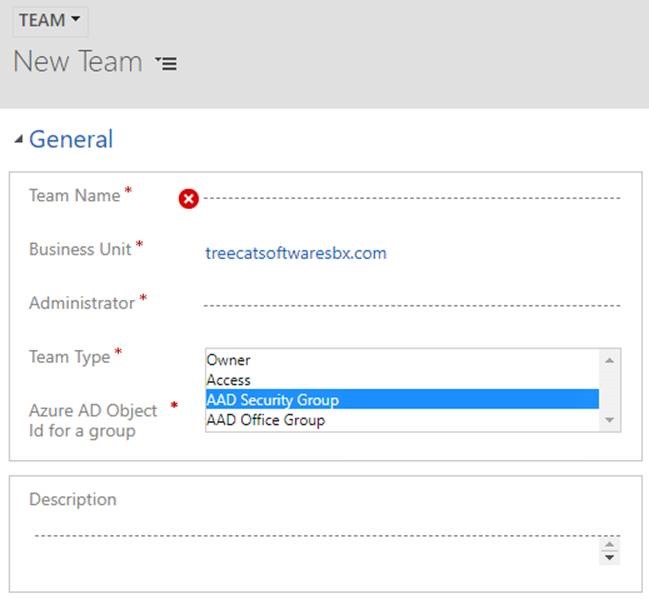
Now imagine that there is a group in AAD which you want to use to set up a team in PowerApps. Previously, it would be a relatively complicated task that would require some kind of integration to be set up. Now you can do it out of the box. Setup the teams in PowerApps, assign security roles, and let AD/Office admins manage the membership outside of Dynamics.
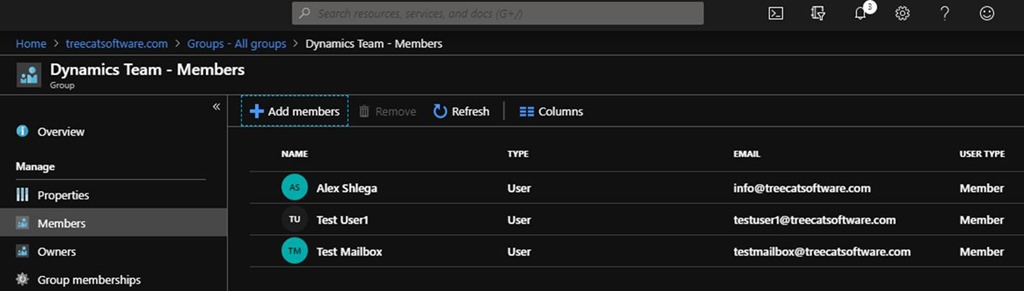
Here is an AAD group:
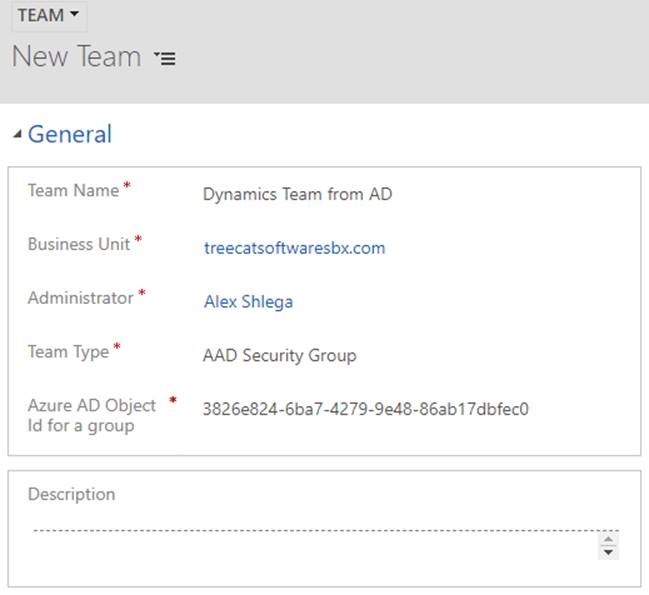
Here is a team in PowerApps that’s using the ID of the AAD group above:
Here is something important that I did not realize first: any Azure AD group membership maintenance done on the team member in Azure AD will not be reflected until the next time the team member logs in or when the system refreshes the cache (after 8 hours of continuous log-in).
https://docs.microsoft.com/en-us/dynamics365/customer-engagement/admin/manage-teams
But, once I’ve logged out and logged in under each of the user accounts above, I can see them added to the team:
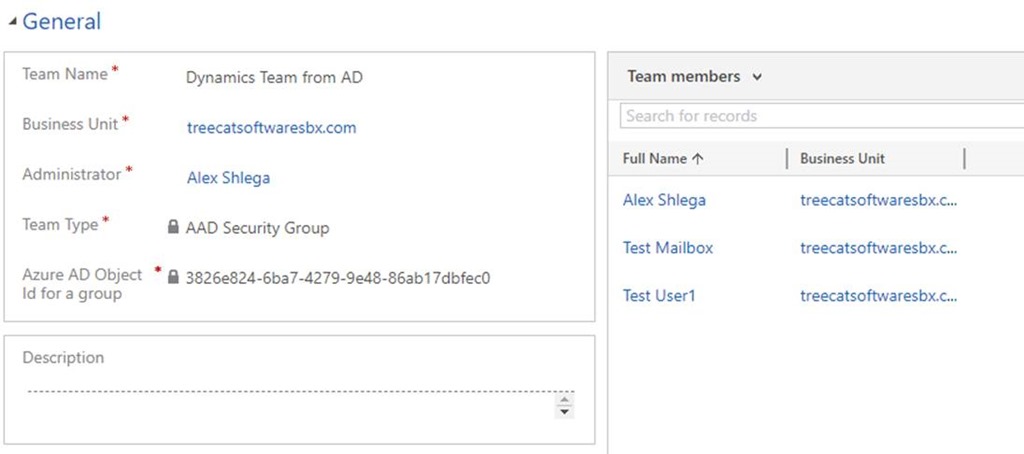
And, once it happens, the users will get their permissions derived from the team. Which means that the next time you need to create a Sales Person user account in Dynamics, you might probably just add that user to the corresponding AD group.
This was originally posted here.
*This post is locked for comments