




 157
157 Like
Like Share
Share
 Report
A business recently explained to me that they were running a dynamic bin ranking method, to enhance the likelihood of a correct pick walk not necessarily an efficient one. They had visited an Amazon fulfillment centre, which used something similar and figured if it is good enough for Amazon then it is good enough for us! Worth reading into some of the features of an Amazon warehouse, like this article: https://www.allaboutlean.com/amazon-fulfillment-3/
As well deciding bin ranking needed to be dynamic the business in question also ensured items were in scattered bins across the warehouse. This was to remove the likelihood of picking the wrong item – for example a pair of shoes would be in a bin next to a coat or trousers – hence the “correct pick” statement from earlier. In BC the “Bin Ranking” helps to control three functions: putting stock away, bin replenishment or pick line sorting. Due to this scenario it is important to ensure any “dynamic” facility sticks to specific numbering so that both facilities remain functioning. Need more info on bin ranking? Check out the standard docs about it: https://docs.microsoft.com/en-gb/dynamics365/business-central/design-details-warehouse-setup
General rule of thumb with bin ranking is that your pick face has the highest rank and the bins which are easiest to pick from (close to the floor or near the packing area) are given the highest rank number value. Therefore dynamically ranking bins in the way I’m about to explain might not fit the warehouse layout. You could certainly produce this routine in AL with a processing only report potentially and run it on the job queue. I have opted for Power Automate in this case to see if it could handle a scenario where multiple tables are checked to determine a result. Also it provides a single place for all business logic and any data references it makes. I understand these justifications won’t be enough for everyone but bin ranking isn’t for everyone either. Some techniques used might be helpful for other scenarios – like making use of a flowfilter with a query API or not using SystemID as the “row ID” for the BC connector in Power Automate.
Power Automate being chosen doesn’t make this a development free solution. Link to the code is at the end but you will need an API page for the bin table, API page for the bin content table and an API query for the item table. The image gallery below shows each step of the flow used. Added text on each image for each context or details on expressions/code:
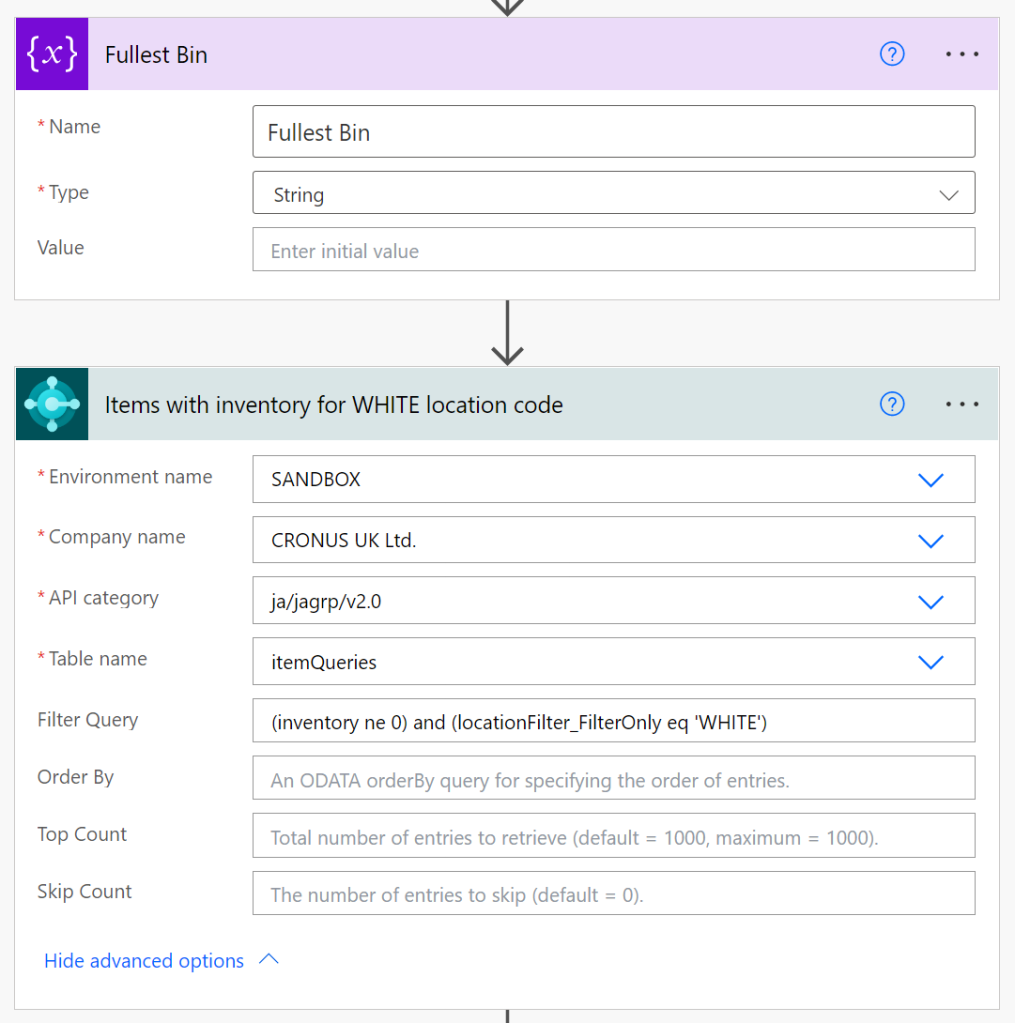


Link to the code for the API pages and API query: https://github.com/JAng13sea/Blogs/tree/master/Dynamic%20Bin%20Ranking
*This post is locked for comments