




 841
841 Like
Like Share
Share
 Report
For this example, I am using Customer Invoice report (e.g., SalesInvoice.Report).
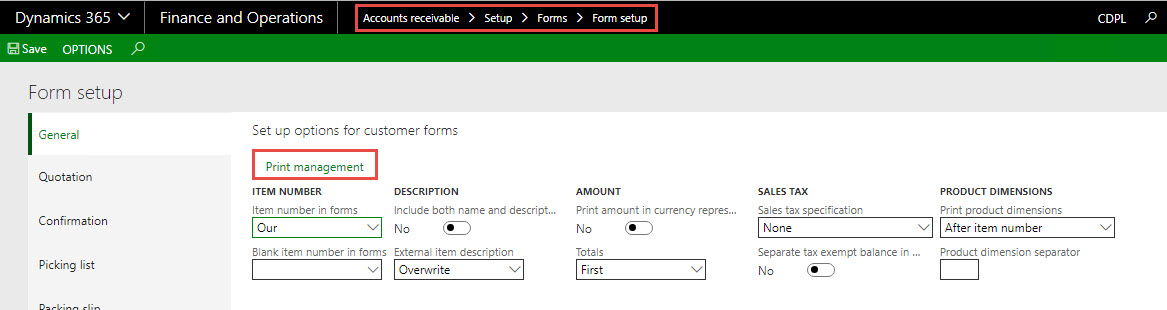
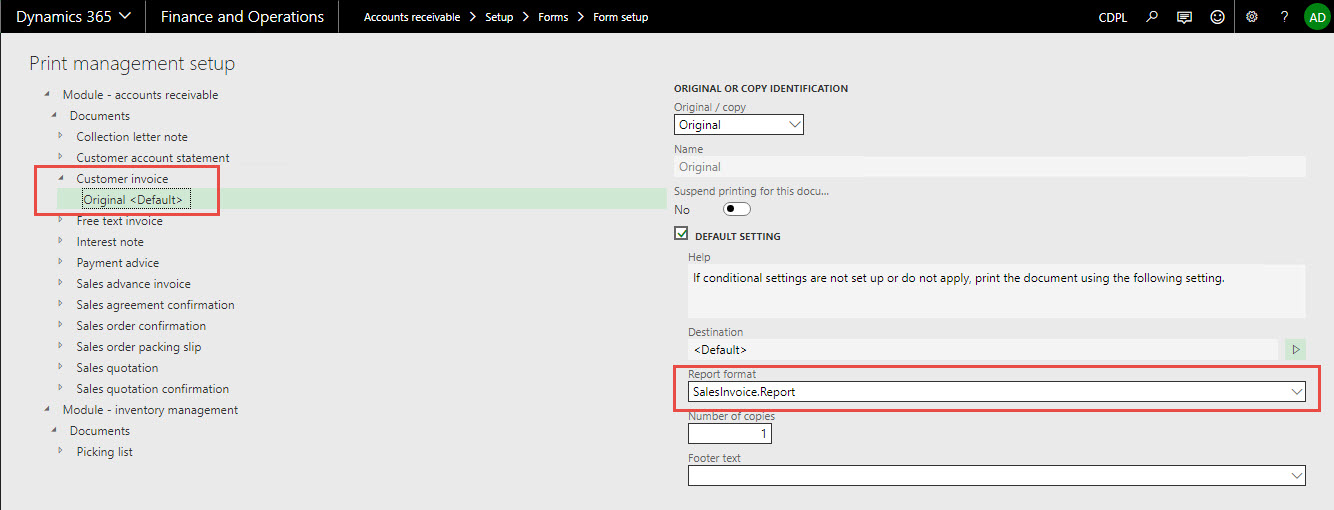
Note: We can use print management settings for SSRS report through "Use Print Management" menu.
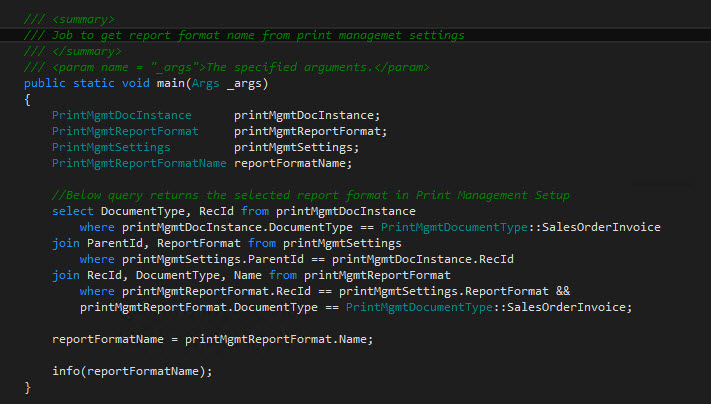
Source code explanation:
- Document type here, Sales order invoice. (Enum)
- Table joins:
- PrintMgmtDocInstance table holds information about the overwritten destinations.
- PrintMgmtReportFormat table contains SSRS report names that users can choose from as alternatives for reports that are controlled by print management.
- PrintMgmtSettings table contains specific print management settings that are applied when a document is printed.
- Get the report name from PrintMgmtReportFormat table, Name field contains the report format name.
Result:

*This post is locked for comments