




 15,055
 Like
Like Share
Share
 Report
Today in this blog, I will be writing about automation of vendor payment proposal which has been added by Microsoft recently in feature management. This can really help us in reducing the manual effort for scheduled payments for the vendor. Here is how we can utilize this feature:
Organizations that have a cyclical schedule for vendor payments can now automate the payment proposal process. You can create an automated business process that uses criteria that you define and then use to generate a payment proposal automatically. You can create multiple versions of the process to generate the following proposals as examples:
- Pay domestic vendors by electronic funds transfer each Monday.
- Pay domestic vendors by check each Wednesday.
- Pay international vendors by electronic funds transfer each Friday.
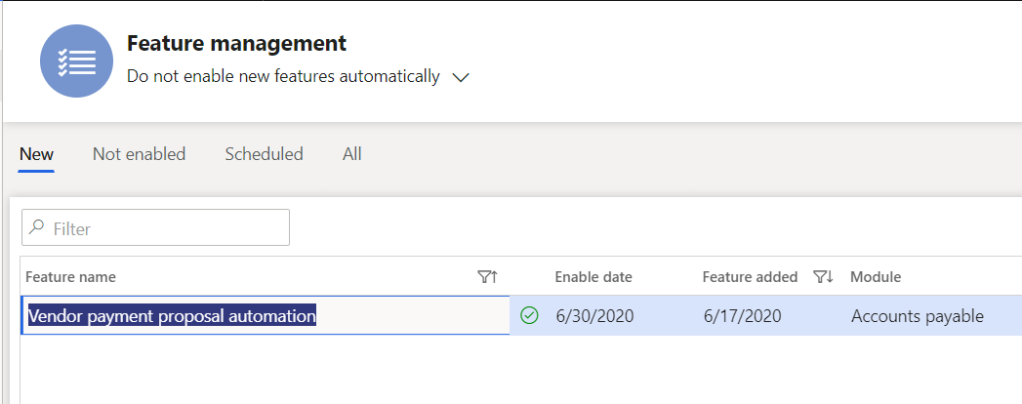
Pre-requisites: Enable this feature by navigating to the feature management workspace.
Let’s start with the configuration:
Step-1: Create Occurrence for automation
This is very critical step where we need to setup different occurrence as per organization policy.
Navigate, Account Payables > Setup > Payment Setup > Process Automation > Create New Process Automation

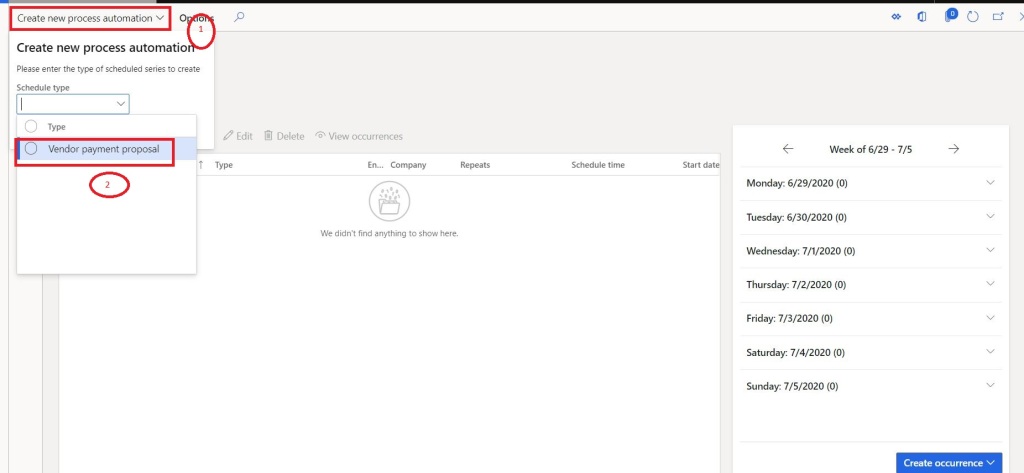
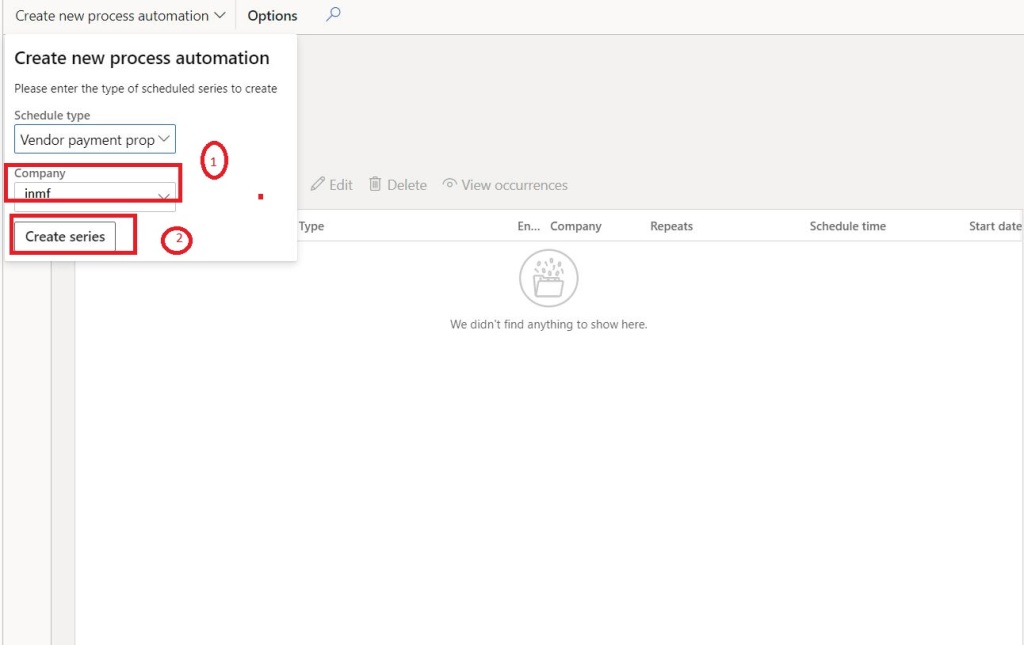
Step-2: Select Schedule type and Click on Create Series
Step-3: Define Payment proposal criteria and Occurrence > Click Finish
This is a very critical step, whole feature works on this configuration. We need to define the Payment proposal criteria how we define at the time of manual proposal run, frequency, run info etc…


Note: Repeat this for creating as many schedules you want to create
Step-8: View Occurrence
After finishing we can see all the occurrence created by us and schedule as well.
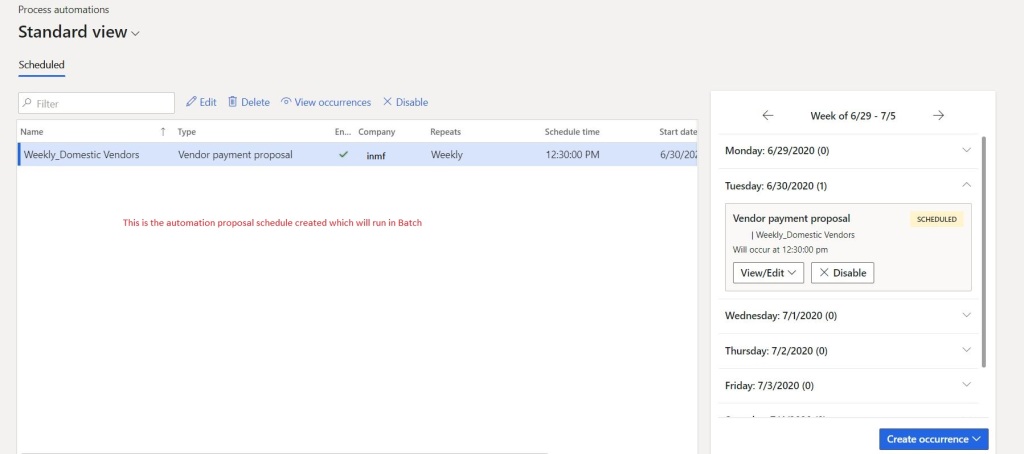
This also can be motored from Vendor Payment workspace

Step-9: Batch job run
Make sure process automation batch job is running

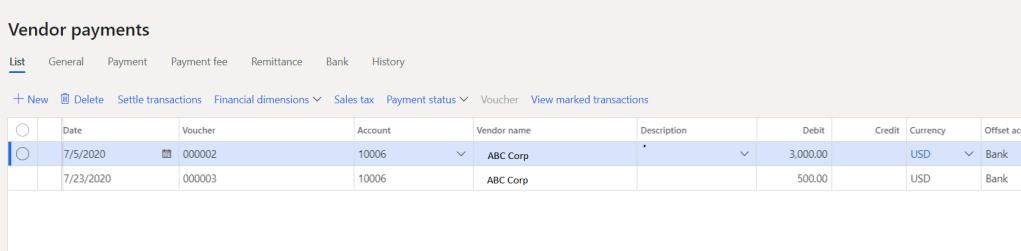
Step-10: Execution of Batch job > Payment journal creation

That’s’ it for this blog, hope this will help you in streamlining the vendor payment process automation.
Thanks!!! Keep reading and sharing with your network. Next week I will be back with new blog.
*This post is locked for comments