




 22,805
 Like
Like Share
Share
 Report
Hello Dynamics Lover,
In this blog, I have tried to capture and articulate, how our customer can use the privilege of adding attachment into the transactions, masters (vendor, customer) etc. for their reference.
When using any form of Dynamics 365, we see the below highlighted option, it is basically for adding any attachments into any transactions or in any master data

This blog is about configuring this and how to use this function.
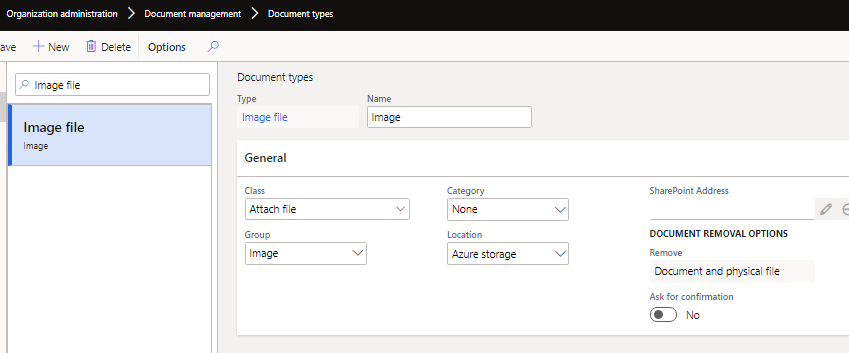
Step 1: Path-> organization administration-> Document management-> Document Types
Create a file format you want to use. it can be Image, file, URL, NOTE, you can select from the ‘Class’ and ‘Group’ while creating the format (I have created for IMAGE)
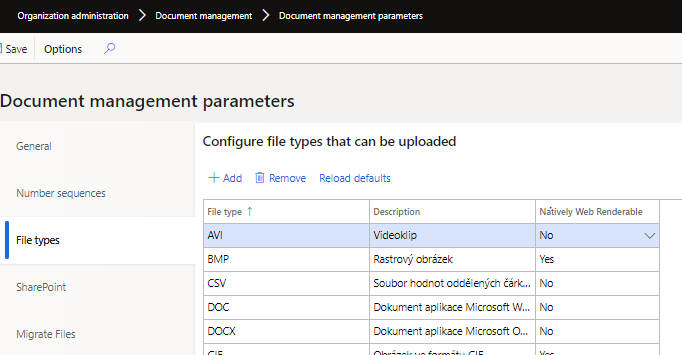
Step 2: Path-> organization administration-> Document management-> Document management parameters ->You can update the default allowed format, to do this please select “Reload defaults”
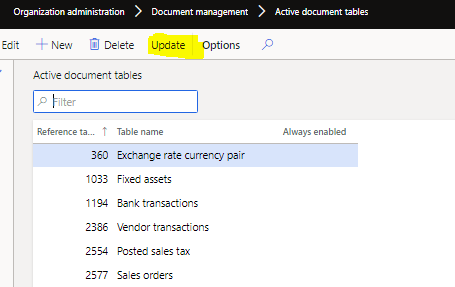
Step 3:Path-> organization administration-> Document management-> Active document tables-> Update -> Add the table names, where the file addition is allowed as an attachment.
Configurations are done
See below how we can use this function.
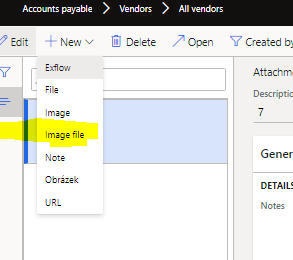
Step 1:I want to add IMAGE file in Vendor master as a vendor picture, hence select the vendor and click on the attachment

Step 2: The new page will appear, select new and see the format you created, in our case we created Image file
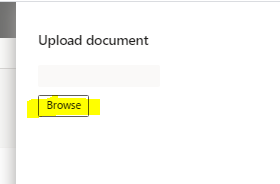
Step 3:Upload the file from your computer
Step 4: Save
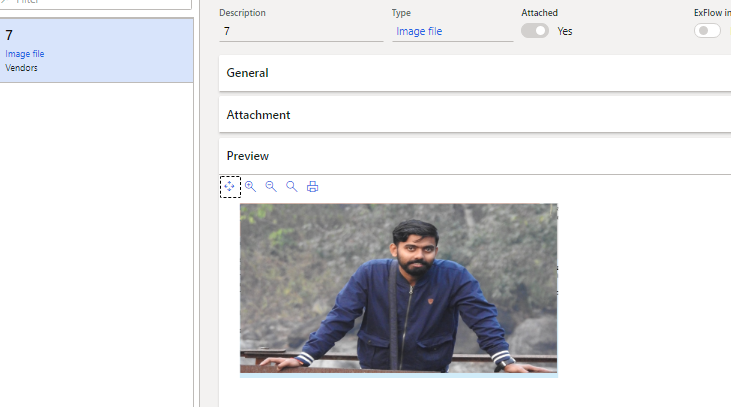
From the preview area, you will see the image file as a preview.
BONUS- This Function has the privilege to add attachment into the posted transactions as well.
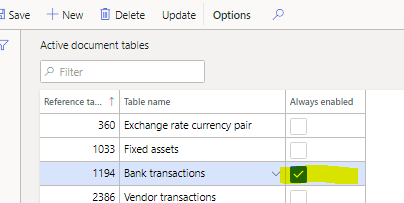
Suppose the bank transaction is posted, however you want to put a note or a file for future reference.
To do that, you can tick the “Always enabled” option (Step 3)
I hope I have been as thorough as possible, any query and concern, kindly do not hesitate to email me Ramitpaul417@gmamil.com


*This post is locked for comments