




 50,269
 Like
Like Share
Share
 Report
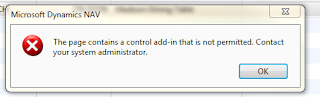
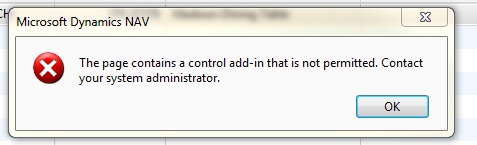
You may notice this error, when you develop a client add-in and add that to a page but forget to register the client add-in.
In Navision whenever you develop a client add-in you need to register that in Client Add-in” table (2000000069) with at least its name and the public key token of its signature. You can do this manually if you know the public key token and here is the msdn article to get the key for add-in.
http://msdn.microsoft.com/en-us/library/dd983825.aspx
Christian in his blog posted a tool which will help to register the add-in without worrying about public key token. Here is the blog post regarding that.
http://blogs.msdn.com/b/cabeln/archive/2009/06/08/registration-tool-for-dynamics-nav-roletailored-client-add-ins.aspx
In Navision whenever you develop a client add-in you need to register that in Client Add-in” table (2000000069) with at least its name and the public key token of its signature. You can do this manually if you know the public key token and here is the msdn article to get the key for add-in.
http://msdn.microsoft.com/en-us/library/dd983825.aspx
Christian in his blog posted a tool which will help to register the add-in without worrying about public key token. Here is the blog post regarding that.
http://blogs.msdn.com/b/cabeln/archive/2009/06/08/registration-tool-for-dynamics-nav-roletailored-client-add-ins.aspx
*This post is locked for comments