




 Like
Like Share
Share
 Report
Introduction
This blog explains how to use “startswith” filter query in MS Flow.
Use Case
Using MS Flows to retrieve the bunch of students who’s mobile numbers begin with +91 and send them a text (using Twilio connector) regarding the Top Indian Universities. The “starts with” filter query in MS Flows allows to easily achieve this functionality.
Steps to be Followed:
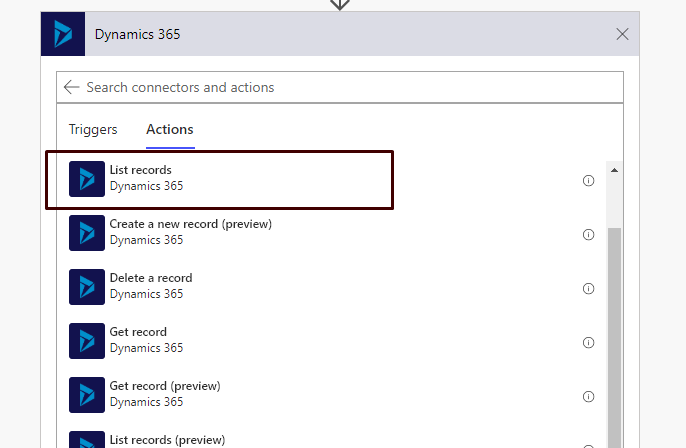
- We will use “Dynamics 365 – List records” Actions.
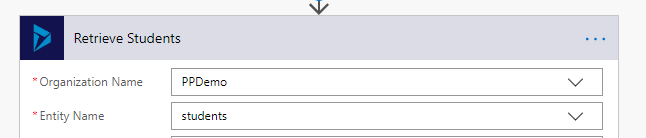
- Enter the Organization Name and select the entity.
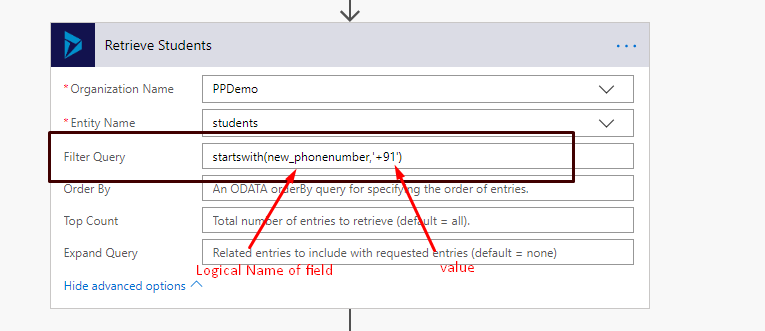
 Filter Query: startswith(new_phonenumber,’+91′)
- “new_phonenumber” is the logical name of the field which stores the phone number of students.
- ‘+91’ is the value of phone number by which we want to filter the retrieved student list.
- Enter the above query in Filter Query:
- Run the flow to test.
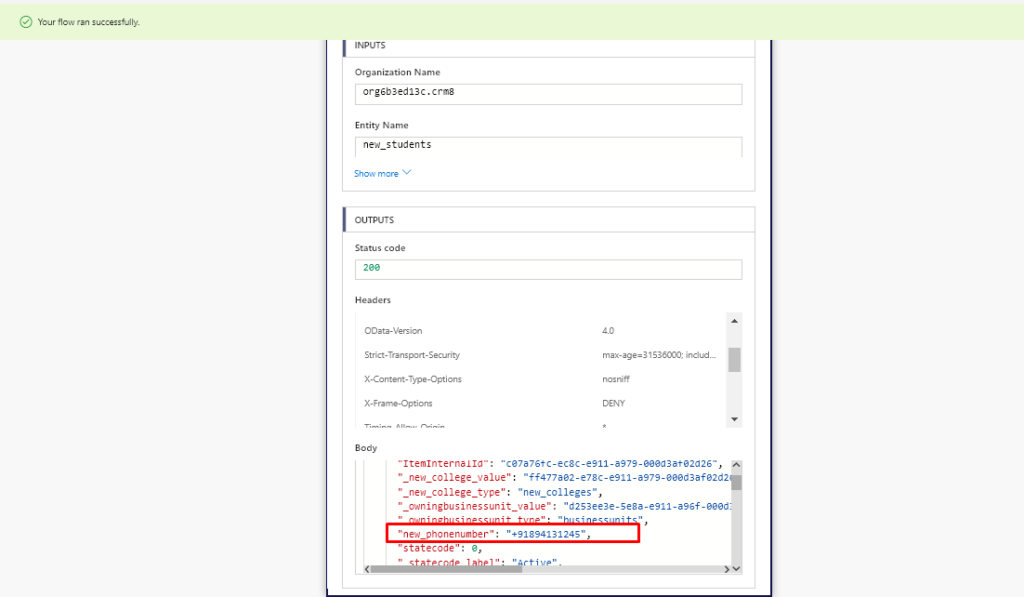 It will return all the students whose phone number starts with “+91”
The post Using “startswith” Filter Query in MS Flow appeared first on Cloudfronts - Microsoft Dynamics 365 | Power Bi | Azure.
*This post is locked for comments