







Posting Restriction for Journals- Dynamics 365 Finance & Operations
Views (536)

 Like
Like Share
Share
 Report
Posting restriction feature allow to determine whether specific user or user groups can post only journals that they create. You can use Journal names for posting restriction setup.
- Navigate to General ledger > Journal Setup > Journal names.
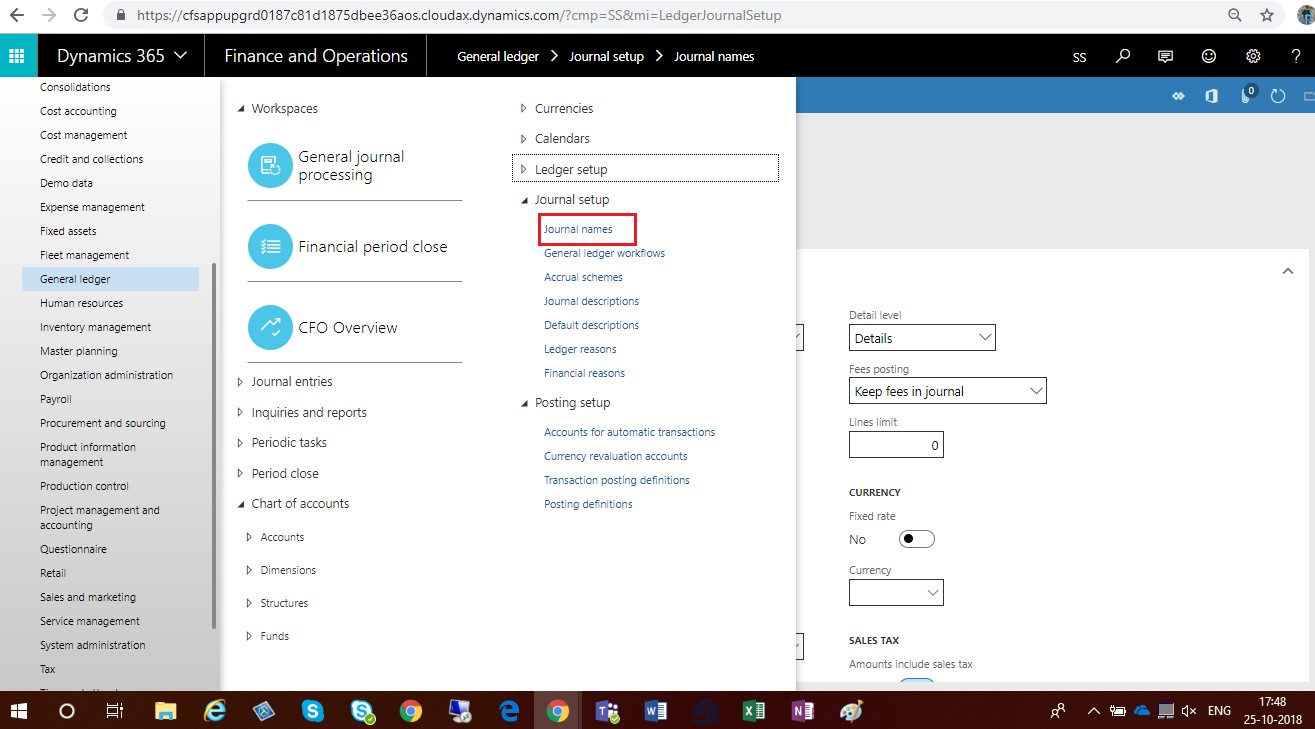
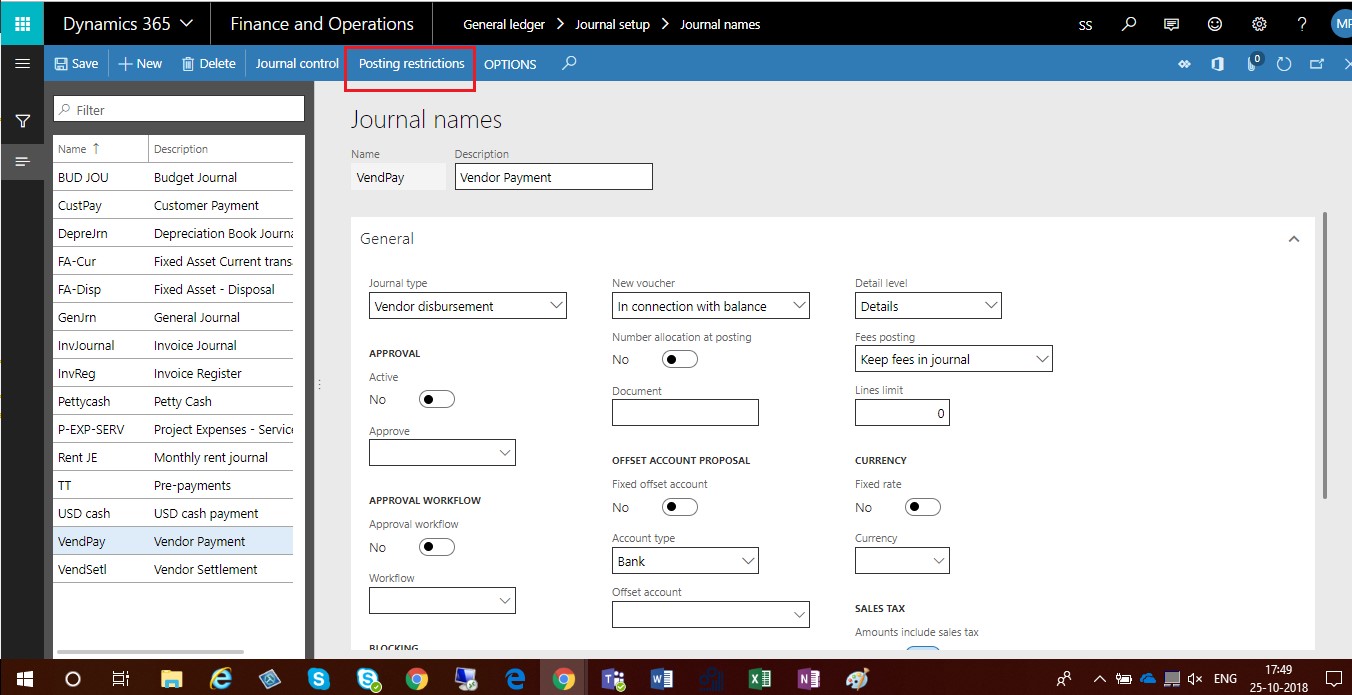
- Select Journal names for which you want to apply Posting restriction.
- Click on Posting restrictions button
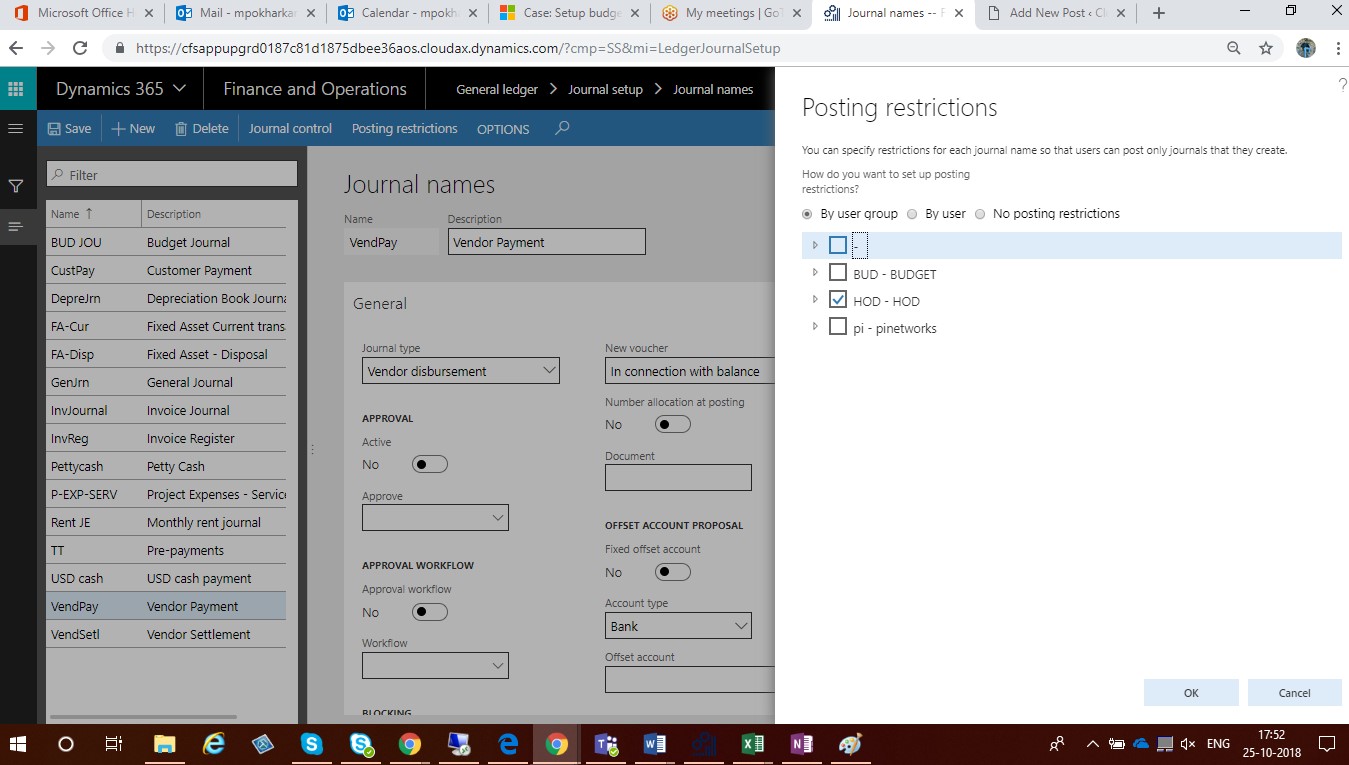
- To set up posting restrictions by user group, select By user group.Select the check box next to the user group name.
- To set up posting restrictions by user, select By user. Select the check box next to the user name.
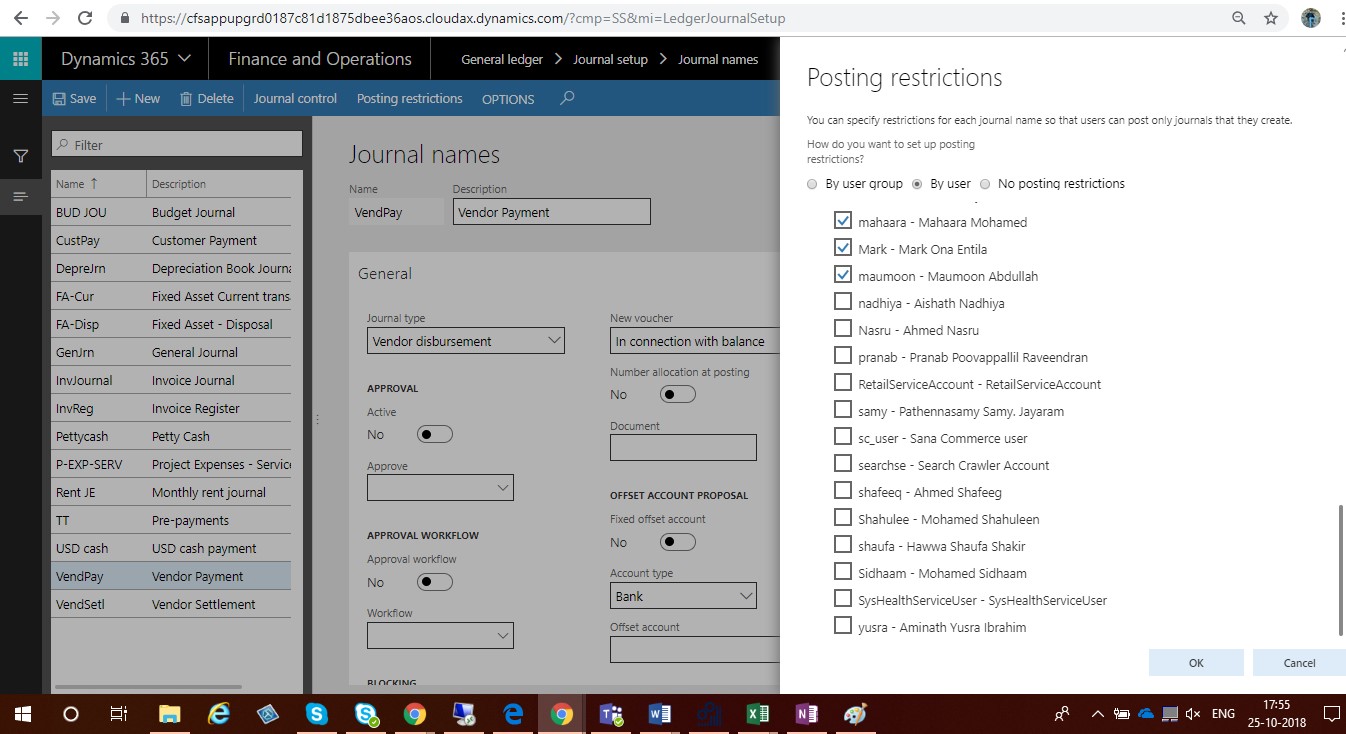
- Click OK to apply the restrictions and close the form.
The post Posting Restriction for Journals- Dynamics 365 Finance & Operations appeared first on CloudFronts - Microsoft Dynamics 365 | Power BI | Azure.
This was originally posted here.
*This post is locked for comments