







Data entity not shown in Data Management in D365FO
Views (1807)
 dasdasd
 841
841
 Like
Like Share
Share
 Report
Recently I have encounter a problem on which my custom data entity is not showing in Data Management. I have done almost everything to fix this problem but unable to fix this issue.
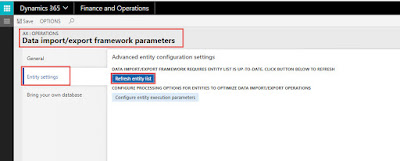
In framework parameter I have refreshed the entity list also restart the data management server but data entity was not showing in the Data Entities List. I could not figure out what was the exact issue but I have manage to fix this problem by doing below mention steps. So I thought I should share this may be it could help someone.
So lets get started.
Step 1:
Take backup of below mention tables:


In framework parameter I have refreshed the entity list also restart the data management server but data entity was not showing in the Data Entities List. I could not figure out what was the exact issue but I have manage to fix this problem by doing below mention steps. So I thought I should share this may be it could help someone.
So lets get started.
Step 1:
Take backup of below mention tables:
- DMFEntity
- DMFTargetXML
- DMFTargetXMLToEntityMap
- DMFTargetEntityHierarchy
Note: Query for taking tables backup is shown in image.

Step 2:
Truncate above mention tables.

Step 3:
Now go to Data Management -> Framework Parameter -> Entity Settings and click Refresh Entity List.

By refreshing the entity list it will ensures all entities which are available in the environment and that the entities which have the latest metadata have to be updated in the data management. That is all you need to do to resolve this problem.
This was originally posted here.
*This post is locked for comments