







How to Capture Error Description and Error Log Date in Script Component in SSIS

 Like
Like Share
Share
 Report
Our Scenario:
To resolve the Errors that occur due to componentMetadata130 and to capture the Error Log Date and Error Description while doing custom Error Handling in SSIS use the following steps.
Solution:
Error Handling at OLEDB Source Block:
Step 1:
Add a Script Component to catch the Error Description, Error Log Date and Entity.
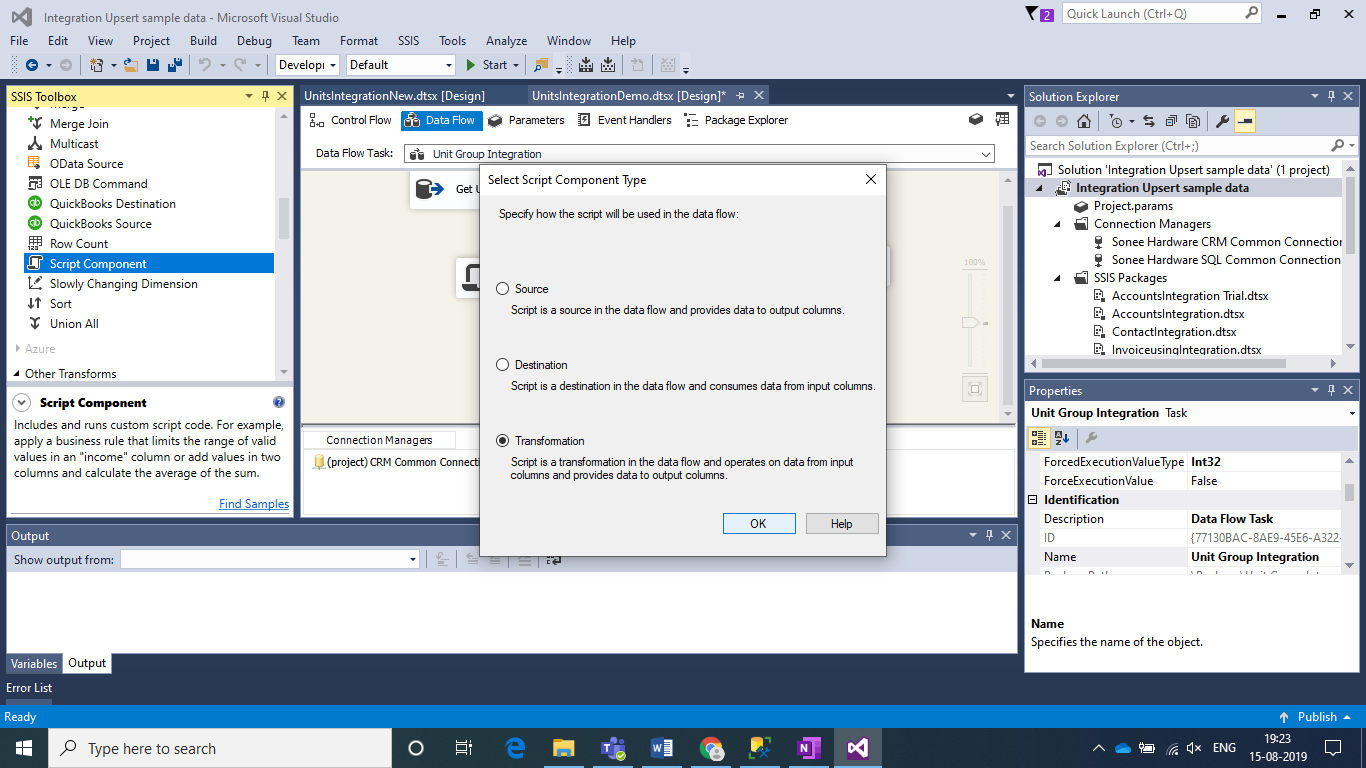
Select Transformation and click on Ok.
Step 2:
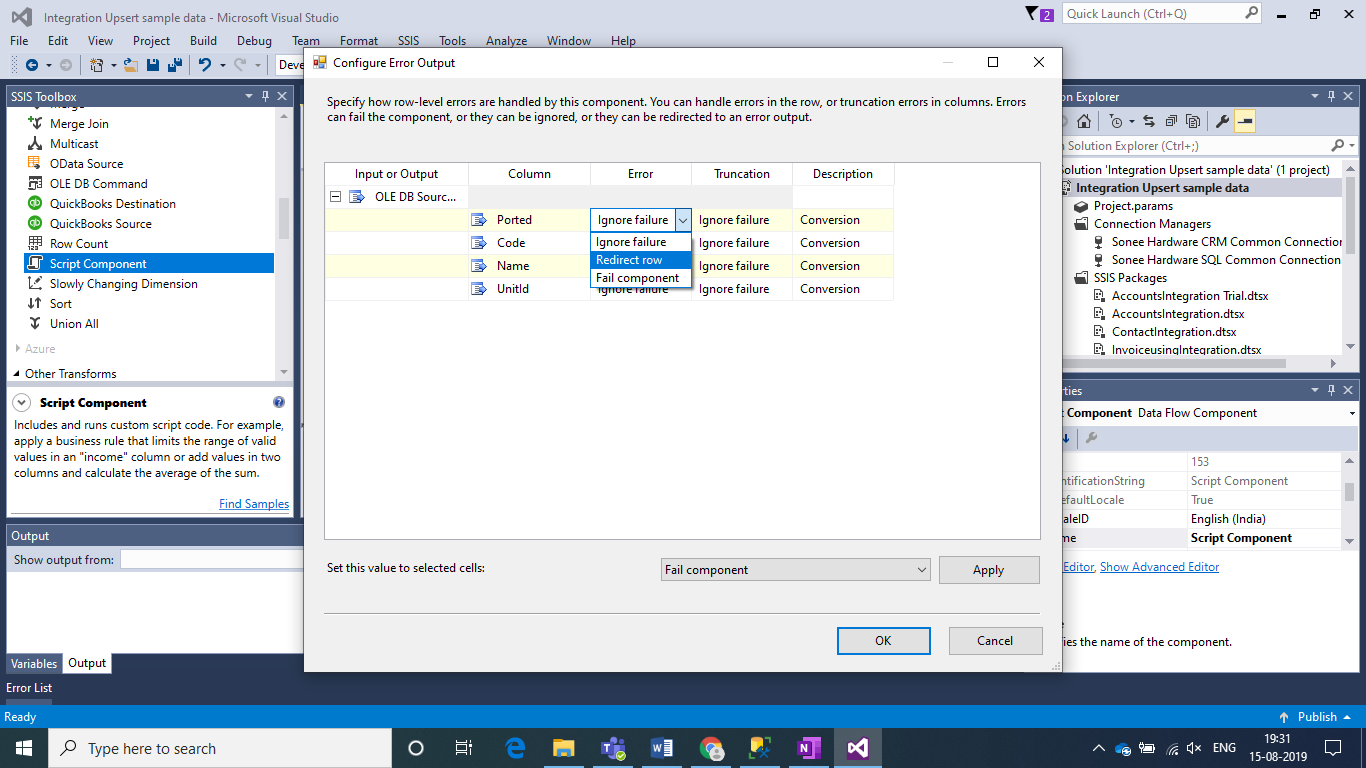
Connect the Error Output (Red Arrow) from OLDEB Source to the Script Component. Select “Redirect row” for all columns in the Error and Truncation Columns to redirect Error Output to Script Component.
Step 3:
Configure the Script Component as following:
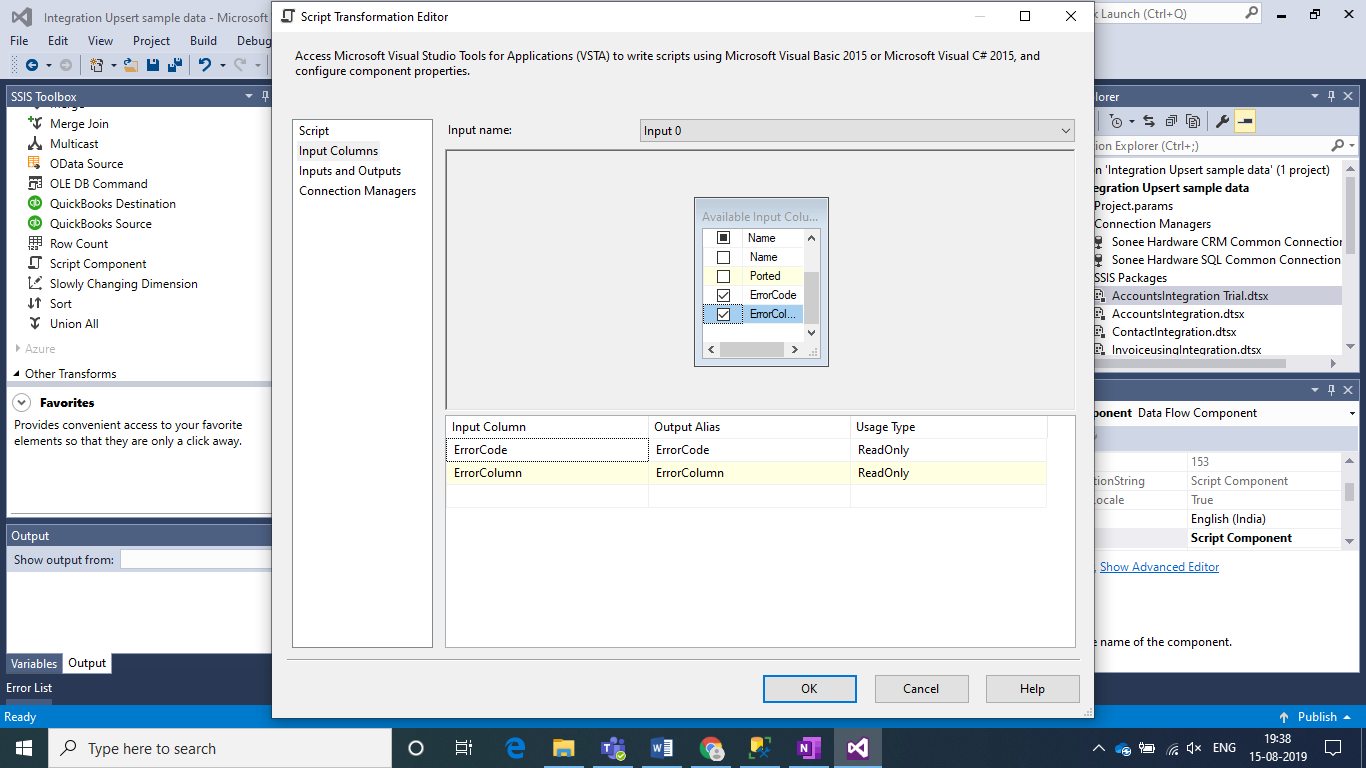
In Input Columns section Select Error Code and Error Column.
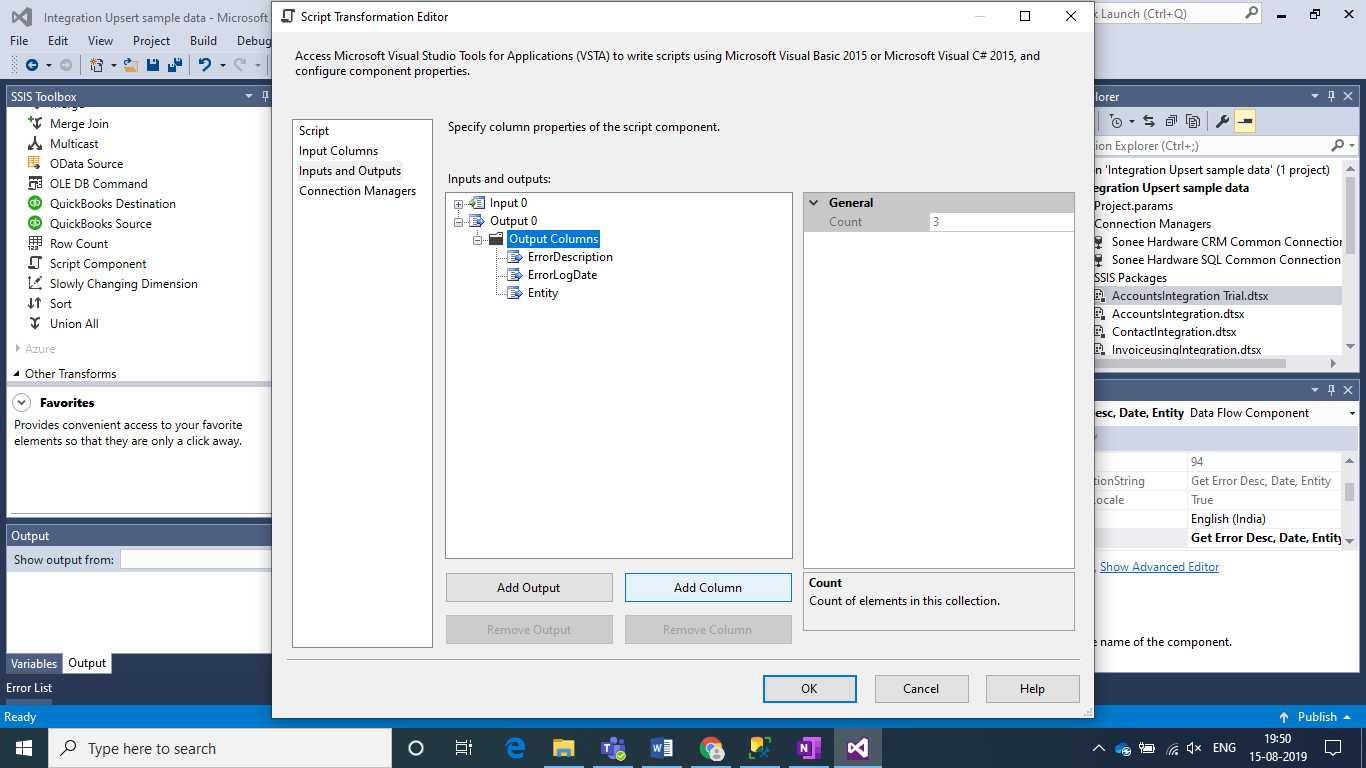
In Inputs and Outputs section Add following Columns
| Column Name | Data Type | Length |
| ErrorDescription | Unicode string [DT_WSTR] | 500 |
| ErrorLogDate | database timestamp [DT_DBTIMESTAMP] | —- |
| Entity | string [DT_STR] | 50 |
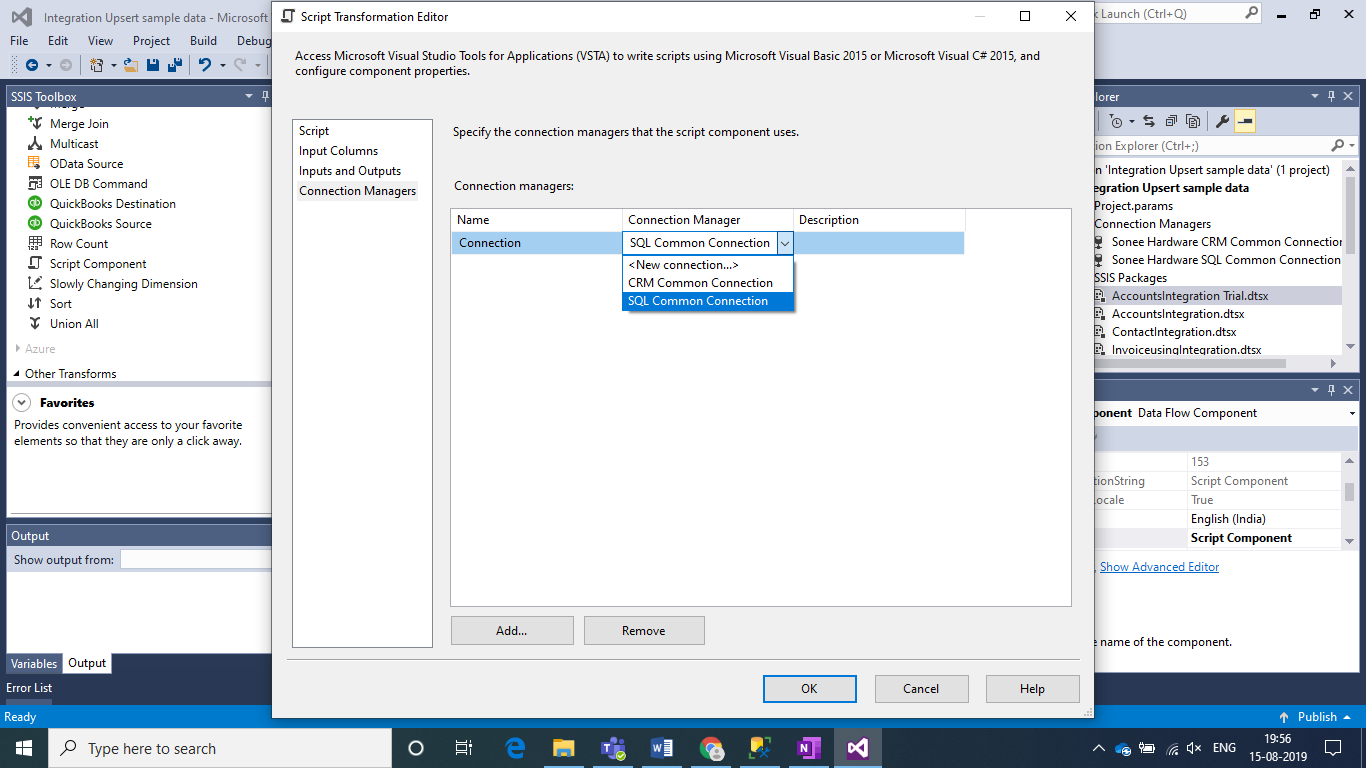
In the Connection Managers Section add a new connection and select your SQL connection.
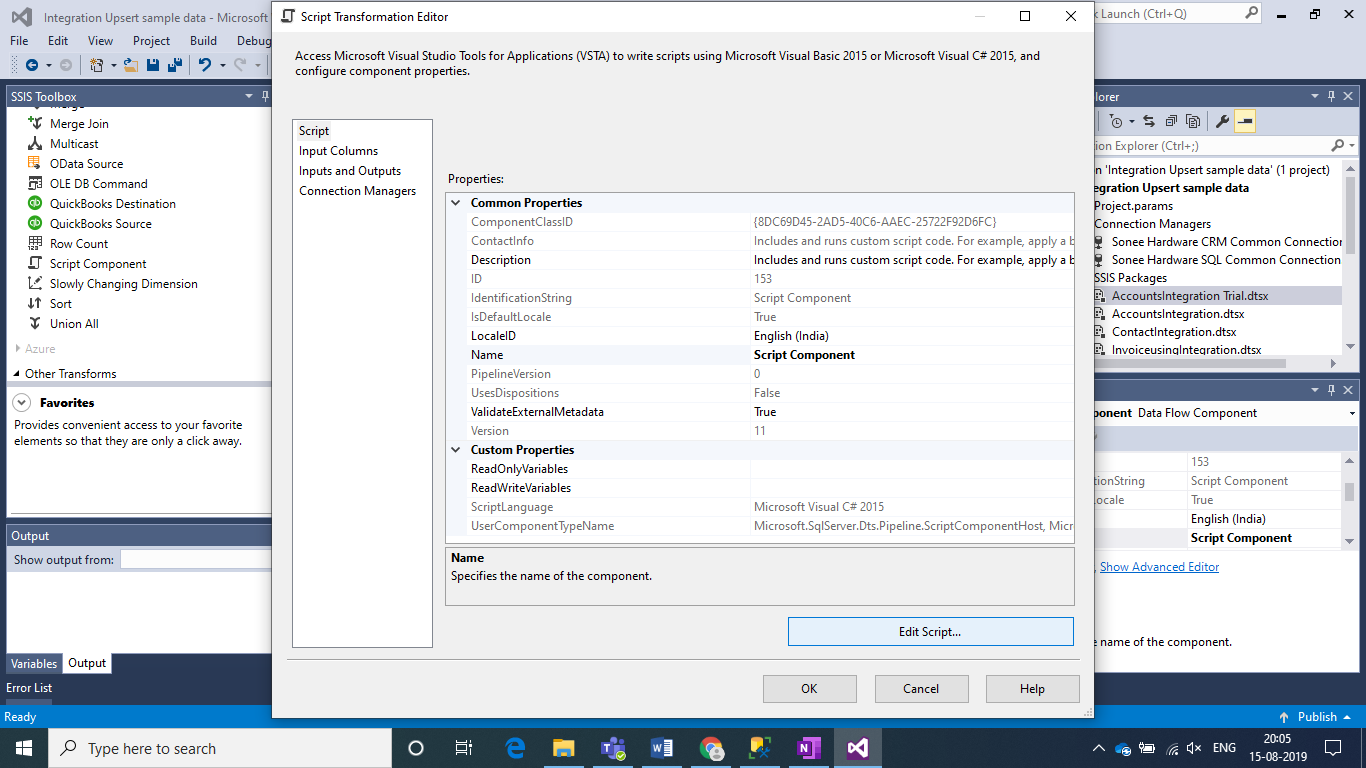
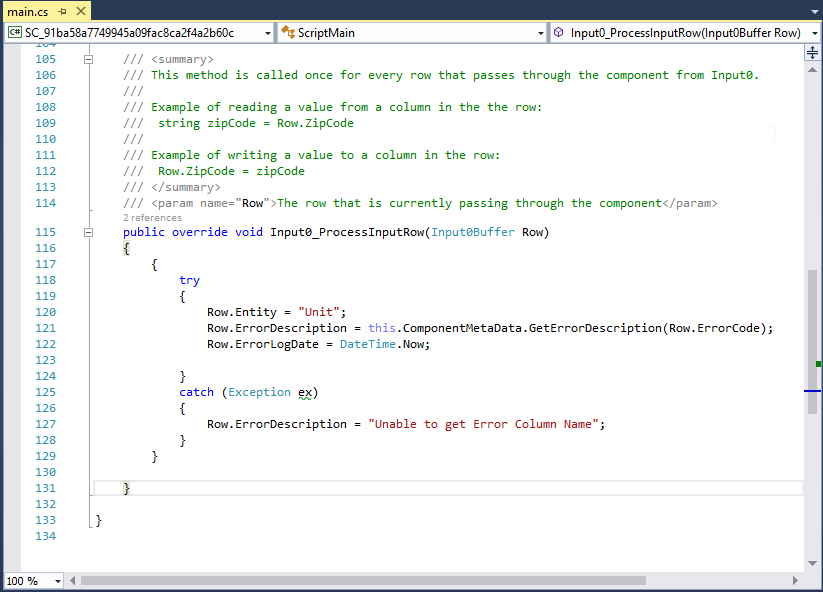
In the Script Section click on Edit Script. After a minute a New Editor Window will Open. Here you have to copy and paste the following Script inside the “public override void Input0_ProcessInputRow(Input0Buffer Row)” section.
Code Snippet:
try
{
Row.Entity = “Unit”;
Row.ErrorDescription = this.ComponentMetaData.GetErrorDescription(Row.ErrorCode);
Row.ErrorLogDate = DateTime.Now;
}
catch (Exception ex)
{
Row.ErrorDescription = “Unable to get Error Column Name”;
}
Click on Save and then Close the Window.
Step 4:
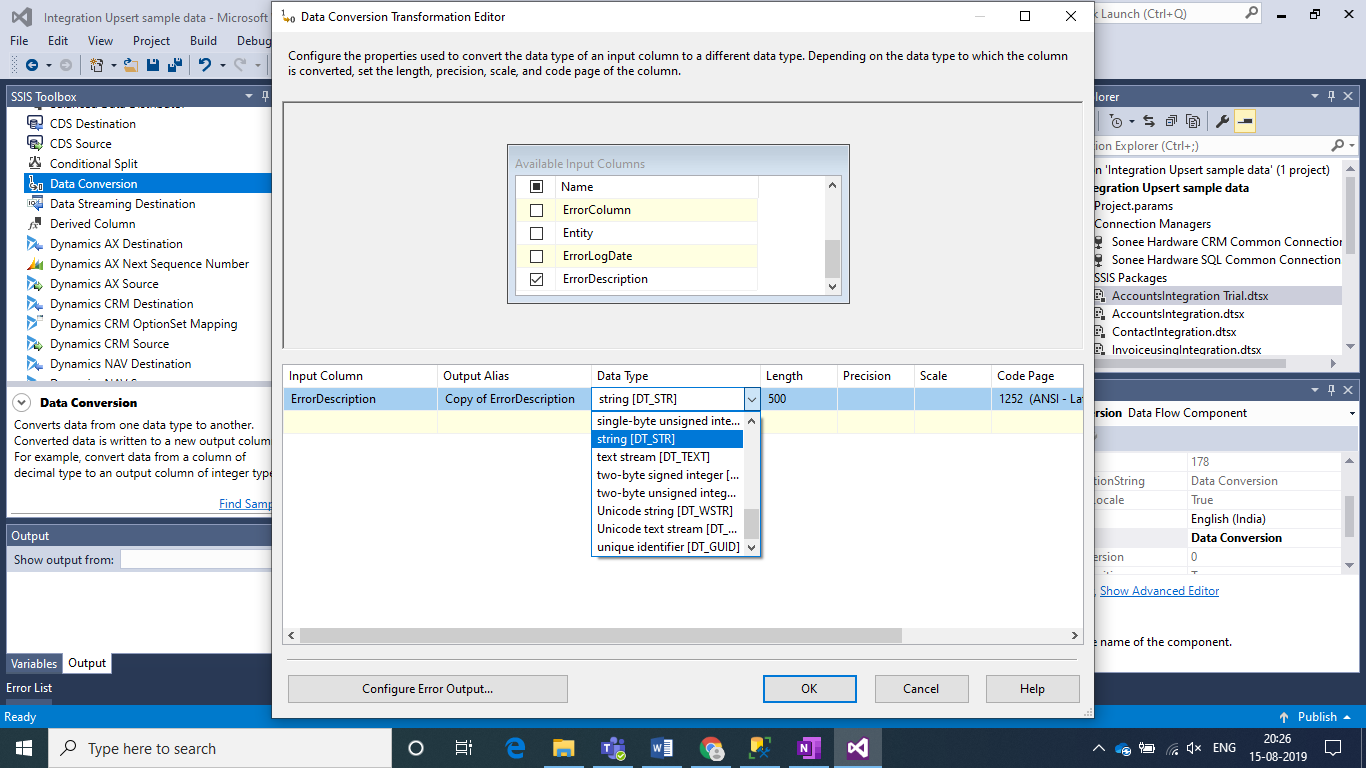
Add a Data Conversion Block to avoid any Truncation Errors because of Data Type Conversion between NVarchar and Varchar Data Types of the Error Description Column.
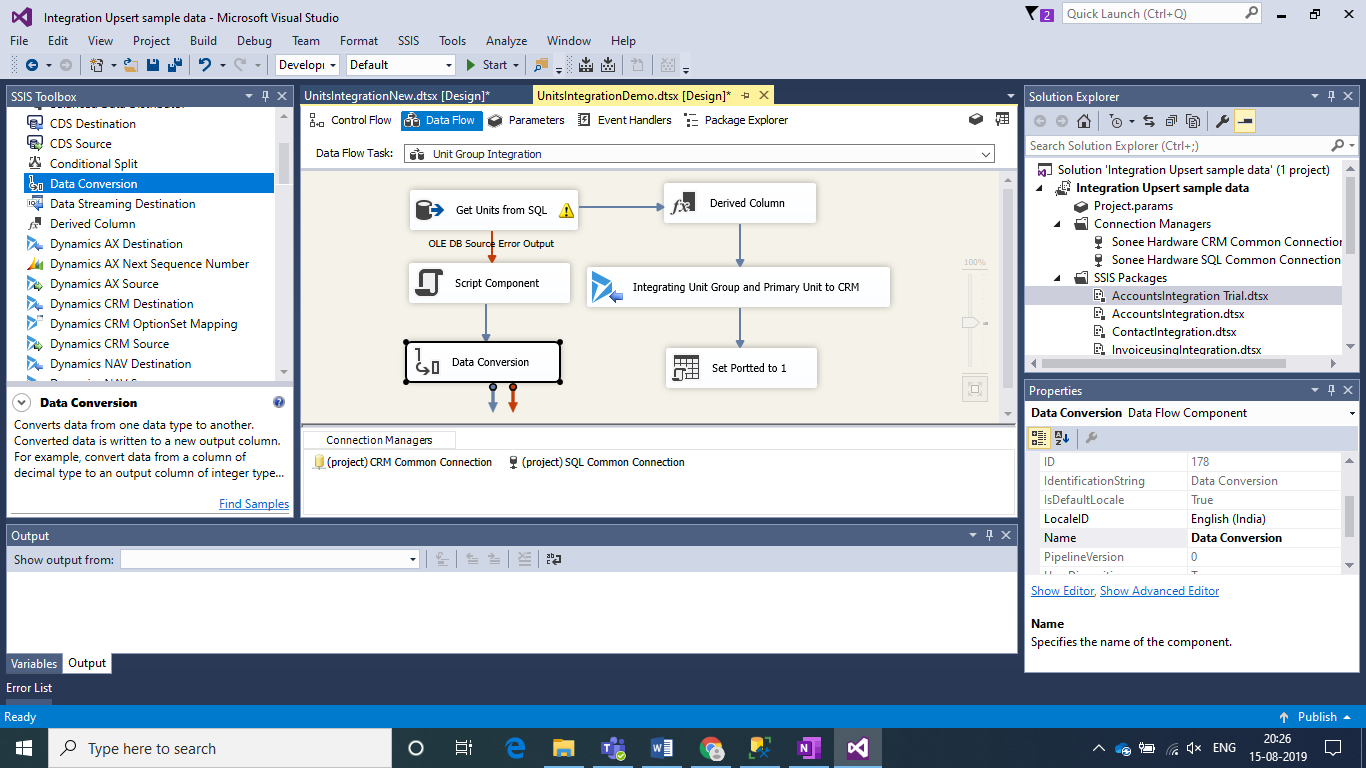
Select ErrorDecription Column and select Data Type as String. Click on OK.
Step 5:
Connect the Output columns of Script Component to the required Destination Columns.
Conclusion:
This is the simplest way in which we can record the Error Description and Error Log Date while custom Error Handling in SSIS.
The post How to Capture Error Description and Error Log Date in Script Component in SSIS appeared first on .
*This post is locked for comments