






Use namespace in JavaScript and how to call functions
Views (210)
 Charles Abi Khirs
 3,569
3,569
 Like
Like Share
Share
 Report
In this previous post, we have learned how to create, structure and organize the Web Resources files.
In this post, I will show you how to use namespace in JavaScript web resource and how to call the functions.
1. In the JavaScript web resource, add the below code in order to create your specific namespace (change it as per your need).
var CAKBlog = CAKBlog || {}; //Create CAKBlog namespace
CAKBlog.Form = CAKBlog.Form || {}; //Create CAKBlog.Form namespace
CAKBlog.Form.Account = function () { //Create CAKBlog.Form.Account namespace
//Functions are added here
}();
2. Add your functions' logic inside, noting that these functions cannot be called, because they are private.
CAKBlog.Form.Account = function () {
function onLoad(context) {
console.log("Execute onLoad");
}
function onSave(context) {
console.log("Execute onSave");
}
function onChangeTelephone(context) {
console.log("Execute onChangeTelephone");
}
}();
3. In order to be able to call functions, you have to add public functions as per the below
return {
OnLoad: onLoad, //public function: private function
OnSave: onSave, //public function: private function
OnChangeTelephone: onChangeTelephone //public function: private function
};
4. Least but not last, the complete JavaScript web resource might look like this:
var CAKBlog = CAKBlog || {}; //Create CAKBlog namespace
CAKBlog.Form = CAKBlog.Form || {}; //Create CAKBlog.Form namespace
CAKBlog.Form.Account = function () { //Create CAKBlog.Form.Account namespace
function onLoad(context) {
console.log("Execute onLoad");
}
function onSave(context) {
console.log("Execute onSave");
}
function onChangeTelephone(context) {
console.log("Execute onChangeTelephone");
}
return {
OnLoad: onLoad, //public function: private function
OnSave: onSave, //public function: private function
OnChangeTelephone: onChangeTelephone //public function: private function
};
}();
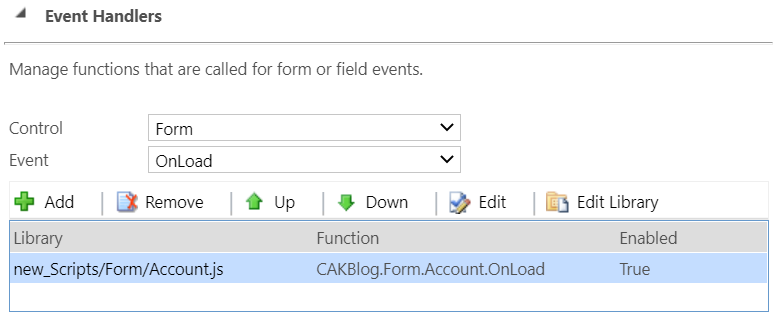
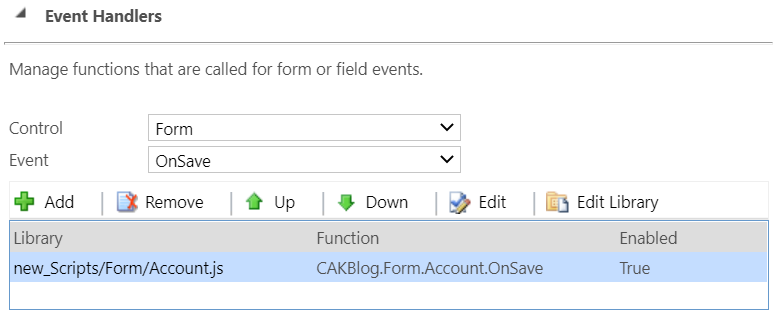
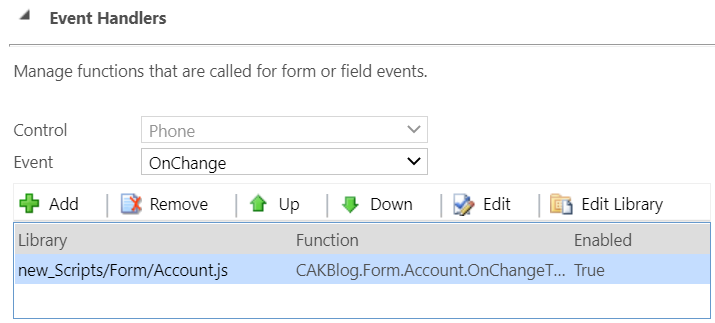
5. Finally, in order to call functions that are added into the JavaScript web resource, use the following syntax (<Namespace>.<FunctionName>) in the CRM Forms based on the event you want to use:
- CAKBlog.Form.Account.OnLoad
- CAKBlog.Form.Account.OnSave
- CAKBlog.Form.Account.OnChangeTelephone
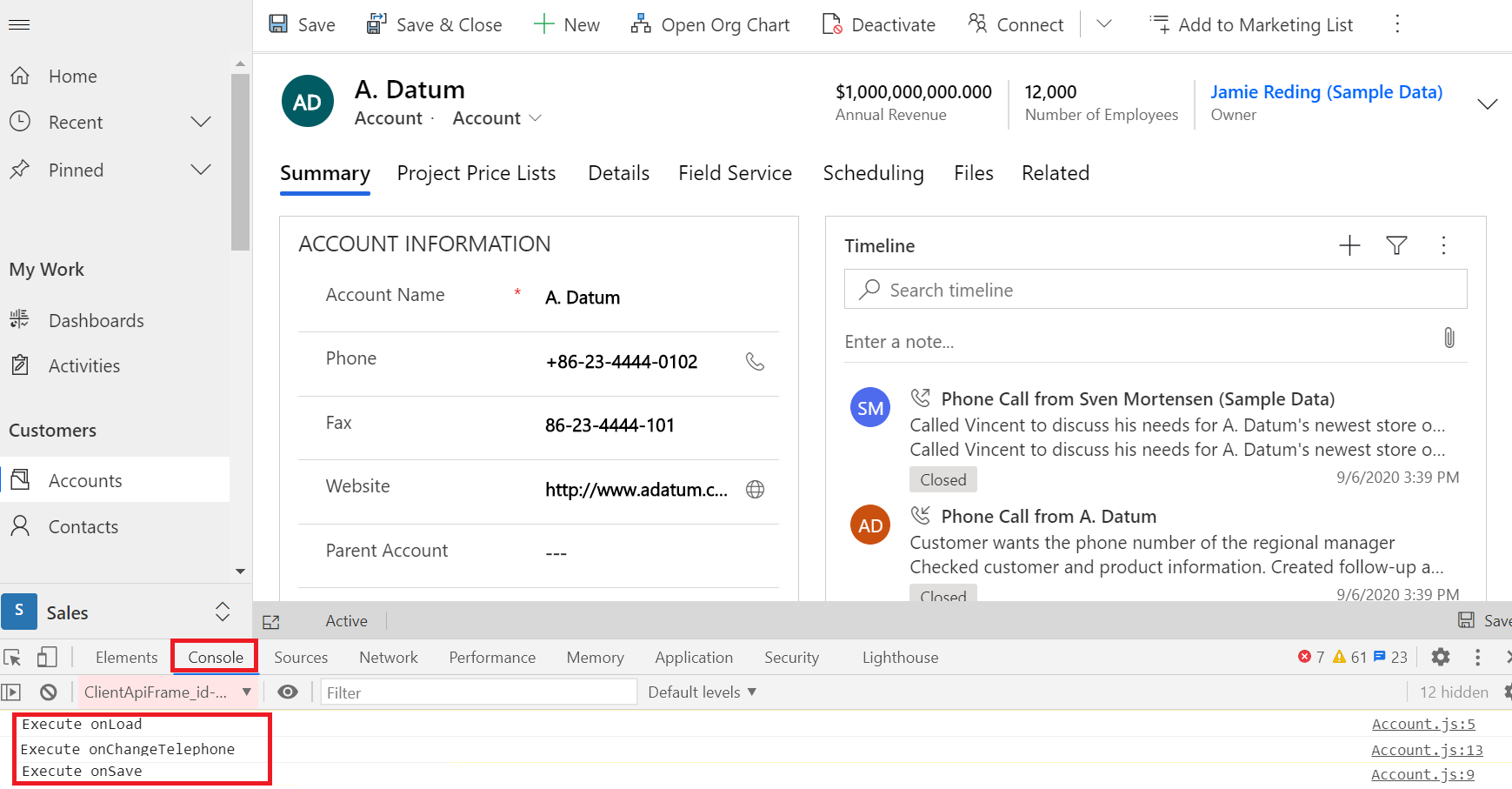
6. The below screen shows the executed functions in the browser's console
Bonus Tips:
1. Using namespaces in web resources will make your JavaScript more structured and easier to read
2. Using namespaces will avoid conflicts when the same function name exists in different web resources
3. When an error occur, you will know which JavaScript file is erroneous based on the namespace
4. If you want to call a function or a variable from another web resource, you have to use the same syntax <OtherNamespace>.<VariableName>
Hope this Helps!
This was originally posted here.
*This post is locked for comments