




 11,615
 Like
Like Share
Share
 Report
I am going to walk-through how can we integrate Slack from Dynamics CRM. My requirement is simply create Slack channel & invite an user to that channel.
Let’s say we need to trigger this channel creation on create of a new account in CRM, I chose to use post create plugin & call Slack API methods in there.
Slack Setup:
For simplicity, I am using Legacy token for this demo. Alternately we can register the Slack App & get workspace token using OAuth.
We can test the Slack API methods in here

Plugin Setup:
Prerequisites: Newtonsoft.Json
using System.Net;
using Newtonsoft.Json.Linq;
using System.Text;
The below is the simple Web API call for creating a channel & inviting an user.
Let’s say we need to trigger this channel creation on create of a new account in CRM, I chose to use post create plugin & call Slack API methods in there.
Slack Setup:
For simplicity, I am using Legacy token for this demo. Alternately we can register the Slack App & get workspace token using OAuth.
We can test the Slack API methods in here
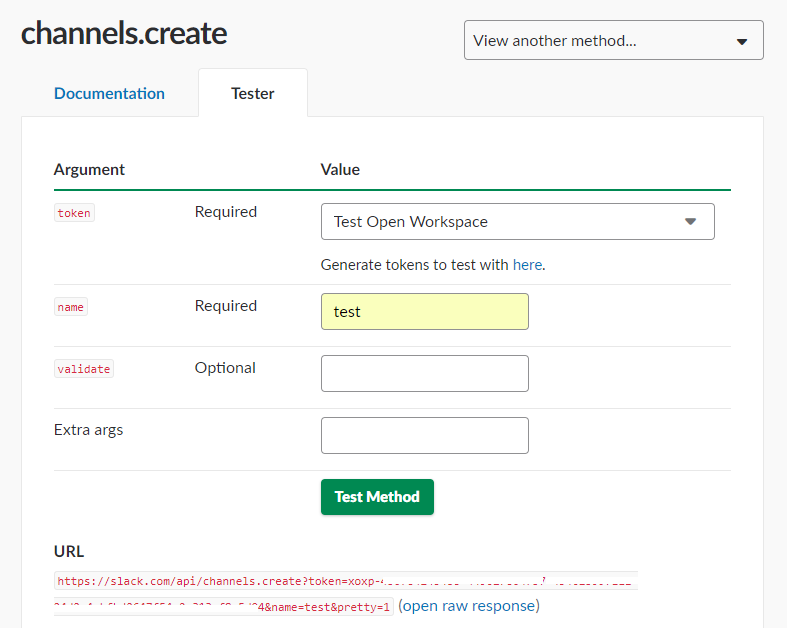
Plugin Setup:
Prerequisites: Newtonsoft.Json
using System.Net;
using Newtonsoft.Json.Linq;
using System.Text;
The below is the simple Web API call for creating a channel & inviting an user.
using (WebClient webClient = new WebClient())

{

 var responsebytes = webClient.UploadValues("https://slack.com/api/channels.create", "POST", new NameValueCollection() { { "token", "xoxp-******" }, { "name", "As_you_wish" } });

 string responsebody = Encoding.UTF8.GetString(responsebytes);

 JObject joResponse = JObject.Parse(responsebody);

 JObject ojObject = (JObject)joResponse["channel"];

 JValue val = (JValue)ojObject["id"];

 string channelid = val + "";

 var responsebody2 = webClient.UploadValues("https://slack.com/api/channels.invite", "POST", new NameValueCollection() { { "token", "xoxp-******" }, { "channel", channelid }, { "user", "######" } });

}
*This post is locked for comments