







Accessing Cases of Sub Accounts- Dynamics 365 Portal
 Mahendar Pal
 45,095
 Like
Like Share
Share
 Report
Requirement: Dynamics 365 Portal user should be able to access cases from it’s parent customer as well as sub account of it’s parent customer.
Solution: We can implement this requirement using Web roles where we can configure entity permissions to access sub accounts and cases in dynamics 365 portal. We need two following entity permissions here:
1. Entity Permissions to access cases from parent customer
2. Entity Permissions to access cases from sub accounts of the parent.
We are implementing these requirement in our Dynamics 365 portal trial, if you are new to portal and want to configure your trial quickly, you can refer this KB: https://docs.microsoft.com/en-us/dynamics365/customer-engagement/portals/provision-portal
You can check our earlier article to create portal dev users quickly.
By default portal contains entity permissions configured for different entity at different levels. For our first requirement we can use existing entity permissions, so let’s configure our web role using following steps:
1. Navigate to Portal->Web Roles->New and let’s say we want create web role as Portal Support User so enter name and keep other fields as default and click on Save.
2. After save click on the V button next to web role name and select entity permissions
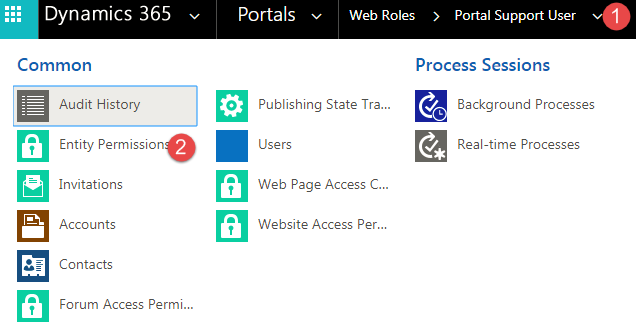
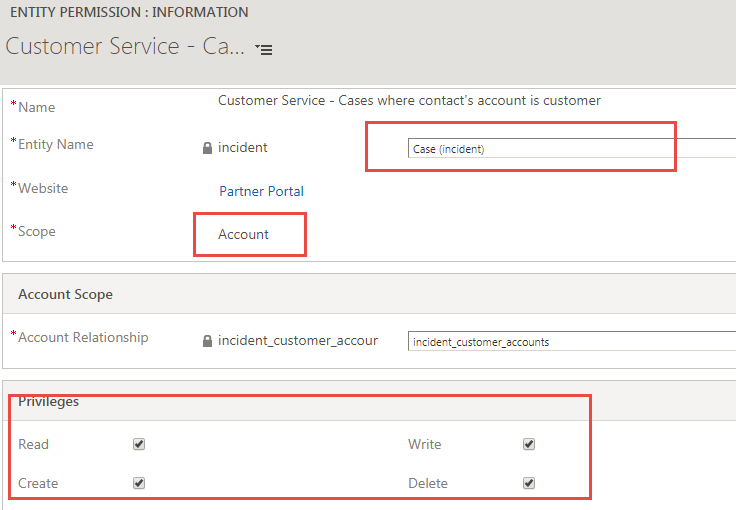
3. Click on Add Existing button and search for “Customer Service- Cases where contact’s account is customer” and select it.
4. If you will open this entity permission, you will see it is configure to allow access to case entity based on account scope, so contact can see cases of it’s parent account.
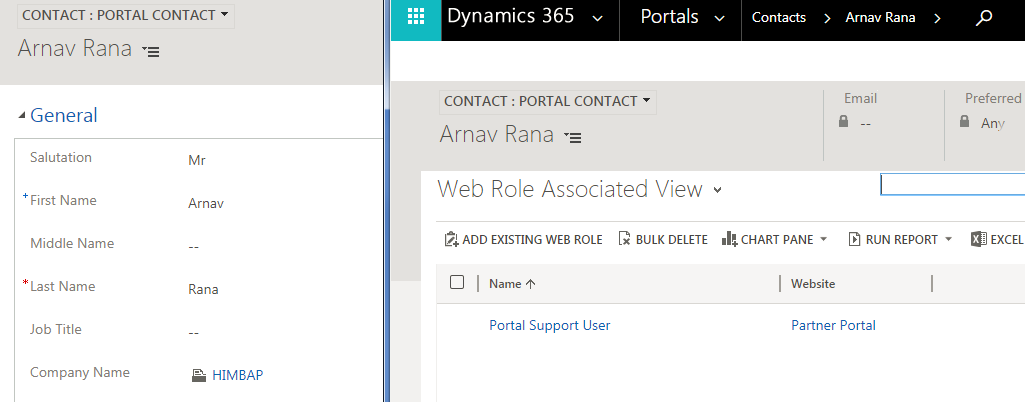
Let’s see this in action now, let’s say we have one portal contact and we have assigned our “Portal Support User” web role to this contact.
(Click on V sign next to contact -> select Web Roles-> Add Existing Web Role and select “Portal Support User” role.
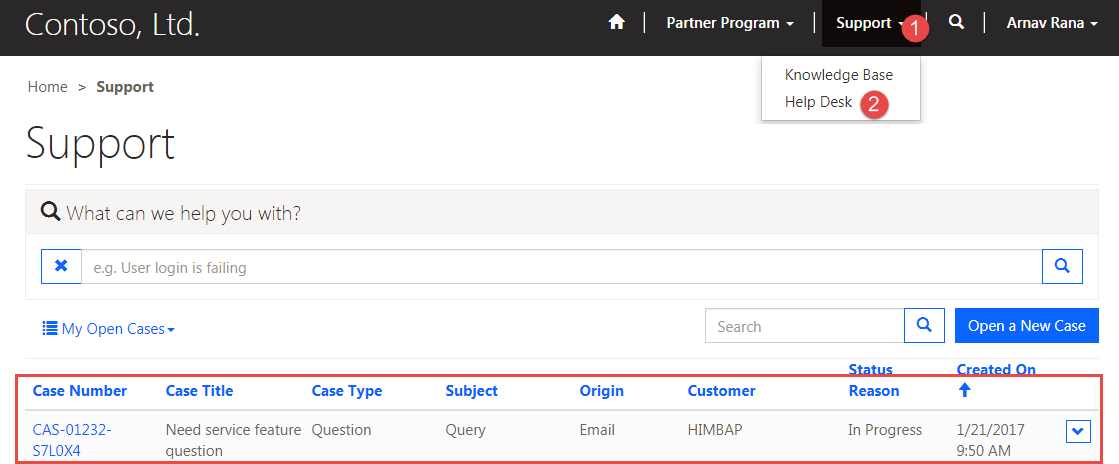
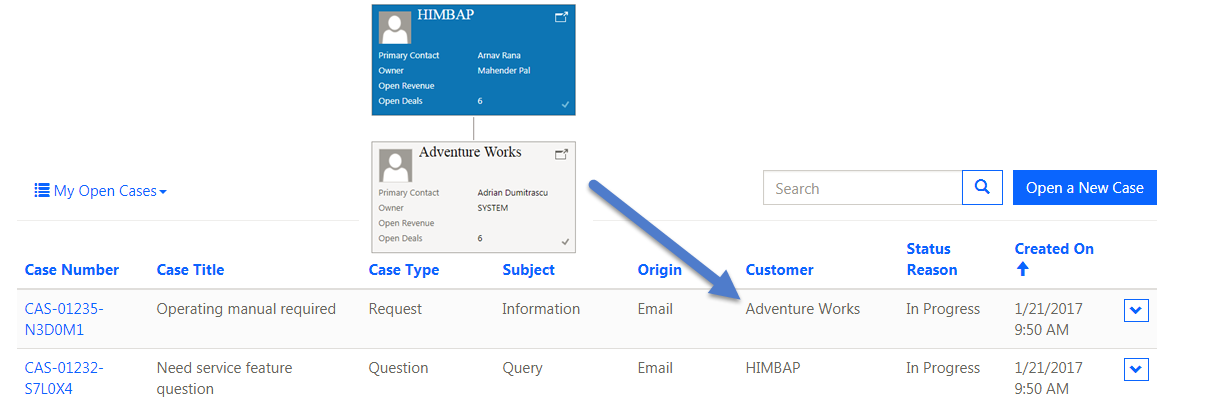
Now we can see in below screen we have one case for our customer HIMBAP where Arnav is primary contact
Now we need to setup our entity permissions to access sub accounts.
5. Navigate to Portal->Security->Entity permissions->New. Let’s call it “Access to Sub Account of the Parent Customer”, we need to configure it like below:

Using this entity permission contact will have access to sub accounts of it’s parent customer. Now to access cases we need to add a child entity permissions.
6. Navigate to Child Entity Permission sub grid and click on + sign
7. Click on Lookup control and select New under lookup control
8. Configure entity permissions like following:

Here we are using Parent scope, to combine our parent and child entity permissions. Parent scope is used to access the entity which are not in a direct relationship. Here contact is associated to account, further account is associated with sub accounts, whose cases we want to access.
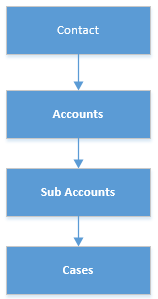
So to access sub accounts cases we need to use Parent scope here. Now we need to add our “Access to Sub Accounts of the Parent Customer” entity permission to existing Portal Support User web roles and when contact will access cases it will be able to see Cases from the sub accounts as well.
About US
We at HIMBAP are a team of highly skilled Microsoft Dynamics 365/CRM experts, with extensive experience in developing solution for diverse domains, across verticals.Contact US if you are looking for Microsoft Dynamics 365/CRM implementation/Upgrade/Customization/Training help.
*This post is locked for comments