




 22,784
 Like
Like Share
Share
 Report
 This post is part of the New Functionality In Microsoft Dynamics 365 Business Central 2022 Wave 2 series in which I am taking a look at the new functionality introduced in Microsoft Dynamics 365 Business Central 2022 Wave 2.
The fourth of the new functionality in the Productive with Microsoft 365 section is embed Business Central in Teams tabs.
Microsoft Teams is the hub for teamwork where people and data come together to accelerate work. Team members often need to rally around a common view of their data to make group decisions faster, such as discussing how to fulfill a special order, planning budgets across departments, or delegating work when people are unavailable.
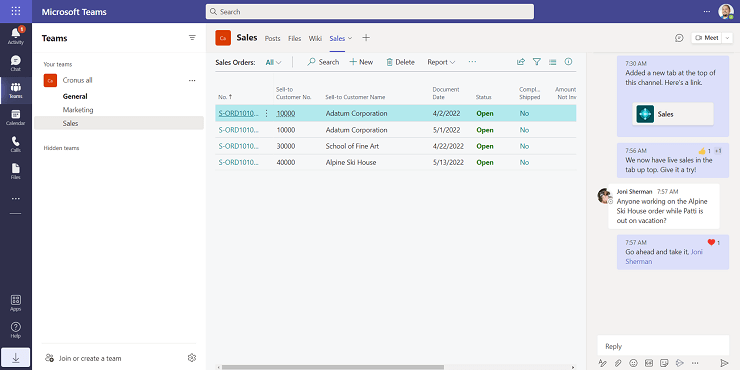
Business Central uses ContextIQ to surface the data that teams need in the flow of their work. By embedding Business Central in a tab in any group chat or channel, the team has convenient access to the latest data that is also editable and actionable from within Teams, without having to continually switch apps. Developers can also bring collaborative capabilities to their solutions by automating the deployment of tab content, which typically requires team collaboration or empowering customers to spin up instances of group chats or channels that include Business Central tabs.
Enabled for: users, automatically
General Availability: November 2022
With this feature, users can:
- Use the Pin action to pin a card in Teams to the group chat or team channel. For example, when a sales invoice card is shared to chat, you can pin it from the card details.
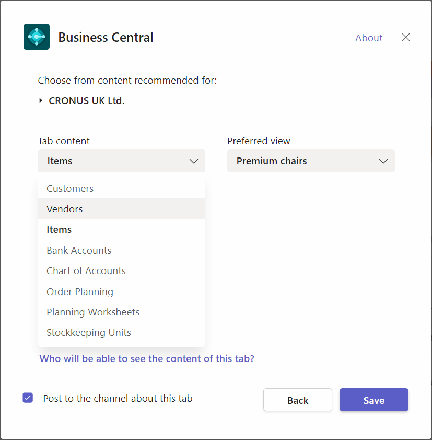
- Use the Add Tab function in Teams to add a tab that embeds Business Central data in group chat or a team channel. When adding a tab:
- Choose from recommended content tailored to your role, such as the list view for delayed orders sorted by date.
- Alternatively, paste a Business Central link to almost any page or record, such as a specific service order.
Developers and administrators can:
- Automate the creation of tabs using Microsoft Graph APIs and include it with their solution.
- Customize the tab configuration window to recommended specific pages that users can choose as tab content.
 Note
Note
Embedding data in Teams tabs is only available for Business Central online and requires the Business Central app for Teams version 1.0.8 or later.
New Functionality In Microsoft Dynamics 365 Business Central 2022 Wave 2
Read original post New Functionality In Microsoft Dynamics 365 Business Central 2022 Wave 2: Embed Business Central in Teams Tabs at azurecurve|Ramblings of an IT Professional
*This post is locked for comments