







Argument Null Exception When Connect Online to Microsoft Dynamics 365
 MagnetismXRM
 6,230
6,230
 Like
Like Share
Share
 Report
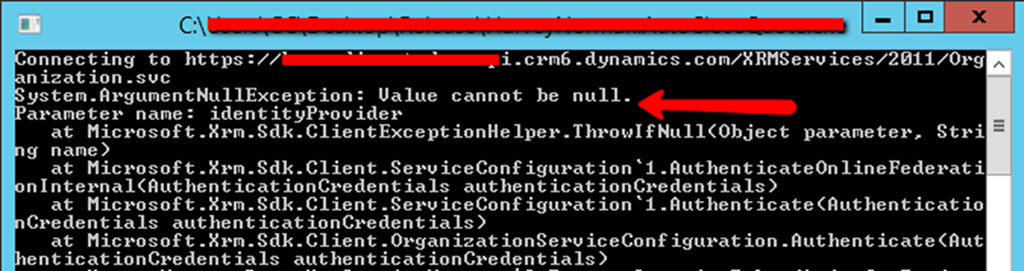
One of our clients recently encountered a ‘System.ArgumentNullException’ when trying to connect to their Microsoft Dynamics 365 online instance through a console application from the Windows 2012 Server. It complained about parameter name as identityProvider as illustrated in the below screenshot.
After scrutinizing the problem, it was advised to enable Windows Identity Foundation on their server as the fix of the problem. You can verify this from the Control Panel -> Program and Features -> Turn Windows Features on or off (see screenshot below). You will, however, need to have an Administrator account to turn Windows Features on or off.
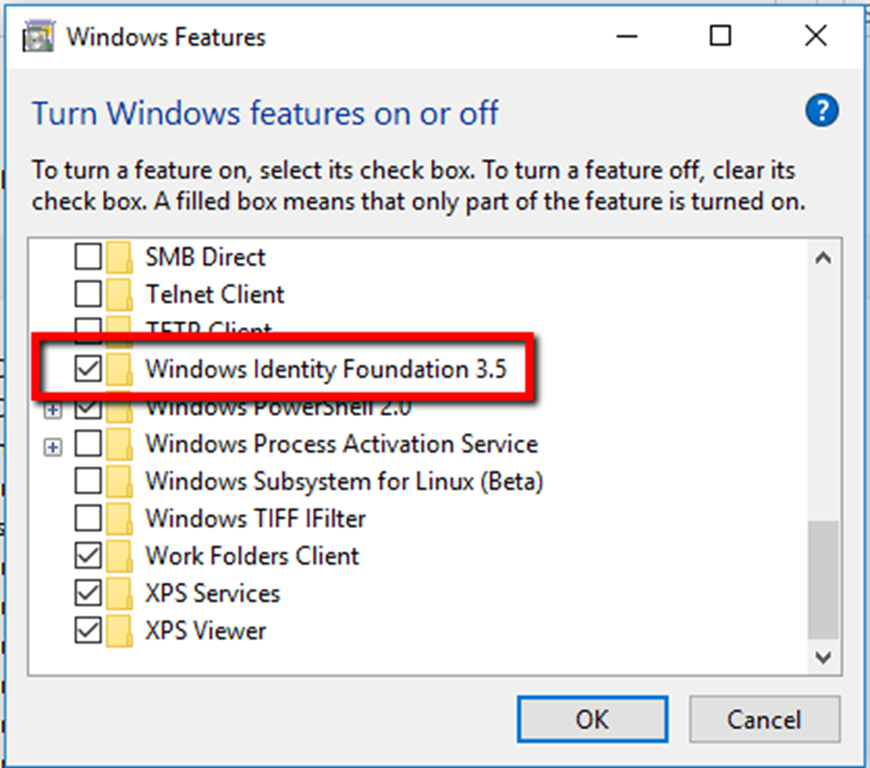
Windows Identity Foundation is basically a set of .NET Framework classes for implementing claims-based identity in the applications. It’s a part of Microsoft’s Federated Identity software family that comprises of the three components - Active Directory Federation Services (AD FS) 2.0, Windows Azure Access Control Services (ACS), and WIF. They together form the core of Microsoft’s new claims-based cloud identity and access platform.
Thus, in case you encounter the similar exception as discussed here, please verify that WIF is enabled on the server.
*This post is locked for comments