




 817
817 Like
Like Share
Share
 Report
This might not be the most breaking news blog post I’ve done, but the question once in a while pops up so I guess it has some relevans.
When activating a POS (being either C or M) in a newly installed environment you can end up with this error:
“DA1023 – Could not resolve identity. The Azure AD account is not mapped to an employee in Retail headquarters”

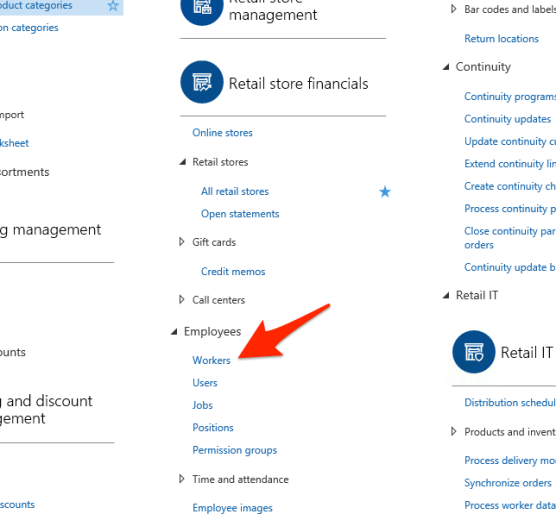
What’s missing is the relation between the Azure AD account you typed in in the activation login and a worker in Dyn365O. To fix this go to workers:
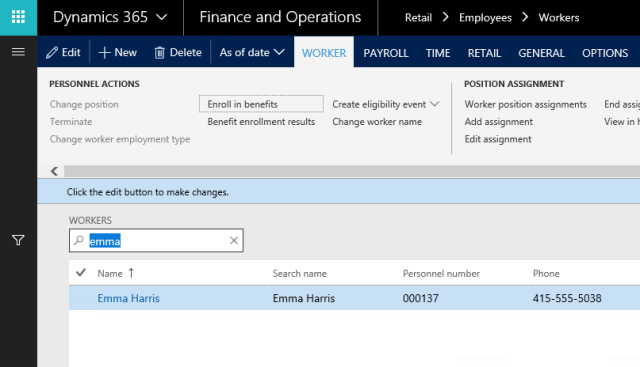
Locate the worker you’d like to associate your AAD account with. In this case we pick Emma:
On the Retail ribbon pick “Associate existing identity”: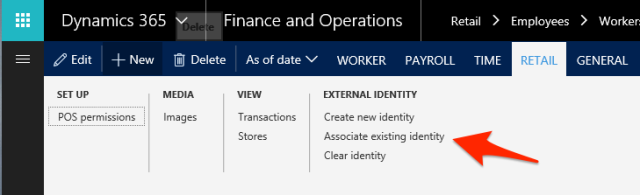
Select the AAD account:
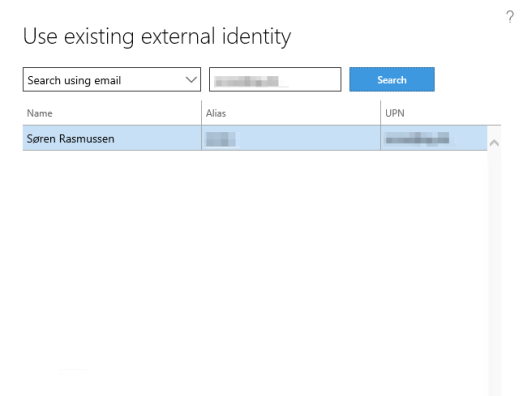
Verify that the worker and the AAD account is linked:
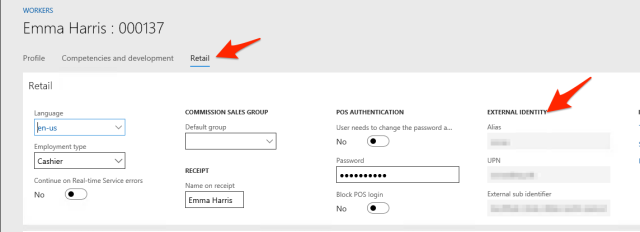
Go back to the installer and click Retry: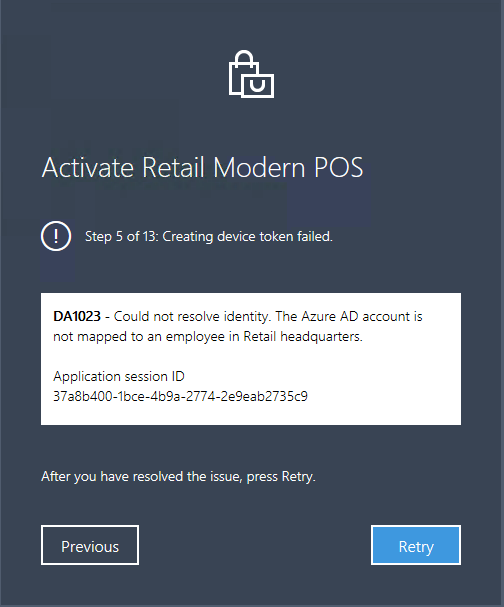
That should bring you passed the error.


*This post is locked for comments