







HOW TO USE TOGGLE CONTROL FOR TWO OPTIONS FIELDS
Views (116)
 Charles Abi Khirs
 3,569
3,569
 Like
Like Share
Share
 Report
 In this post, I will talk about how to use the Toggle control for better display in order to optimize and increment user-friendliness of the system. This control can be used with two options type fields.
Therefore, to add the Toggle control on the form, you need to add a two options field on the form.
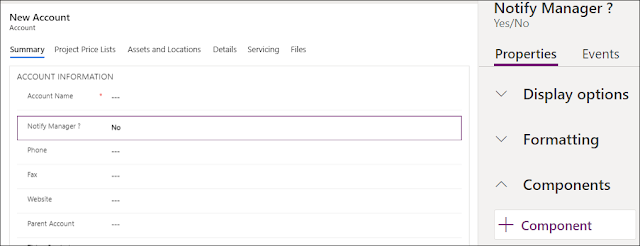
- Under the field's properties, in the Component section, click the + sign to Add a new control
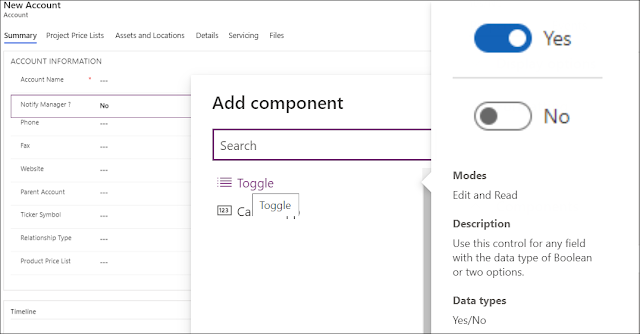
- From the list, select Toggle control
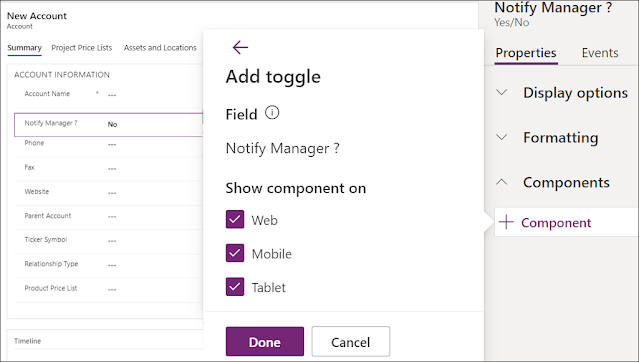
- Check where you want to show this control, and click Done
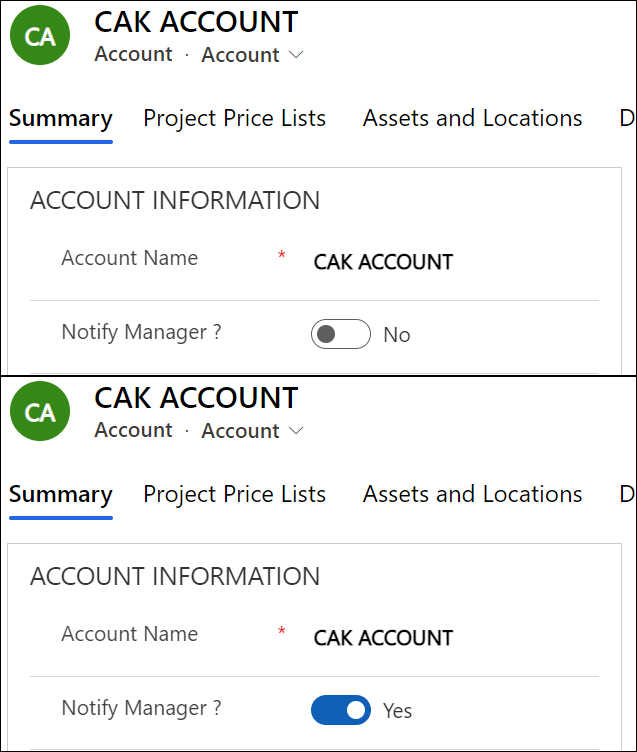
- Once published, you can see the result on the form
For more user experience and enhancements ideas, you can check this link for some custom controls that can be used like:
Hope This Helps!
This was originally posted here.
*This post is locked for comments