







Multiple Errors in Microsoft Dynamics GP
 Ian Grieve
 22,784
 Like
Like Share
Share
 Report
 I received an urgent call from a client early one morning a short time ago. All users logging into Microsoft Dynamics GP were receiving multiple errors across the system rendering it unusable.
The first reported error was displayed on login and encountered by all users:
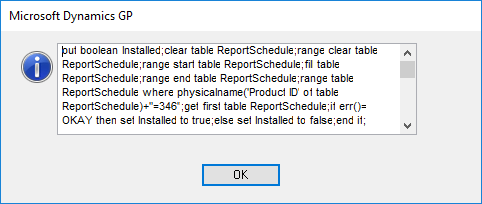
...clear table ReportSchedule...A second error was produced when trying to open SmartList and was displayed 12+ times:
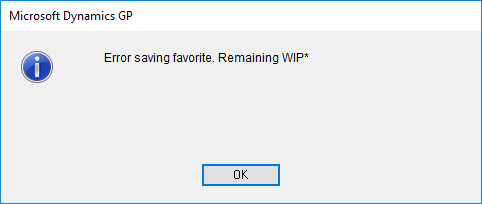
Error saving favorite. Remaining WIP*Two errors were produced back to back when trying to select a SmartList favourite:
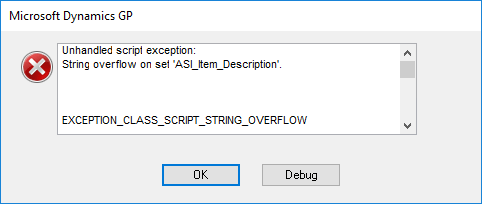
unhandled script exception:
String overflow on set 'ASI_Item_Description'
EXCEPTION_CLASS_SCRIPT_STRING_OVERFLOW
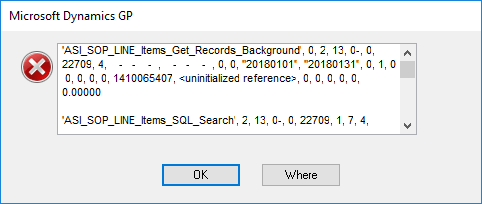
'ASI_SOP_LINE_Items_Get_Records_Backgoround'...The final reported error, although there were more, was produced when tabbing from the Currency field on Sales Transaction Entry:
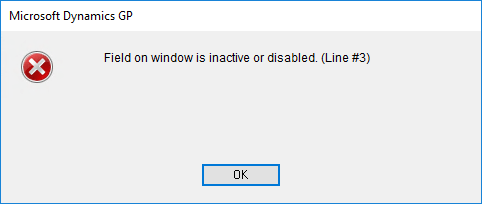
Field on window is inactive or disabled. (Line #3)After doing some investigation, I found that a line had been added by someone to the Dex.ini file which enabled a script debugger (all users access Dynamics GP from the same RDS server):
ScriptDebugger=TRUE
If the line is removed or the highlighted section changes to FALSE the errors will no longer appear when the user next logs into Dynamics GP.
Read original post Multiple Errors in Microsoft Dynamics GP at azurecurve|Ramblings of an IT Professional
This was originally posted here.
*This post is locked for comments