







Disable field on Click of Button in D365 CE using JavaScript.
Views (61)

 Like
Like Share
Share
 Report
Use Case – One of my requirements is to disable the field on click of button Reopen Project on Project form.
Let’s see how we can achieve this.
Solution –
- Create Web resource and add below function:
function markFieldsReadOnly(executionContext)
{
    try
    {
        var formContext = executionContext;
        formContext.getControl("cf_probonohoursnew").setDisabled(true);
        formContext.getControl("cf_probonohourvaluenew").setDisabled(true);

    }

 catch(e)
 {
    alert("An error occurred, please try later");
 }
}
Here my function name is “markFieldsReadOnly“.
- Create Solution in CRM which contains only a single entity on where we have button called “Reopen Project”.
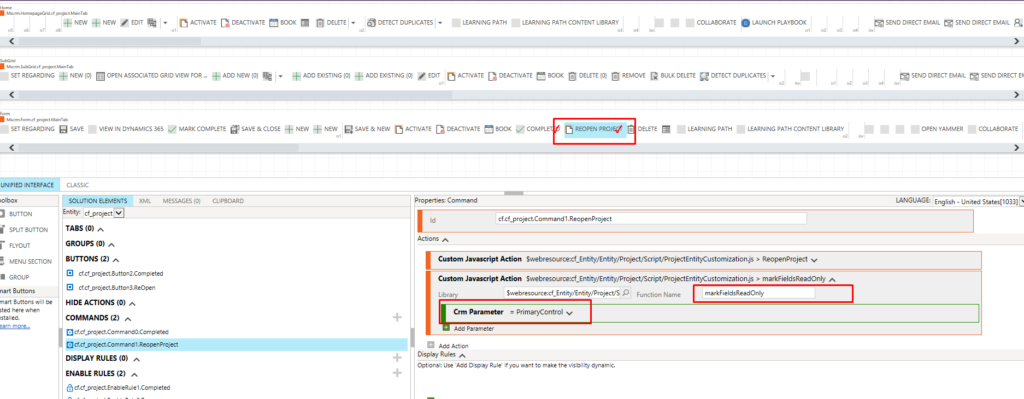
- Open same solution in XRM Toolbox -> Ribbon Customization.
In Order to get form Context from Ribbon, Pass CRM Parameter – Primary Control
Select Library which is your web resource and add Function Name and publish.
Hope this helps!
The post Disable field on Click of Button in D365 CE using JavaScript. appeared first on .
*This post is locked for comments