







Use FetchXML To Modify CRM Charts
 Megan V. Walker
 1,841
Most Valuable Professional
1,841
Most Valuable Professional
 Like
Like Share
Share
 Report
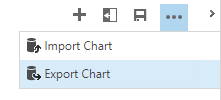
After finding this great article online for creating 3D charts in CRM, I wondered what else I could change. Start off by Exporting the chart. The FetchXML will download. Open it up in an editing tool, Notepad works fine.
There are quite a few elements that can be adjusted, and many articles online. By changing the following elements, the chart can be transformed into a much more interesting and stylish graphical representation of your data.
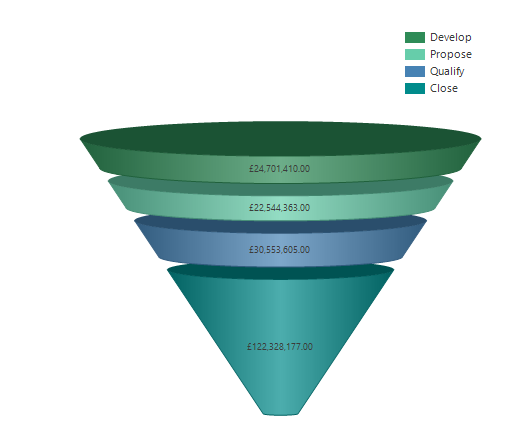
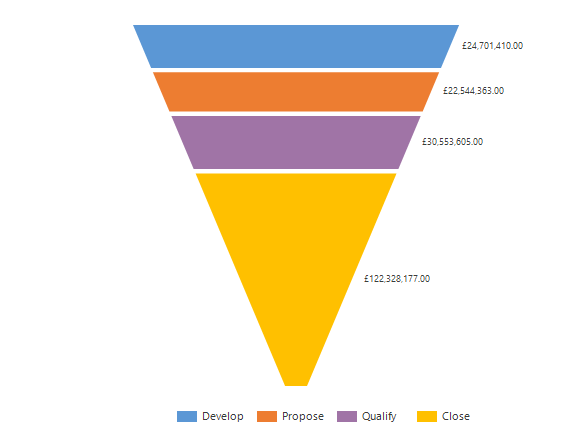 3D – change from false to true: <Area3DStyle Enable3D=”true” />
Chart Palette – change from none to one of 12 valid options: Chart Palette=”SeaGreen”
Legend Alignment – can be Near, Center or Far: Legend Alignment=”Far”
Legend Style – can be Style, Column, Row or Table: LegendStyle=”Column”
Legend Docking – can be top, left, bottom or right: Docking=”top”
Funnel Label – can be inside or outside: FunnelLabelStyle=Inside
Save the XML, then use the Import Chart function to create the new chart.
This was originally posted here.
*This post is locked for comments