




 1,856
1,856 Like
Like Share
Share
 Report
When you are creating your marketing emails, how much are you considering the subject line? Are you paying much attention and considering how it will appear in different mail clients? What about the preview text? Is it important? When creating your marketing emails it might not be that obvious where to add the preview text, so in this post we will take a look at how to add it, and why it’s important.
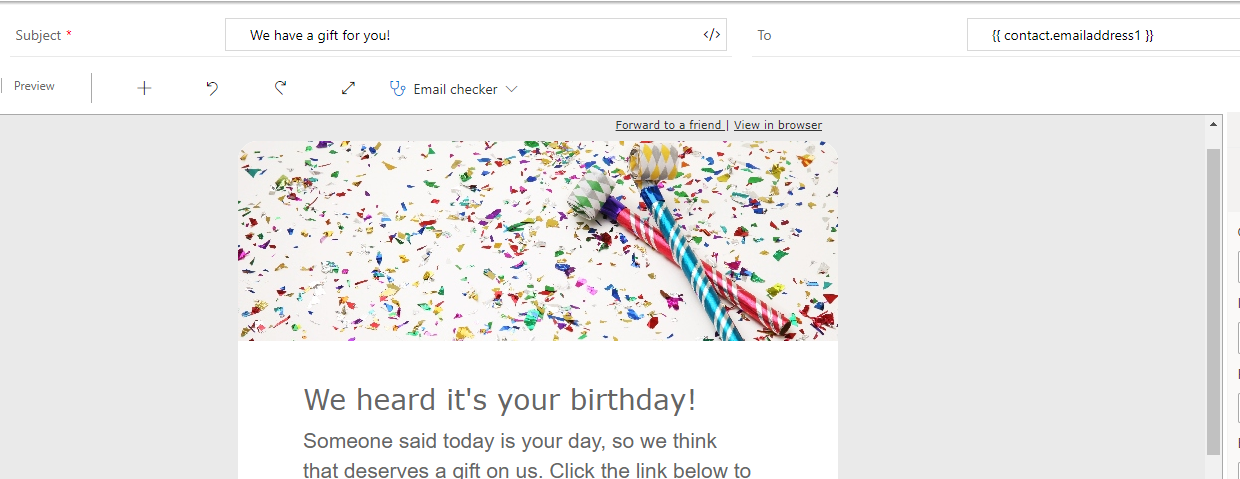
When creating your content in the Designer, you see the Subject and To fields at the top.
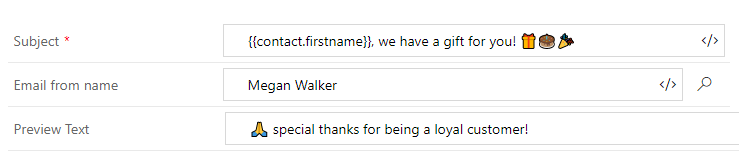
If you click on the arrow to the right of the To field, this will drop down to display the email from name and email address, along with the Preview Text field. So without doing this, your Preview Text will be empty.

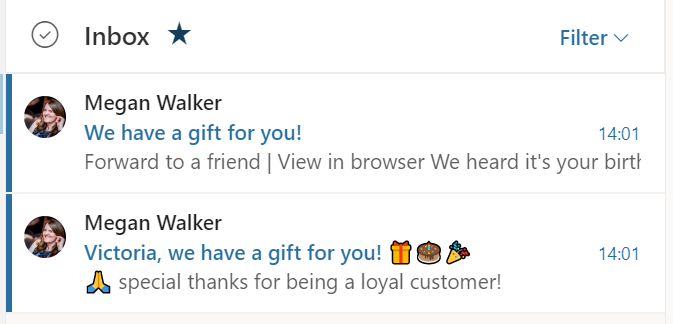
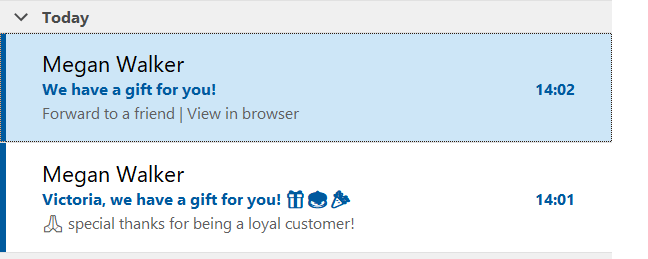
Let’s look at two emails received by a Contact, one with a dynamic subject and preview text, and one where the subject is static, and without anything in the preview text. Below we can see the contact’s first name is used along with some emoji’s ???? – then some text for the preview and another emoji for good measure.
Now if we review the two emails that were sent, we can see the bottom email is the one with the preview text. The top one that had the preview text field left blank is left to display whatever is first in the email. So in tis case, it shows the Forward to a friend and view in browser text from the first links at the top of the email. So without the preview text we are leaving it to chance what will be displayed.
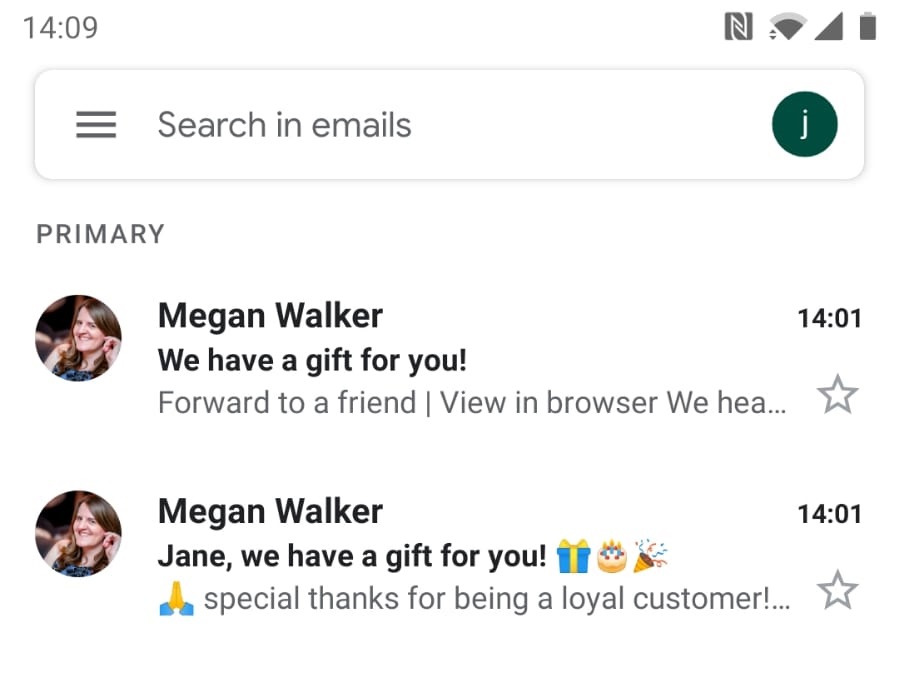
Another thing to keep in mind, but not dwell on too much, is how your emails will look in different mail clients. The image above is from the Outlook Web Client, while the one below is from the Gmail Web Client.

This is how the emails look in the Gmail Phone App…
And here we can see them in the Outlook Desktop client.
So make sure you consider not only the subject line of your marketing emails, but the preview text too. They should make for more enticing looking emails that hopefully all of your Contacts will open! ????
*This post is locked for comments