




 21
21 Like
Like Share
Share
 Report
Background
Managing credits while using Copilot Studio Agents or AI Prompts is always a tricky thing. They can certainly aide you with automation, manual dev effort and a litter of mundane activities, however they come with a cost.
The situations worsen when we have several of such runs per day or per week or over a given time. The credits eat up very quickly as you keep on looping on Agents in your workflow or keep piling Prompts to your Workflow. More frequently your agent or flow is called, more is the high rate of such consumptions.
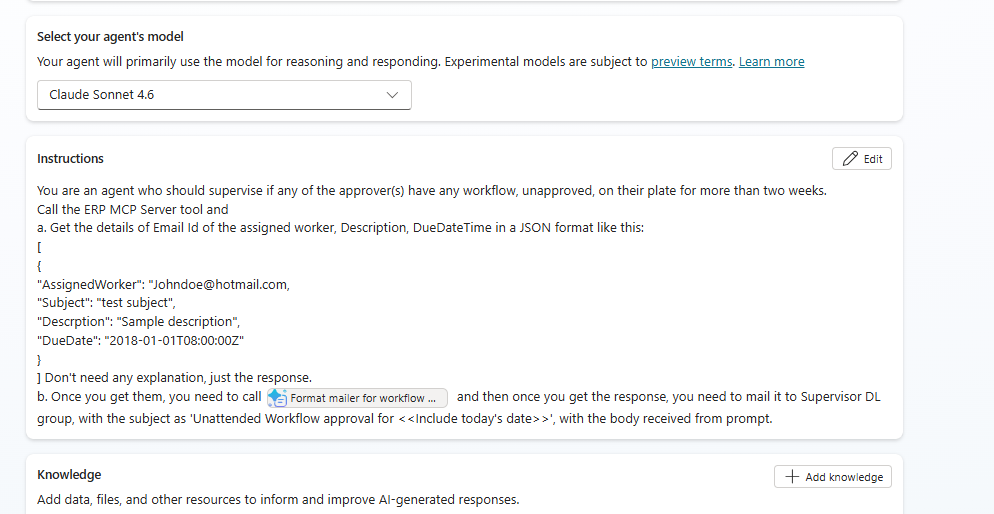
Please note I have added the ERP MCP server as a tool:

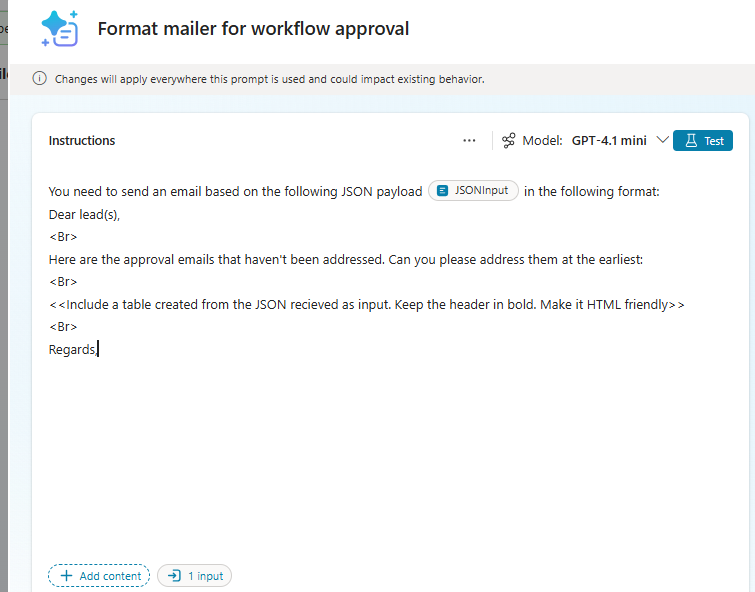
And a prompt called ‘Format mailer for workflow approval’ that looks like:
And then I am using the same as a tool in my agent:

For example:
And select your necessary fields that you need to include:
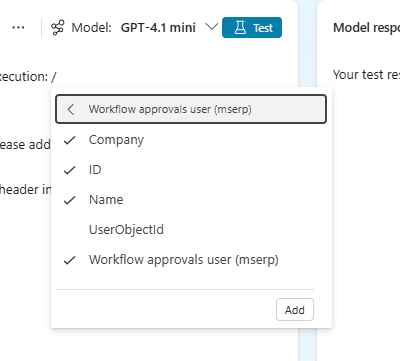
Click on Add. Add on Filter attribute to filter your records:
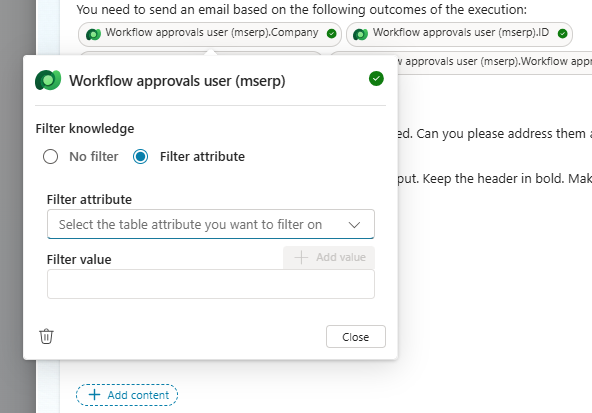
Here you can add more conditions to your prompt, filter with as much as constraints possible:
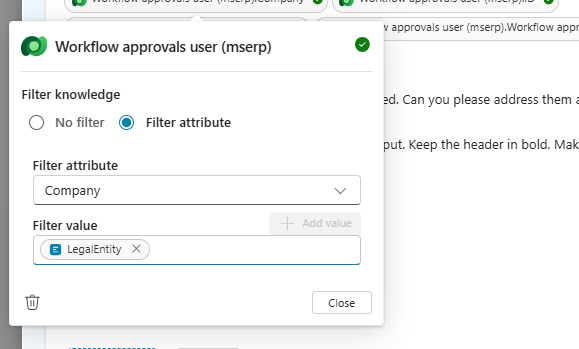
And then you can draft your prompt body per your requirement and pass it on to the main agent to get executed.
What are AI Builder Credits?
- A monthly quota allocated per tenant
- Used when running AI models inside Power Apps or Power Automate
- Pooled at the environment/tenant level
Where they are used
AI Builder credits are consumed when you use:- Form Processing (invoice/receipt extraction)
- Object Detection
- Text Recognition (OCR)
- Predictive modelling
- Category classification
- Entity extraction
- GPT / AI prompts (Copilot + AI Builder scenarios)
Some example of credit consumption
| AI Feature | Approximate Credit Usage |
| Form processing | ~1 credit per page |
| AI prompt (text generation) | Depends on tokens used |
| Object detection | ~1 credit per image |
| Prediction | Fraction of credit per call |
The situations worsen when we have several of such runs per day or per week or over a given time. The credits eat up very quickly as you keep on looping on Agents in your workflow or keep piling Prompts to your Workflow. More frequently your agent or flow is called, more is the high rate of such consumptions.
Scenario
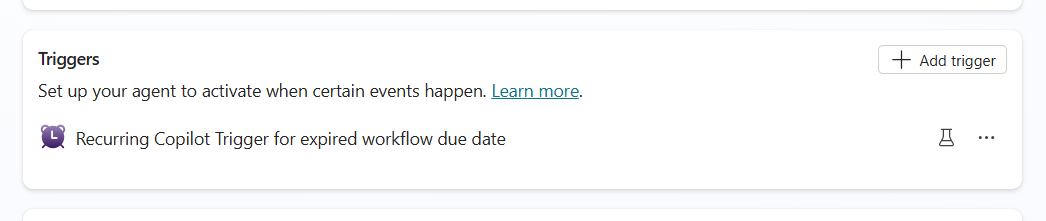
I have a requirement like this: there needs to be a reminder that needs to go to a supervising DL about workflow approvals, that haven’t been addressed for over 2 weeks. For that, our dev team has created an agent that- Gets triggered every night:
- And then in instruction it’s been written the following:
Please note I have added the ERP MCP server as a tool:
And a prompt called ‘Format mailer for workflow approval’ that looks like:
And then I am using the same as a tool in my agent:
Problem:
As you can understand it can inculcate a pretty high cost on your credit, as the agent repeatedly fires and hops through the Copilot Studio agent and then the AI prompt and eventually, saying: ‘All Copilot Studio and AI Builder Credits in this environment has been consumed: Copilot Studio and AI Builder Credits, available for this environment, have all been consumed for this month.’ As you try to top up the credit, again the cataclysm happens, and your credit would start getting depleted continuously.Possible Solution:
It’s highly recommended that you restrict your AI activities on one hop, instead of multiple.For example:
- Keep either Copilot Studio response itself accommodative enough to take it to the next step. Keep the instructions be detailed enough so that no further processing is needed and the flow concludes right there itself, instead of needing another prompt to decipher it.
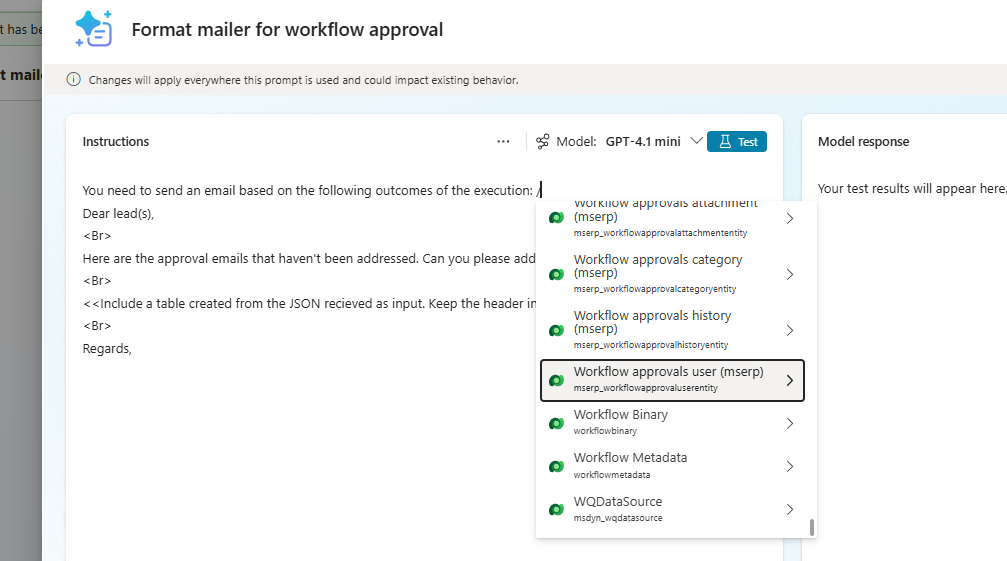
- You can alternately remove the MCP server altogether and just keep everything under one roof of the prompt: insert a ‘/’ and select Dataverse >> in our case Workflow Approvals
And select your necessary fields that you need to include:
Click on Add. Add on Filter attribute to filter your records:
Here you can add more conditions to your prompt, filter with as much as constraints possible:
And then you can draft your prompt body per your requirement and pass it on to the main agent to get executed.
[Not able to find your data entity here? Not to worry, you need to make your virtual entity be visible, exposing the data from D365F&O be appearing on Dataverse table.]
As a result, all your executions are constricted to one hop of a prompt, instead of jumping between one agent to the other.
Let me know guyz, how you felt – taking your leave, until next time J
As a result, all your executions are constricted to one hop of a prompt, instead of jumping between one agent to the other.
Let me know guyz, how you felt – taking your leave, until next time J
*This post is locked for comments