







Create a New Record button for Activity Type entity using Ribbon Workbench: D365
Views (2448)
 Priyesh
 7,396
User Group Leader
7,396
User Group Leader
 Like
Like Share
Share
 Report
Syndicated from - https://d365demystified.com/2018/12/21/create-a-new-record-button-for-activity-type-entity-using-ribbon-workbench-d365/
Problem
Typically, when you create a new Activity type of entity and you want a Create button for the same, it just appears in the Other Activities fly-out button and not on the Main ribbon in Activities to be specific.

And you can’t simply drag it out in the Ribbon Workbench since it is a dynamic button.

So, in this blog, I’ll create a button to open a new Create record form for my Activity type of entity called Assignment.
Customization
- Create a new Solution in your D365 environment and only add Activity entity into it.
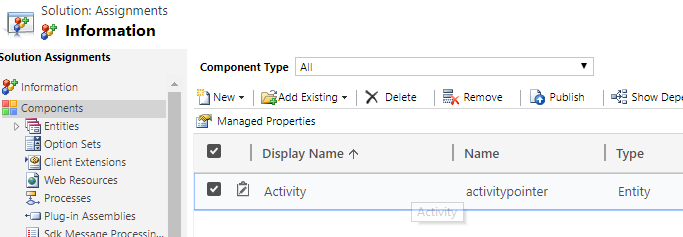
- Load this solution into Ribbon Workbench and on the Main ribbon, add a button and give it a Name and Icon
Note: Since there was no space in the Activity Ribbon, I had to sacrifice on of the least used Activities I had.

- On that, I created a new Command and provided the below parameters –

Make sure you enter the name of your entity in String Parameter shown above correctly, in my case, it is new_assignment.
- Attach this Command to the Button
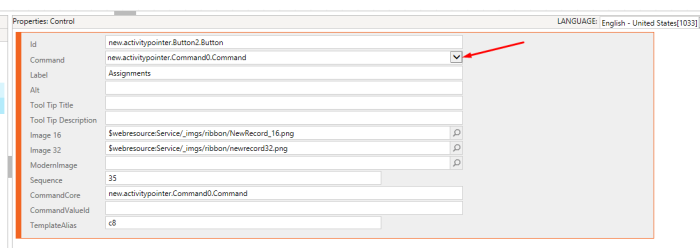
- Now Publish and check.
Create Assignment Button in Action
Now, when I go to Activities, I see my button called Assignments

And when I click it, it open the full form for the Assignment entity

Hope this was quick!
Advertisements
This was originally posted here.
*This post is locked for comments