




 Like
Like Share
Share
 Report
Introduction:
Customization of any particular form or table is done by creating extensions. Any modifications or to add some fields to an original object can be done by creating extensions. At run time all these extensions run as single object.
In this blog we demonstrate how to add fields to an existing form.
Consider the form CustTable and add two fields in the form.
- Passport Number
- Age
Step 1:
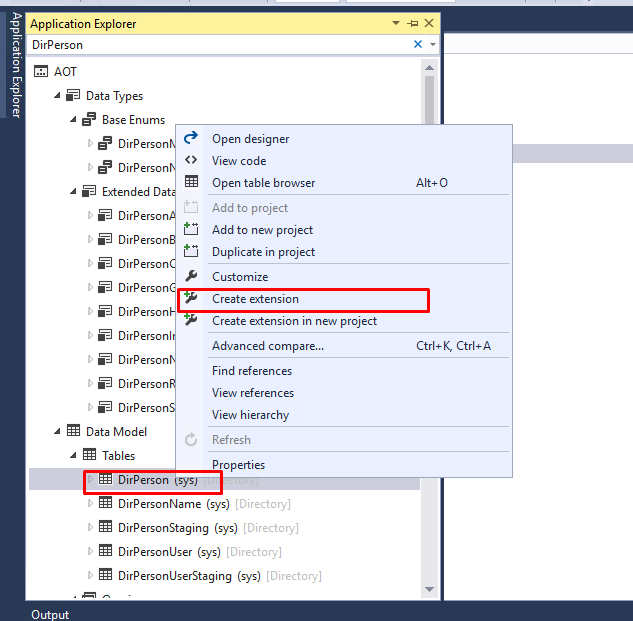
From Application explorer open DirPerson Table –> right click and click on create extension
Step 2:
Open the table designer and expand the fields. Add the two fields and set the appropriate properties.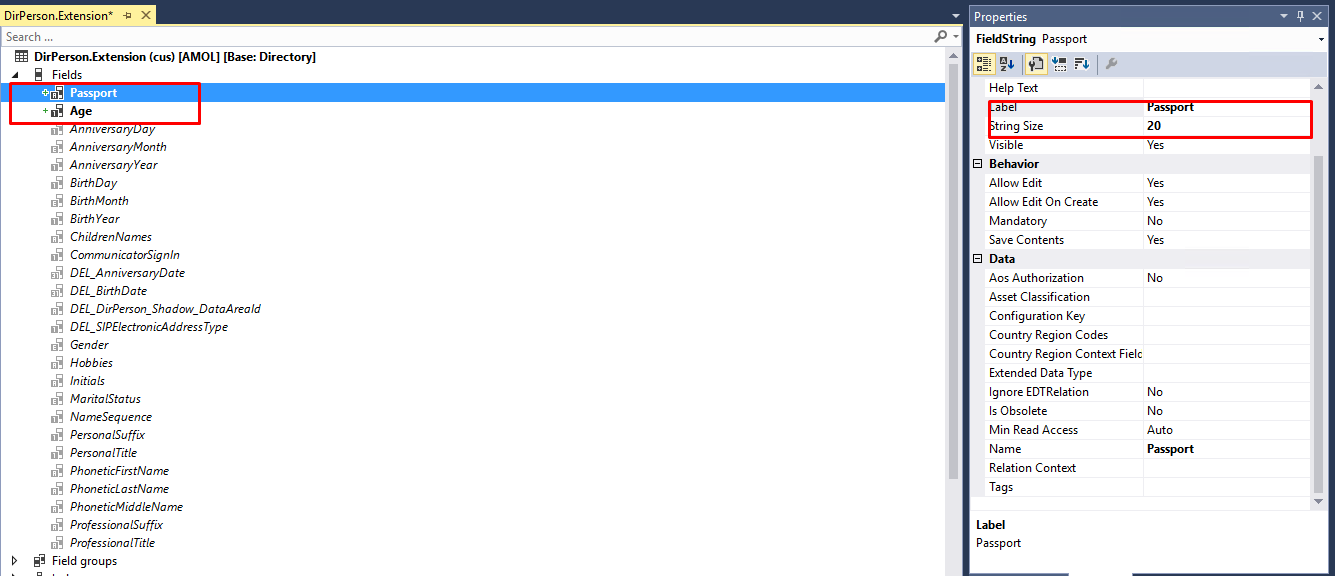
Step 3:
From Application explorer open CustTable Form –>right click and click on create extension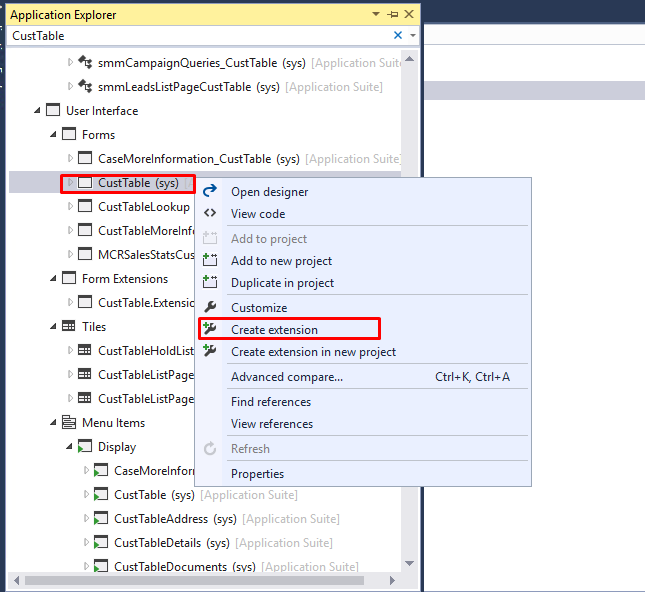
Step 4:
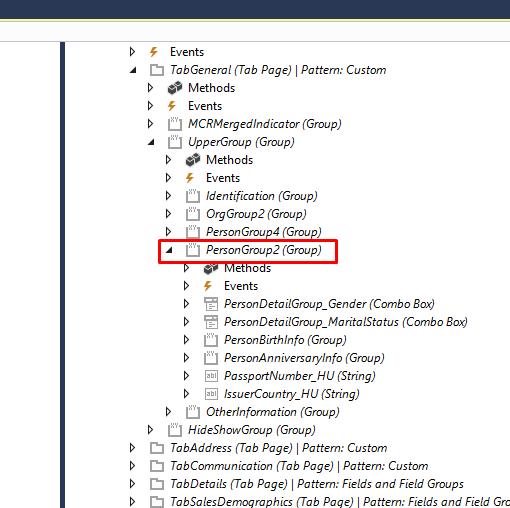
Open the form designer of CustTable. Expand the deign portion until you reach the control, where you want to add required field. for example I want to add New fields in Person Detail section.
Step 5:
Open the data sourceà go to fields and drag and drop the newly created field.
Save the changes and build the project.
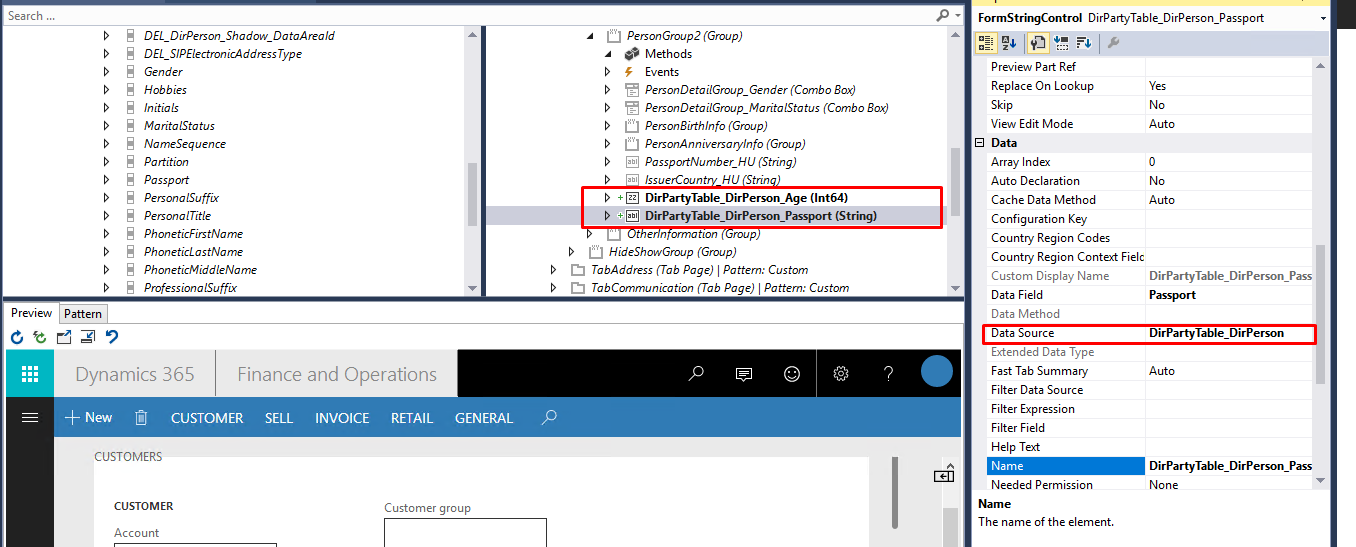
Step 6:
This adds the fields to the form.
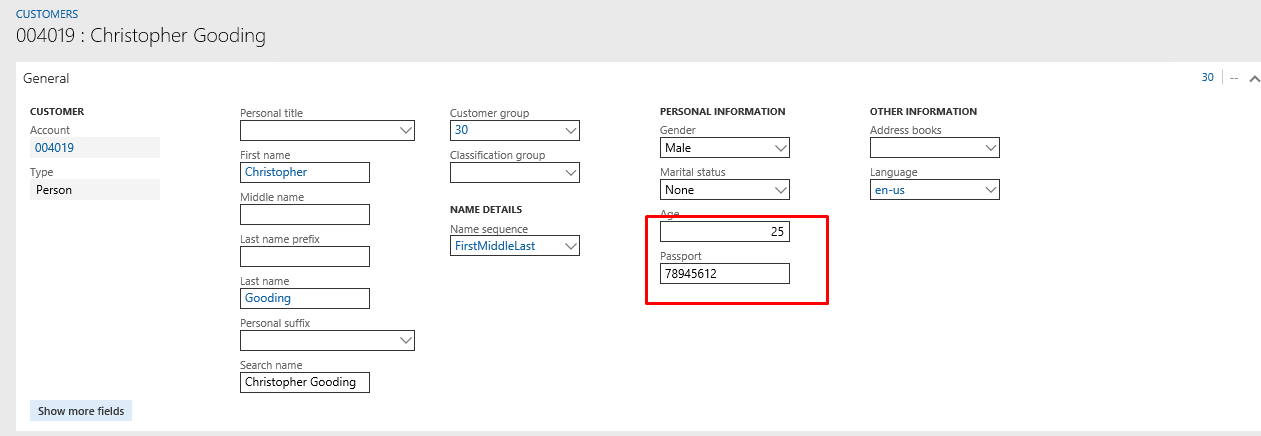
The post Form and Table Customization in Dynamics 365 For Finance and Operations appeared first on CloudFronts - Microsoft Dynamics 365 | Power BI | Azure.
*This post is locked for comments