




 3,569
3,569 Like
Like Share
Share
 Report
 As you know, in Dynamics 365, business process flows are used to ensure that the users follow the same steps in order to achieve specific operation. It leads the users through the process by guiding them on what should be entered during each phase of it.
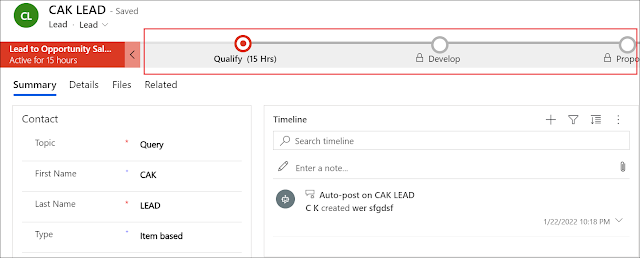
In the Unified Interface, the business process flow is by default collapsed and the user must click on it to see what is needed in this phase. However, you can still enhance this user experience, by dynamically showing and hiding the business process flow whenever it is needed. Therefore, the user can know when and what is needed in this phase of the process.
In the following points, we will see how to dynamically collapse and expand a business process flow (BPF) in JavaScript.
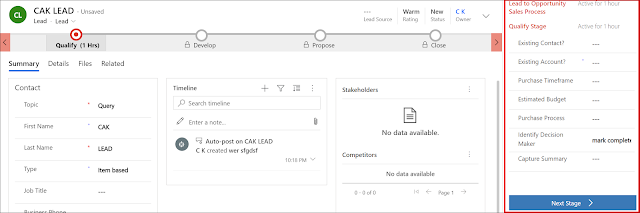
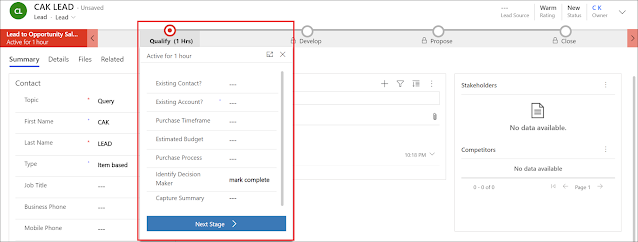
- First thing to know is that the BPF can have three display states: Expanded, Collapsed, and Floating
- The API client function that is used to define the display state of a BPF is setDisplayState
- In order to show the BPF as collapsed, you can use the following JavaScript snippet: formContext.ui.process.setDisplayState("collapsed");
- In order to show the BPF as expanded, you can use the following JavaScript snippet: formContext.ui.process.setDisplayState("expanded");
- In order to show the BPF as floating, you can use the following JavaScript snippet: formContext.ui.process.setDisplayState("floating");
Bonus Tips:
Hope This Helps!
*This post is locked for comments