

web
You’re offline. This is a read only version of the page.
close
Skip to main content

Notifications

Announcements

Community site session details

Community site session details

Session Id :

Create custom lookup for a Data set field

Maha Jamali Profile Picture Maha Jamali 487
Today, I will be discussing about how to create a lookup for a data set field. In enterprise portal the TitleField1 and TitleField2 properties are used as the default content for a lookup. However you can use the datasetLookup()  method in the field of data source of data set in order to set the content for lookup.

Step 1) Go to your data set and expand its data source. Now add a method for dataSetLookup().
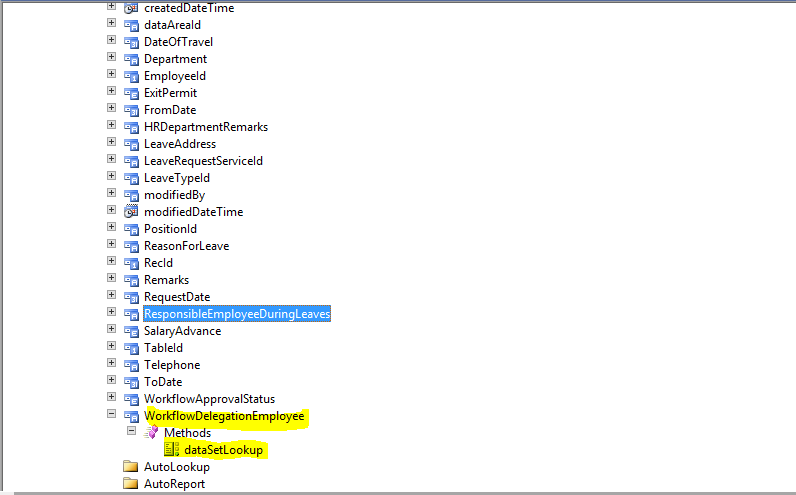


Step 3) Add code in dataSetLookup() method. In my case i need to show list of all employees which belong to selected department.  I am showing here only personnel number of employee.


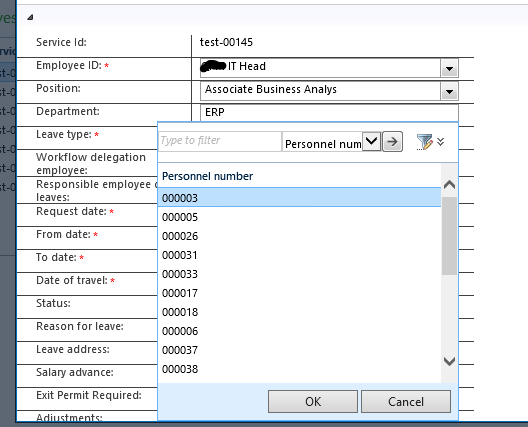
Step 4) Below is the configured lookup  displaying personnel numbers.


This was originally posted here.

Comments

*This post is locked for comments