






Trace database triggers using SQL Server Profiler
Views (6412)

 Like
Like Share
Share
 Report
By Steve Endow
I generally try and avoid using triggers, but they do play an important role, and occasionally I do have to develop them or interact with them.
Today I was testing eConnect Requester with Dynamics GP to record the insert of Sales Transactions. I turned on the Sales Transaction Insert trigger in Requester Setup, and then entered a SOP Invoice.
When I checked the eConnect_Out table, it was empty. Hmmm. I then entered a Sales Order. That transaction did result in a record in eConnect_Out.
Puzzled, I thought I would trace the activity to see why eConnect Requester was not working with Invoices.
In my first Profiler trace, I didn't see the trigger activity. After a quick search, I found this StackOverflow thread (who doesn't end up on that site regularly?), which noted that the SP:StmtStarting and SP:StmtCompleted events should be selected to trace triggers.

Once you have those, you can run your trace and your should see the trigger activity.
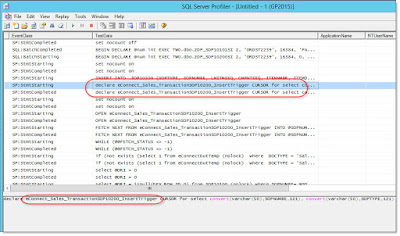
There doesn't appear to be any flags to indicate that the activity is coming from a trigger, so you need to know what you are looking for, but if you are tracing a trigger, you will presumably have some keywords to search for in the profiler trace data.
Steve Endow is a Microsoft MVP for Dynamics GP and a Dynamics GP Certified IT Professional in Los Angeles. He is the owner of Precipio Services, which provides Dynamics GP integrations, customizations, and automation solutions.

I generally try and avoid using triggers, but they do play an important role, and occasionally I do have to develop them or interact with them.
Today I was testing eConnect Requester with Dynamics GP to record the insert of Sales Transactions. I turned on the Sales Transaction Insert trigger in Requester Setup, and then entered a SOP Invoice.
When I checked the eConnect_Out table, it was empty. Hmmm. I then entered a Sales Order. That transaction did result in a record in eConnect_Out.
Puzzled, I thought I would trace the activity to see why eConnect Requester was not working with Invoices.
In my first Profiler trace, I didn't see the trigger activity. After a quick search, I found this StackOverflow thread (who doesn't end up on that site regularly?), which noted that the SP:StmtStarting and SP:StmtCompleted events should be selected to trace triggers.
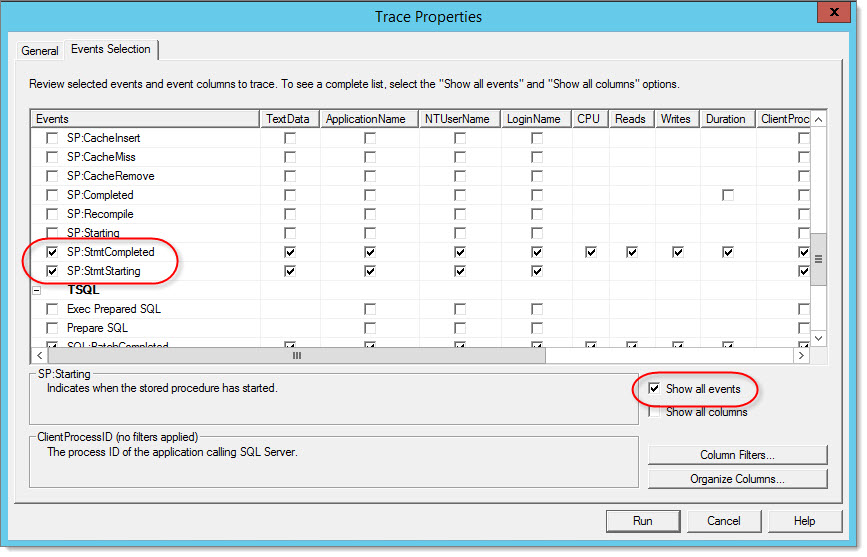
Once you have those, you can run your trace and your should see the trigger activity.
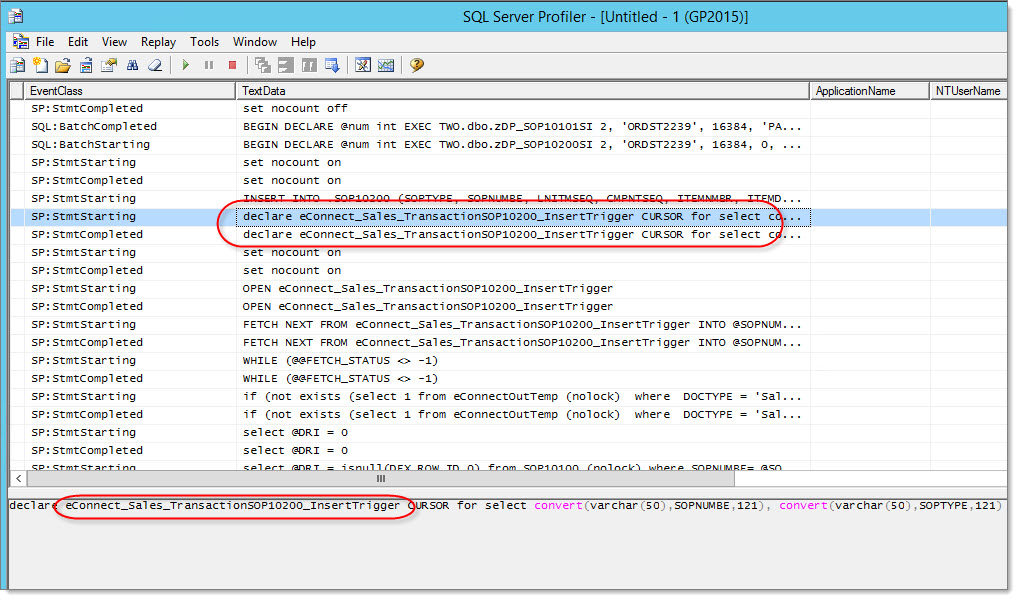
There doesn't appear to be any flags to indicate that the activity is coming from a trigger, so you need to know what you are looking for, but if you are tracing a trigger, you will presumably have some keywords to search for in the profiler trace data.
Steve Endow is a Microsoft MVP for Dynamics GP and a Dynamics GP Certified IT Professional in Los Angeles. He is the owner of Precipio Services, which provides Dynamics GP integrations, customizations, and automation solutions.
This was originally posted here.
*This post is locked for comments