







Import Solution XML error
Views (2)

 Like
Like Share
Share
 Report
Introduction:
In this blog we will discuss how we can solve XML issue while importing solution from one environment to other.
Scenario and Steps:
1. Deploying a solution from one environment to other causing issues below issue. This error occurs when there are some integrations enabled for your entity.
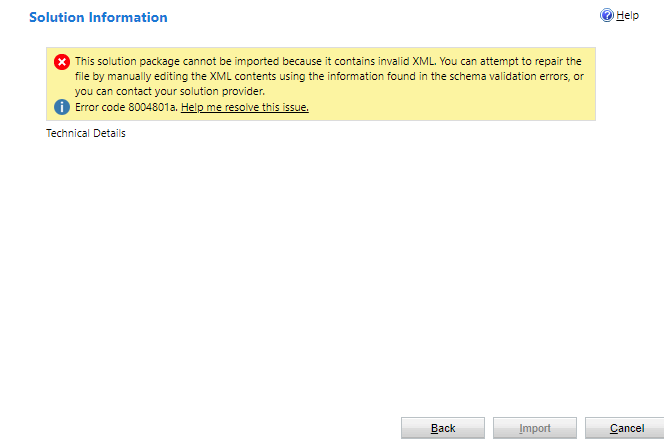
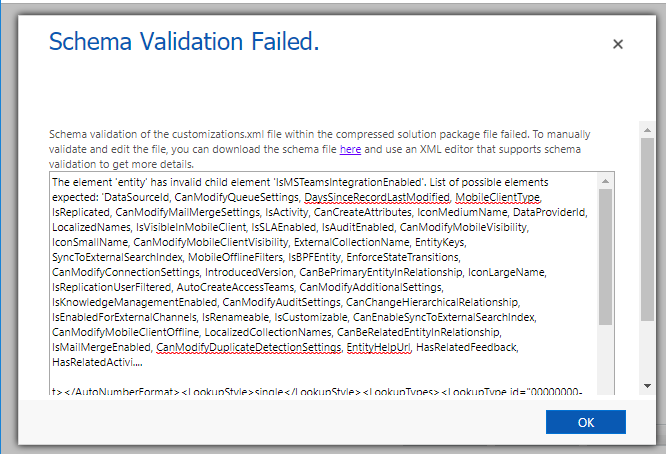
2. Click on “Help me resolve this issue” and a Dialog will be opened which shows the specific error. As you can see element “IsMSTeamsIntegrationEnabled” is present in the solution which is not present in target solution. Thus we will remove this element from XML and import the solution.
3. To remove the element from XML follow the below steps:
- Extract the solution you want to import.
- Open customizations.xml file.
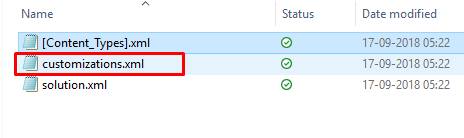
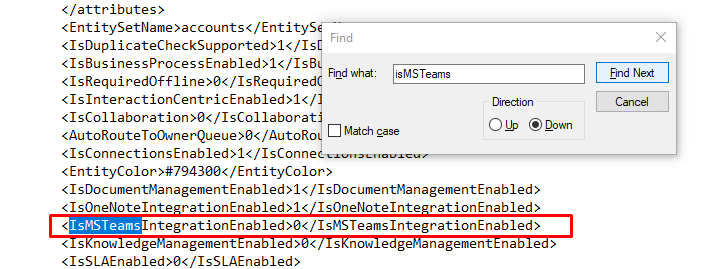
- Remove “isMSTeamsIntegartionEnabled” element from XML and save the XML.
- Zip all the files and import the solution to your environment.
Your solution will be imported to the targeted environment.
The post Import Solution XML error appeared first on .
*This post is locked for comments