




 32,738
 Like
Like Share
Share
 Report
Handling decimal places and rounding variances is always an issue from a business perspective, and companies are always worried about how much they would lose when decimals are not well calculated by the System. With Dynamics GP, decimal places is not an issue at all since the system has a highly sophisticated process to make sure that every tiny decimal is taken into considering, especially as part of the item costing.
In previous posts, I have shed a light on the calculations of unit cost with decimal places on the following articles:
In this post, I will take a different perspective and shed a light on the "Pricing" and decimals. This is part of the sales order processing module and doesn't affect inventory since prices, extended prices are calculated and handled on the SOP module level.
The following case is considered as a case study in order to understand how prices will be calculated in a way that no decimals are ignored or lost.
A test item will be defined and assigned to a unit of measurement schedule a showing below:
Unit of Measurement Schedule:
Case = 6 Pieces
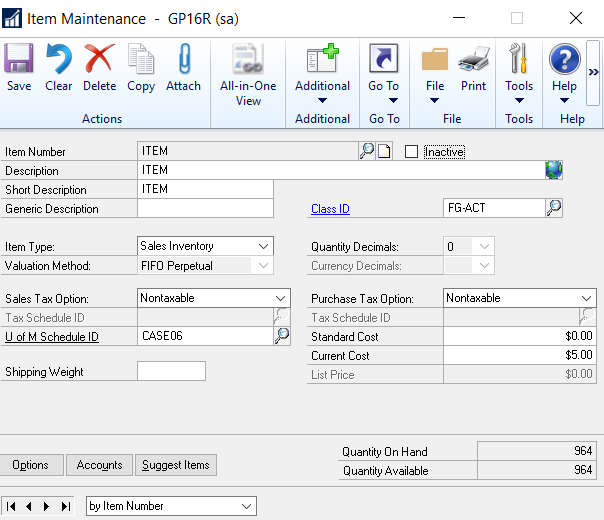 |
| Item Maintenance Window |
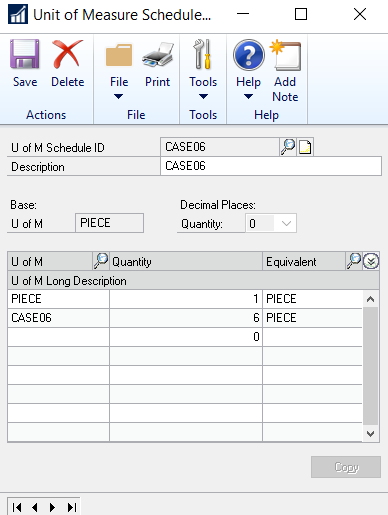 |
| Unit of Measurement Schedule UOM |
Item Pricing:
The Lets suppose that 6 Cases sold with 50, in this essence, it is hard to say that the case price is 8.33 because we will be stuck with an unlimited number f decimals which will be hardly handled by any system.
Therefore, when entering the sales transaction entry, we will provide the system with the extended instead of the unit price, and the system will handle the rounding variances accordingly. The process is illustrated below:
The following example is showing that unit price is populated first, and then extended price is automatically calculated by the system (Unit Price * Quantity) The result is not correct because decimals are missing
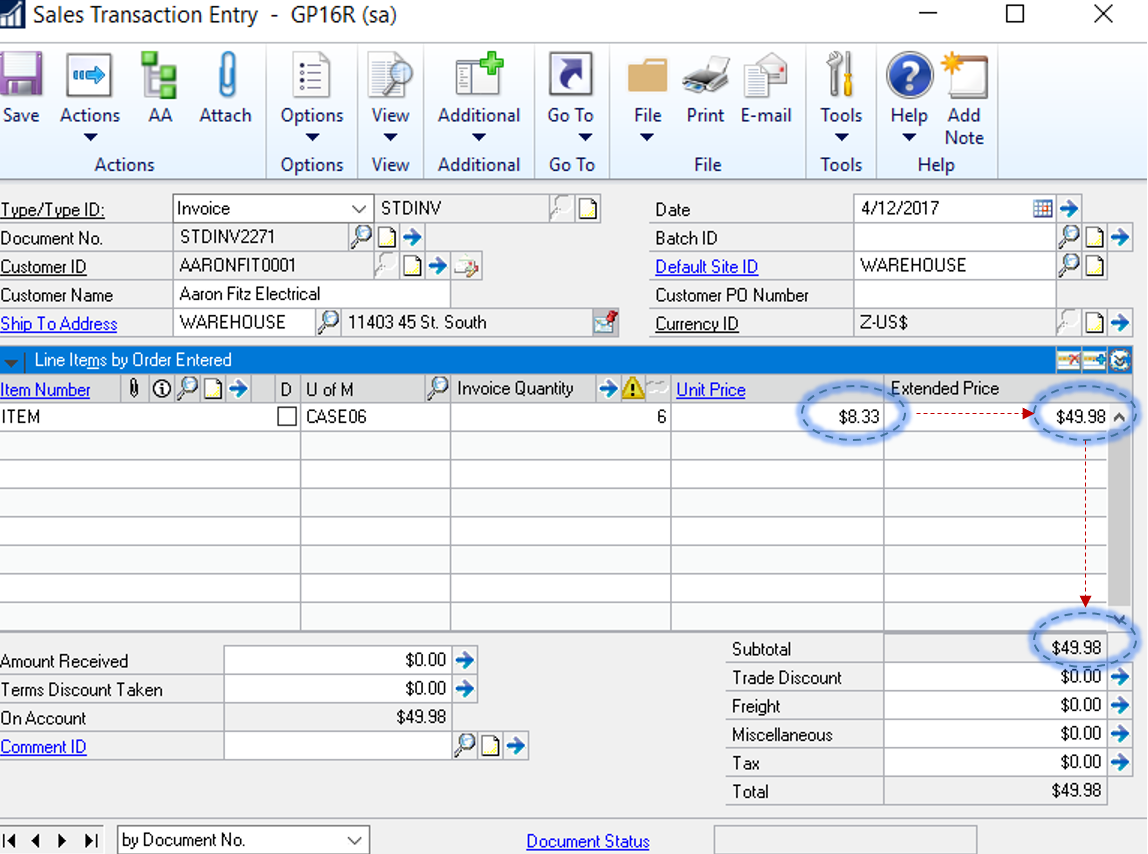 |
| Sales Transaction Entry - Unit Price then Extended Price |
On the other hand, if you provide the extended price, the system will automatically populate the unit price, and keep track of the decimal places as illustrated below:
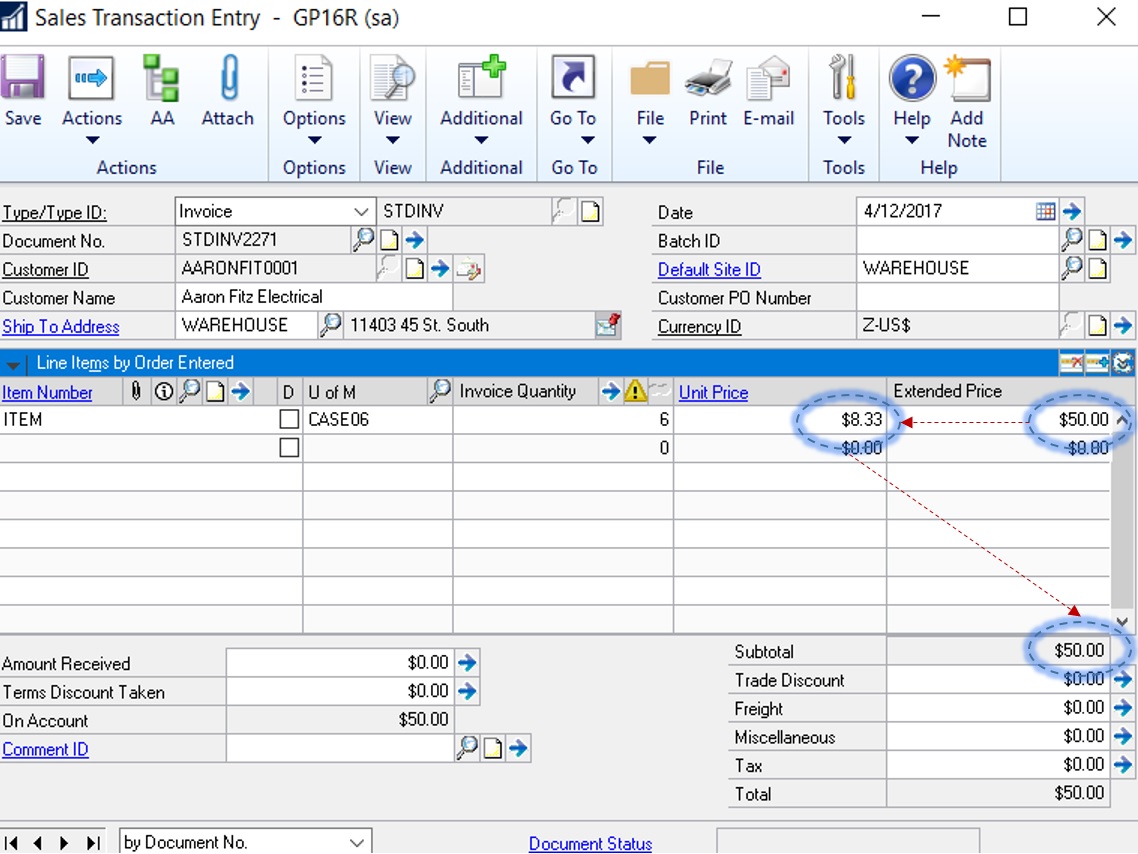 |
| Sales Transaction Entry - Extended Price then unit Price |
Looking at the SOP Tables, the system keeps track of two parameters, which are:
- Extended Price
- Remaining Price
 |
| SOP30300 Extended Price and Unit Price |
Best Regards,
Mahmoud M. AlSaadi
*This post is locked for comments