




 Like
Like Share
Share
 Report
From time to time we have had clients contact us wanting to know if there is an easy way to see who posted a transaction to the GL in Microsoft Dynamics GP. The Journal Entry Inquiry window will provide you with additional information associated with the journal entry, such as the Audit Trail Code and Source Document, however, it does not tell you who posted the transaction.
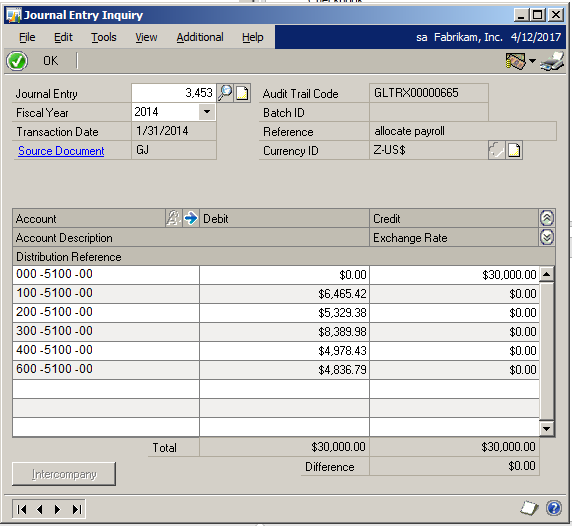
Dynamics GP does store the user who posted the transaction in the database. So, an SQL script could be used to query the GL20000 (Open Year Posted Transactions) or GL30000 (Historical Year Transactions) tables with USWHPSTD being the User Who Posted field. However, most users do not have access to SQL to run ad hoc scripts.
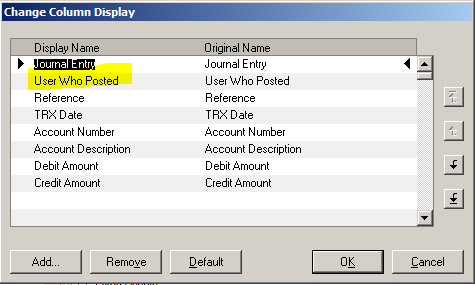
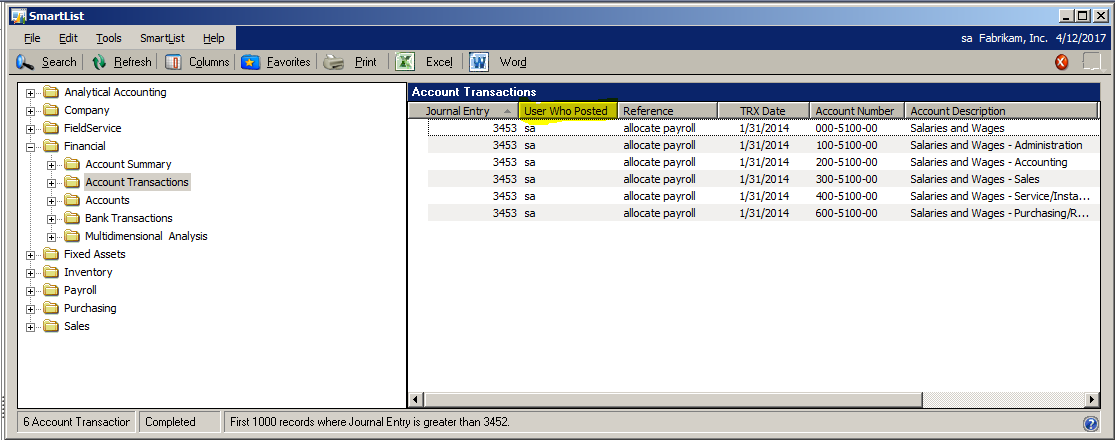
The easiest solution for all users is to use SmartList to display the name of the user who posted the transaction. Simply use the Columns button to add the User Who Posted field to the Account Transactions SmartList. Now you have a quick report showing you who posted the transaction. And, don’t forget to add the SmartList as a Favorite!
If you have questions about your Dynamics GP solution, feel free contact us at Boyer & Associates as we’d be happy to help.
The post Using SmartList to Display the Name of the User Who Posted a Transaction in Dynamics GP appeared first on Boyer & Associates.
*This post is locked for comments