







Track user last login date in PowerApps Portal
 Charles Abi Khirs
 3,569
3,569
 Like
Like Share
Share
 Report
Many clients wish to have a look on how their systems are performing and especially the ones facing the end users, therefore, they sometimes need to track the peak time when the users are connected to their systems to do some statistics, analysis, and take actions based on the data collected.
The same applies to the PowerApps portal which is our topic in this post, where I will show you how to enable tracking of the last login date done by the user in the portal.
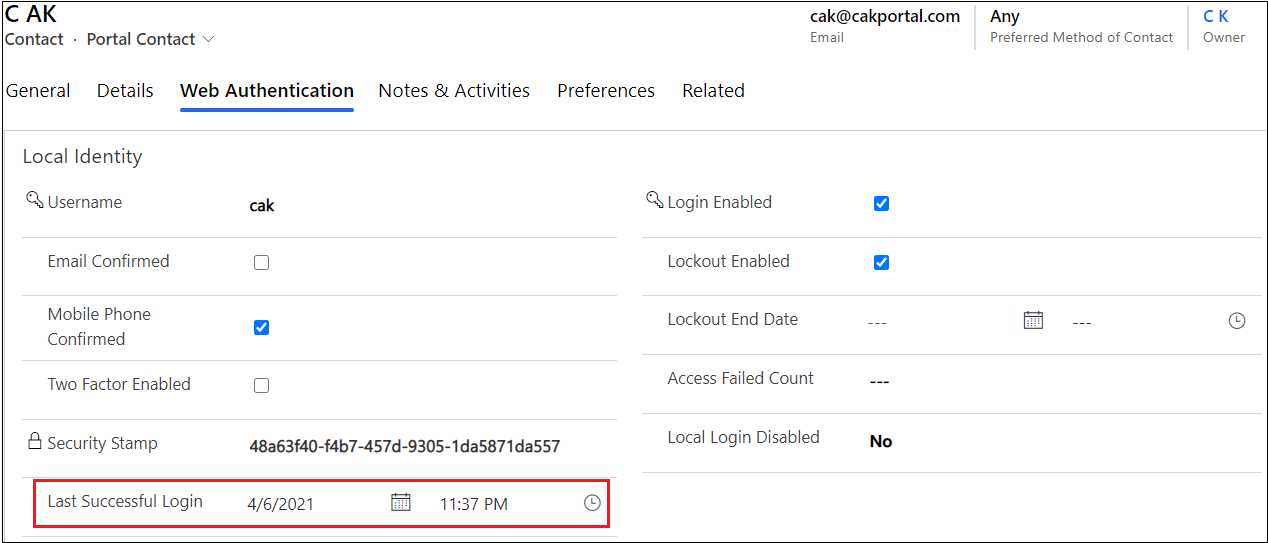
As you know, users that connect to the portal, are saved in the D365 as contact records, and to save the last login date to the portal, a new date/time field named Last Successful Login will be created in the contact entity during the portal provisioning.
In order to fill this field by the appropriate date time when a portal user has logged in, a setting should be set and enabled. This configuration can be done on the portal settings entity, by adding the settings Authentication/LoginTrackingEnabled and putting its Value to True
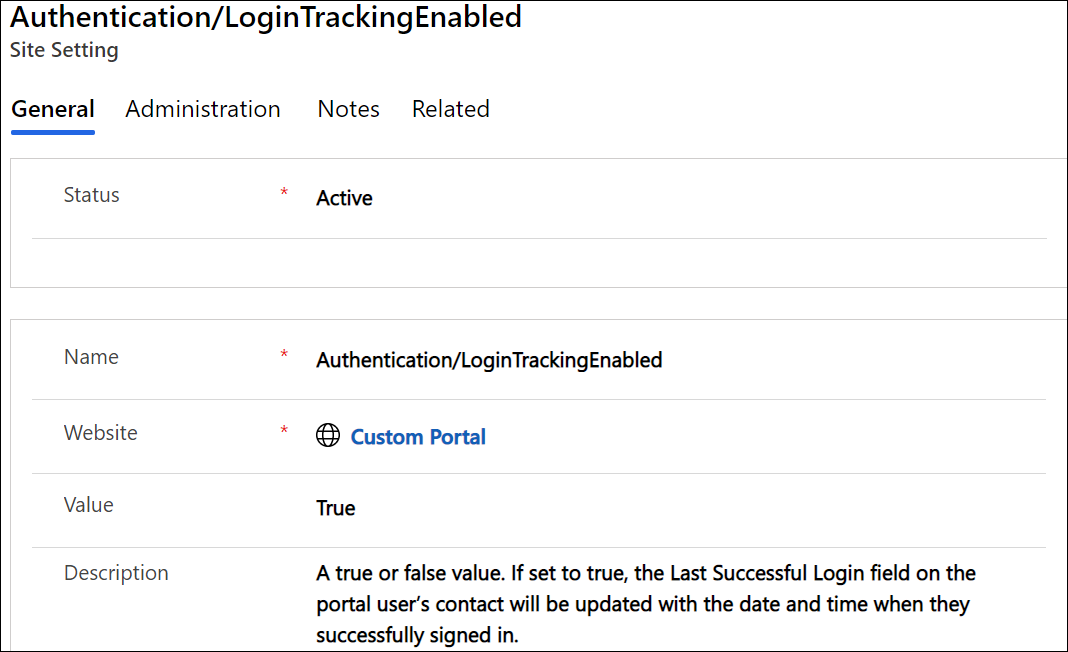
Once this setting is added, and the user has logged in to the portal, the Last Successful Login field in the contact entity will be filled.
Hope This Helps!
This was originally posted here.
*This post is locked for comments