




 6,230
6,230 Like
Like Share
Share
 Report
Within Dynamics 365 fields can be set as business required, which helps to ensure these fields need to be populated for the record to be saved. Fields can also be set as read-only, preventing Users from entering data manually. Prior to v9, the business required validation was always enforced, even if the field had been made read-only. With Dynamics 365 v9 (v9.0.2.2074 at the time of writing this blog) this is no longer the case. The screenshots in this blog will be used to show an example of this in Dynamics 365 v9.
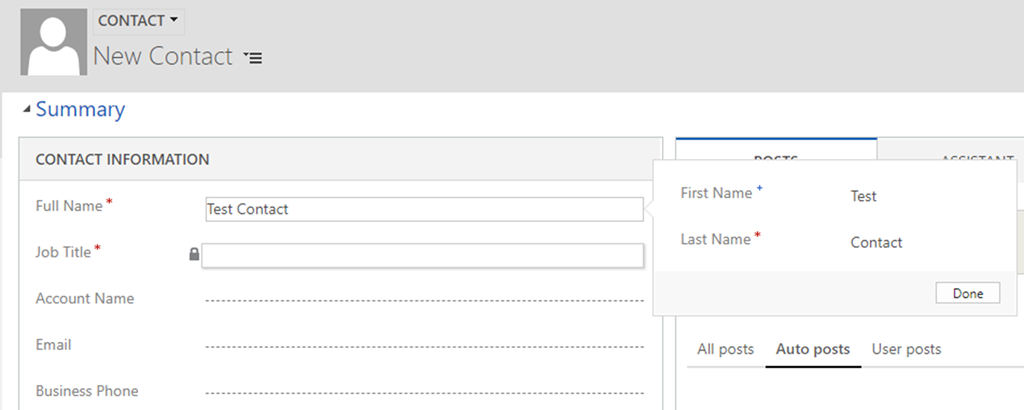
The screenshot above shows a Contact record being created where the Full Name and Job Title fields are business required. The Job Title field has been set to read-only on the form in this case. After entering a Full Name and hitting save, the record is created without any issues as shown in the screenshot below.
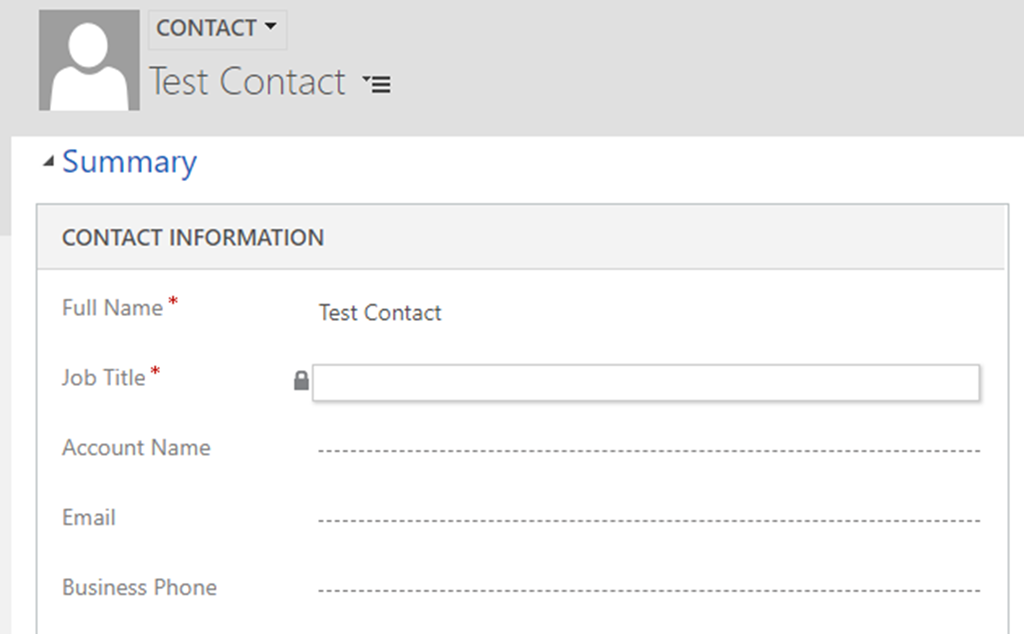
This isn’t limited to creating new records but can also occur while attempting to update existing records.

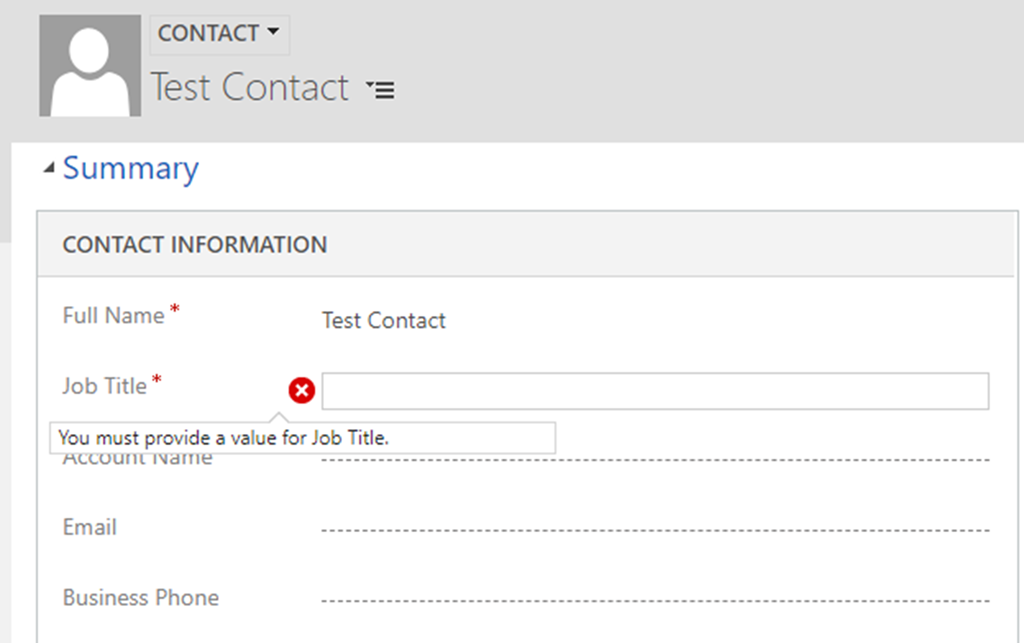
When using JavaScript to make the field writeable again the validation of the field returns. The screenshot below shows what happens when I run the above code and then try to save any updates to the record. If I do set it back to being read-only (by setting the above to true) after trying to edit the field it shows a message to enter a value before saving. Refreshing the page however causes this prompt to disappear.
*This post is locked for comments