







D365 F&O: Action Message – Latest feature
Views (726)
 Vishal Tiwari
 393
393
 Like
Like Share
Share
 Report
Hey Folks,
I know many of us were waiting for this cool feature where we could go land to the action (main form/details) page of the message – which gets notify during your work process in the notification area.
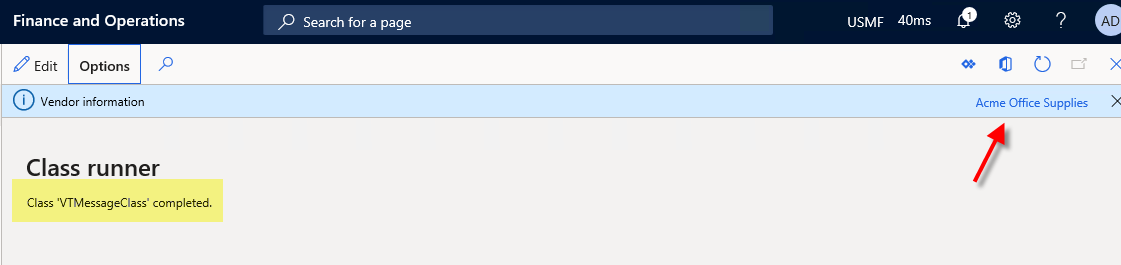
Yes, with this you can link the info messages to a menu item and finally navigate to the corresponding records.
It’s possible via API – “Message”. The Message() API gives you more control over the lifecycle of a message by allowing you to explicitly add and remove messages.
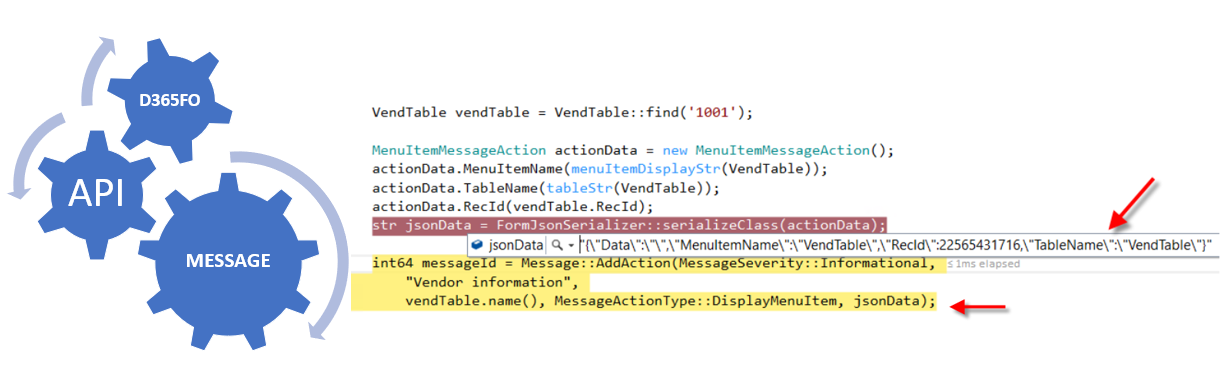
public static void main(Args _args) { VendTable vendTable = VendTable::find('1001'); MenuItemMessageAction actionData = new MenuItemMessageAction(); actionData.MenuItemName(menuItemDisplayStr(VendTable)); actionData.TableName(tableStr(VendTable)); actionData.RecId(vendTable.RecId); str jsonData = FormJsonSerializer::serializeClass(actionData); int64 messageId = Message::AddAction(MessageSeverity::Informational, "Vendor information", vendTable.name(), MessageActionType::DisplayMenuItem, jsonData); } |
Also, did you ever ponder – how can you remove the Infolog in D365 F&O ?
Using traditional way – Infolog.clear(…)? This sometimes won’t work as expected. Hence, you can use the MessageId(Int64) field to be captured and removed using the message API.
Message::Remove(messageId)
Sample code:
[ExtensionOf(formStr(VendTable))]
final class VLSVendTableForm_Extension
{
public static RefRecId messageId;
public void init()
{
next init();
messageId = Message::Add(MessageSeverity::Warning, "Extension of vendor form");
}
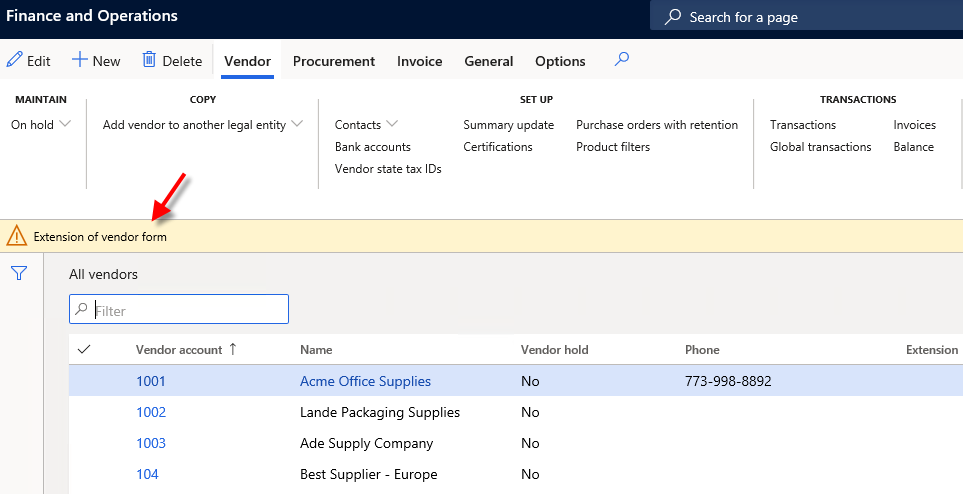
Message::Remove(messageId); |
This was originally posted here.
*This post is locked for comments