







Tip #1354: UI Flow: Setting document typeface properties

 Like
Like Share
Share
 Report
I recently was evaluating using UI Flow RPA to automatically print barcode labels. Using Microsoft Word or Wordpad and a freely available barcode TTF, I passed the barcode value to the document and hit the print button.
All worked as expected, except I could not get the flow to properly record selecting the correct font. Mouse cursor movements are not captured, and in Word the recently used fonts list dynamically changes in length, so I could not dependably select the correct font.
I resolved the issue by creating a document with the desired font and font size already selected, then changing the application path in the UI flow to the file path of that document, rather than the application file.
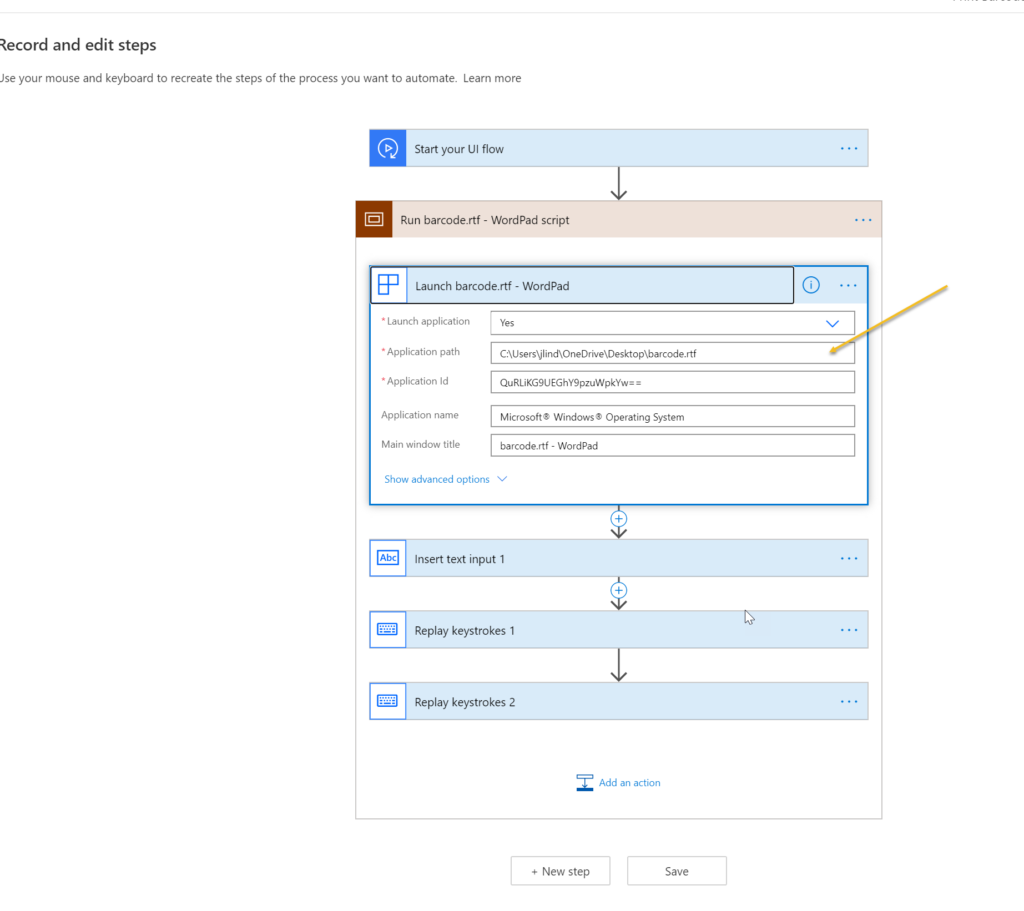
The result is Word or WordPad are launched with the correct font selected, and the barcode was created successfully.
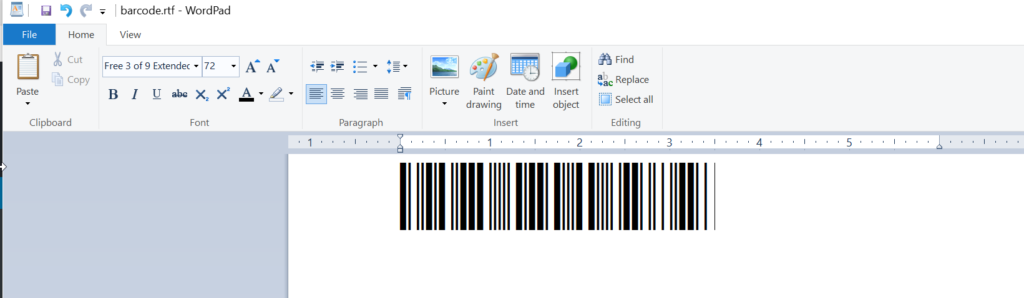
The also seems to be a good solution for getting past the recent items screen in Word and other Office 365 applications with RPA–don’t launch the application, launch a file associated with the application.
Cover photo by Alexander Andrews on Unsplash
This was originally posted here.
*This post is locked for comments