




 22,784
 Like
Like Share
Share
 Report
 This post is part of the In Microsoft Dynamics 365 Business Central (Administration), how do I… series and of the wider In Microsoft Dynamics 365 Business Central, how do I… series which I am posting as I familiarise myself with Microsoft Dynamics 365 Business Central.
When you create a company with the advanced evaluation with complete sample data, you also need to change the user experience for the new company from Essential to Premium.
To do this, click the Settings cog icon and then click on Company Information:

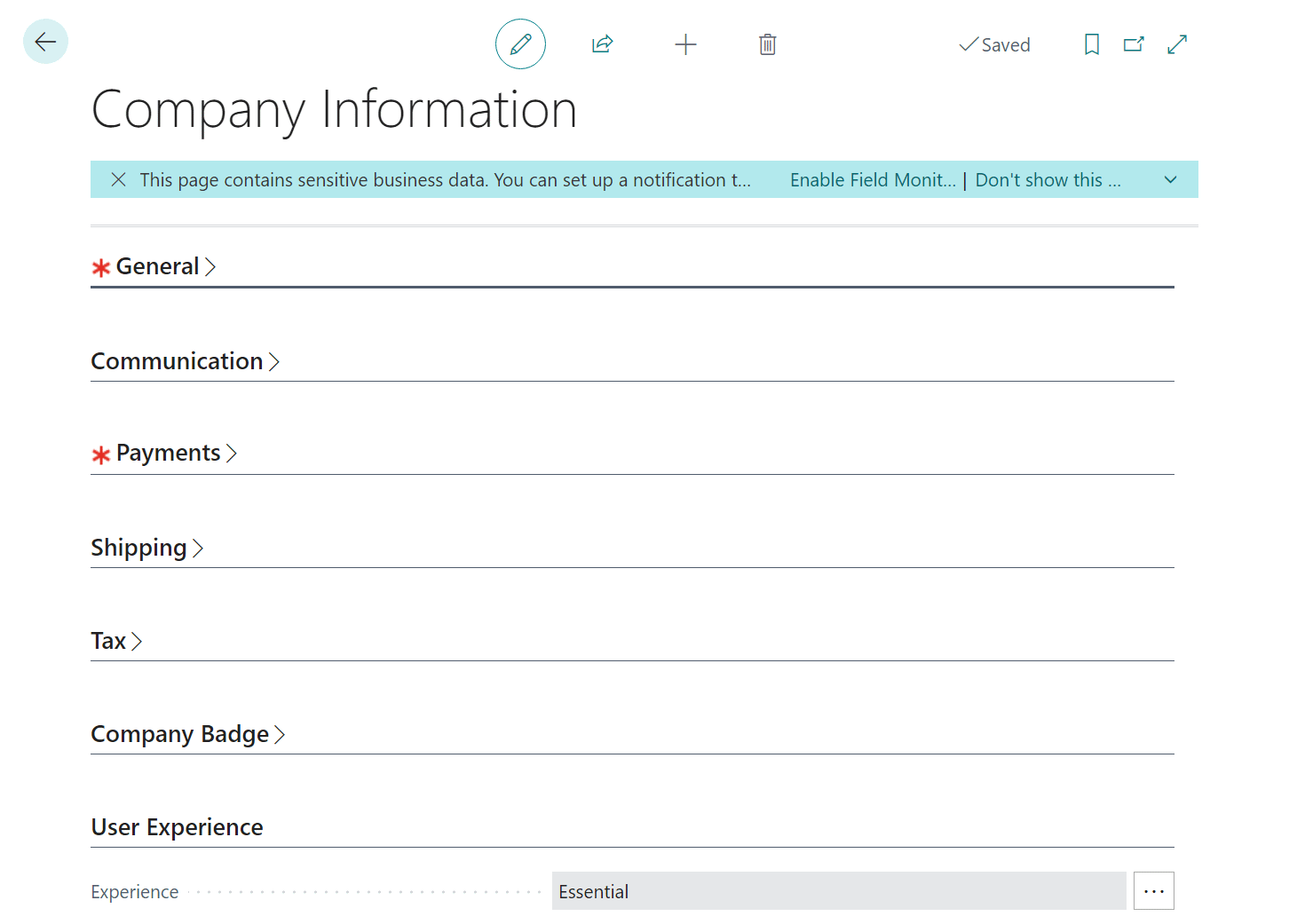
In the Company Information window, expand the User Experience fast tab and click the ellipsis button next to the Experience field:
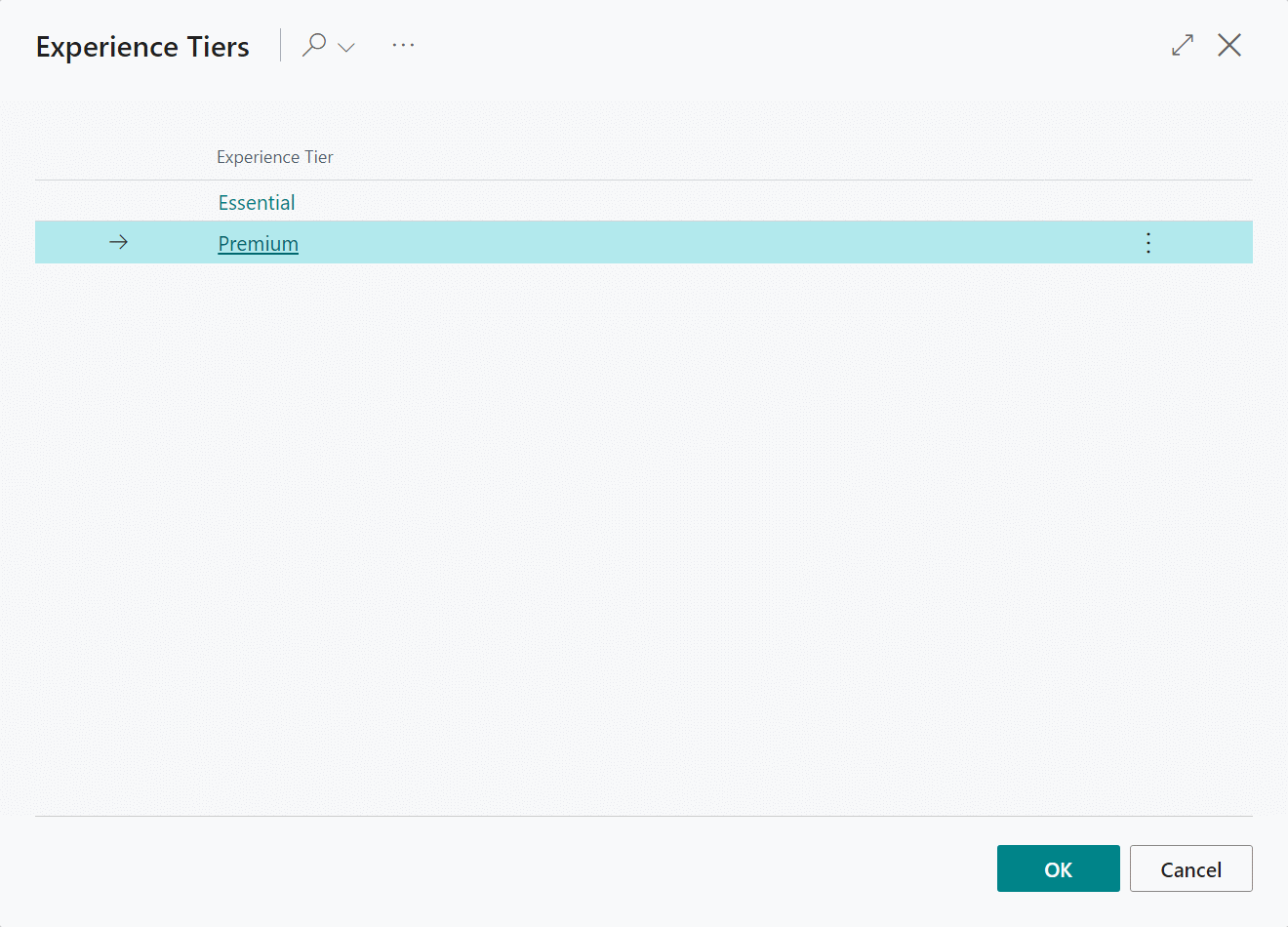
In the list of available Experience Tiers, select Premium and click the OK: button:
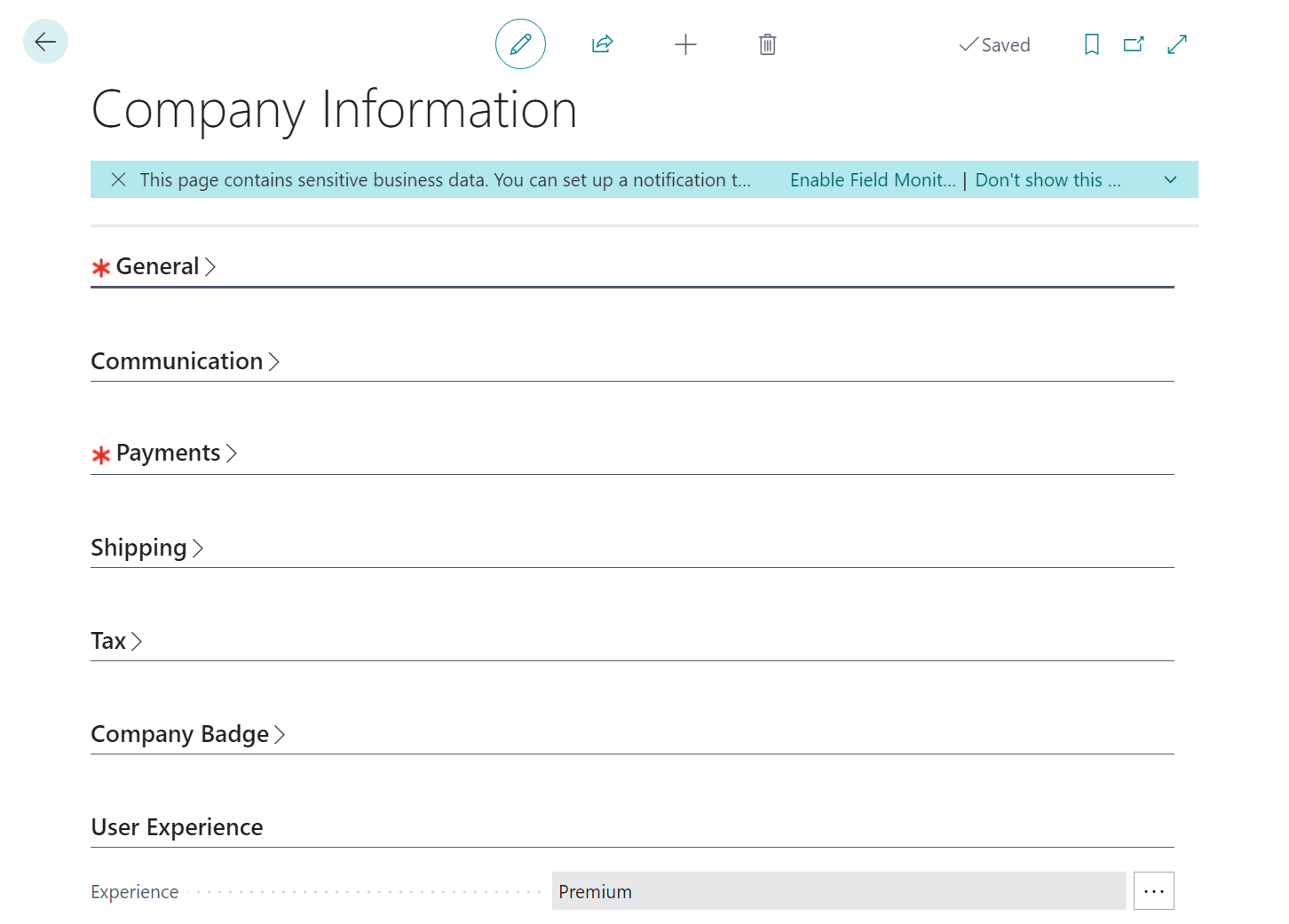
The Company Information page should show the changed Experience:
Close the Company Information page; Dynamics BC should auto refresh, but if it doesn’t, or there are any issues, refresh the age manually.
In Microsoft Dynamics 365 Business Central, how do I…
In Microsoft Dynamics 365 Business Central (Administration), how do I…
Read original post In Microsoft Dynamics 365 Business Central, how do I… Change the User Experience in a Company from “Essentials” to “Premium” at azurecurve|Ramblings of an IT Professional
*This post is locked for comments