







{How to enable add products on order table Dynamics 365 Sales}
Views (113)

 Like
Like Share
Share
 Report
Hello Everyone,
Suppose there is a scenario to add multiple products on sales order. How do you do that?
Lets gets started.
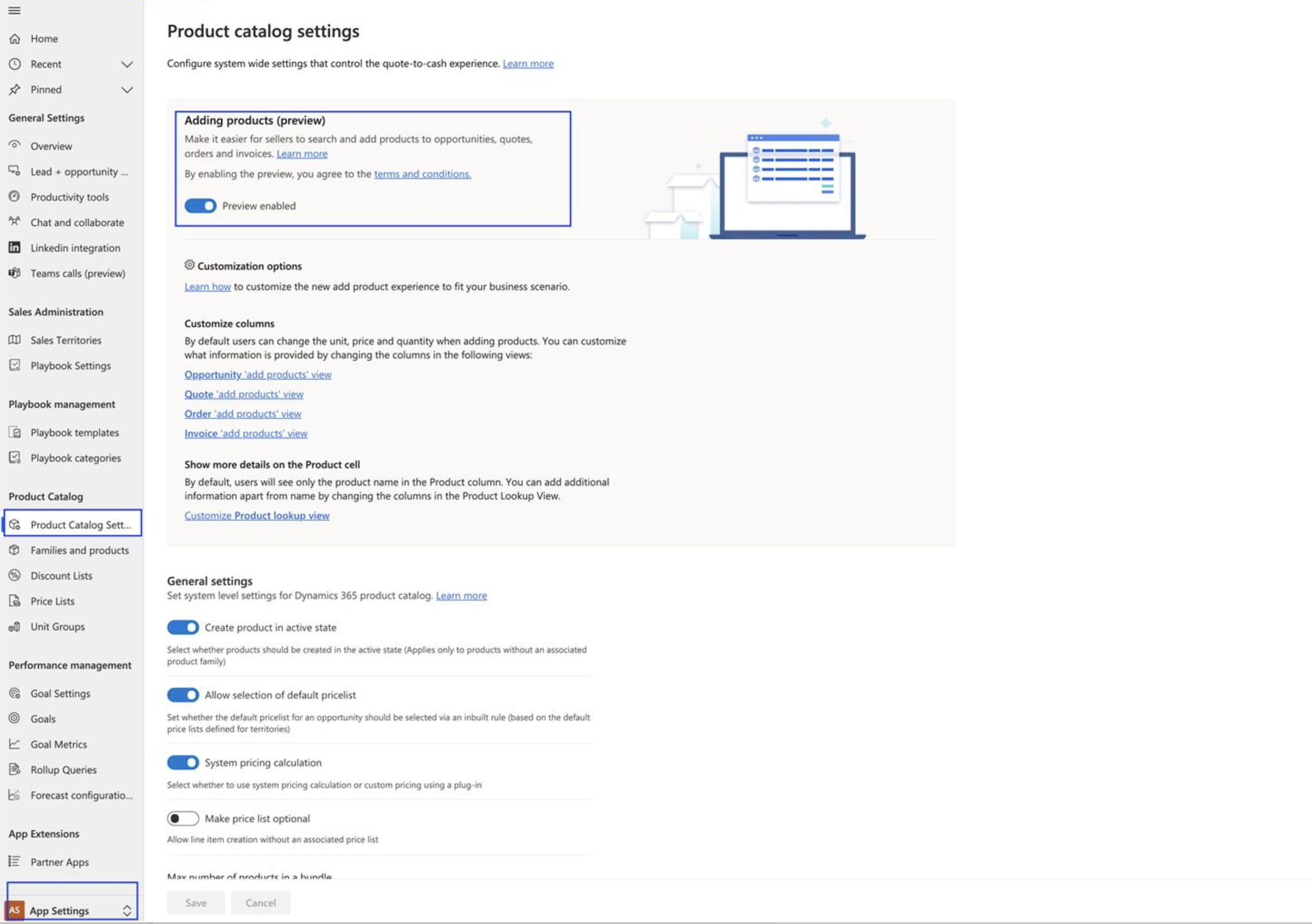
Login into your Dynamics 365 Sales Hub and then left bottom cornor change to App Settings and then click on PRODUCT CATALOG SETTINGS and toggle the "Adding Products" to enabled.
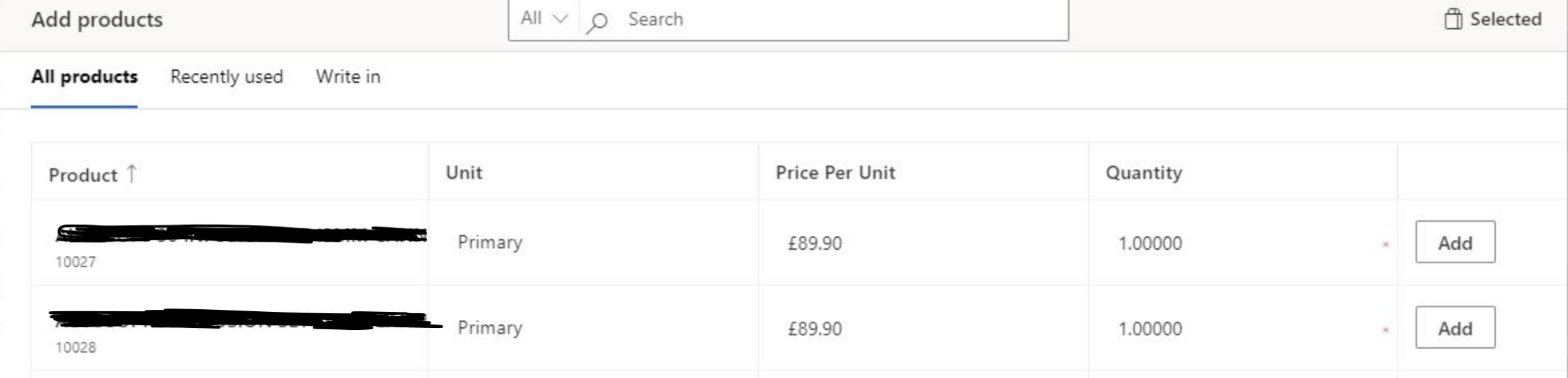
Then you should be able to add multiple products just a click of a button.
Hope this helps.
Malla Reddy(aka UK365GUY)
This was originally posted here.
*This post is locked for comments