




 886
886 Like
Like Share
Share
 Report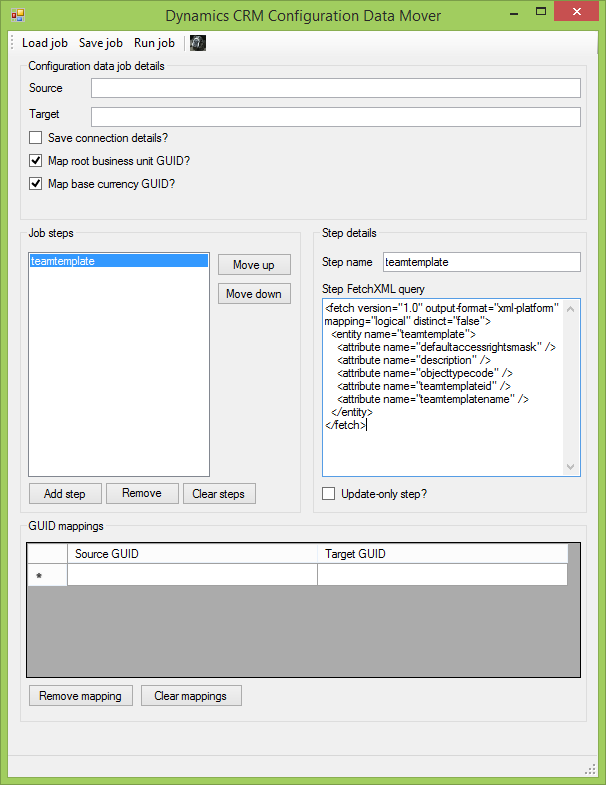
Dynamics CRM access team templates are stored as regular CRM records, just like teams or queues. Although Dynamics CRM does not allow users to query team template records with an advanced find, it is possible to query them with FetchXML, which means they can be synchronized between organizations using my Configuration Data Mover utility.
Here's the basic FetchXML query I use in my console application and XrmToolBox plugin tools for synchronizing access team templates between Dynamics CRM organizations.
<fetch version="1.0" output-format="xml-platform" mapping="logical" distinct="false">
  <entity name="teamtemplate">
    <attribute name="defaultaccessrightsmask" />
    <attribute name="description" />
    <attribute name="objecttypecode" />
    <attribute name="teamtemplateid" />
    <attribute name="teamtemplatename" />
  </entity>
</fetch>
Here's a screenshot of a job I've built to move access teams with the query above.
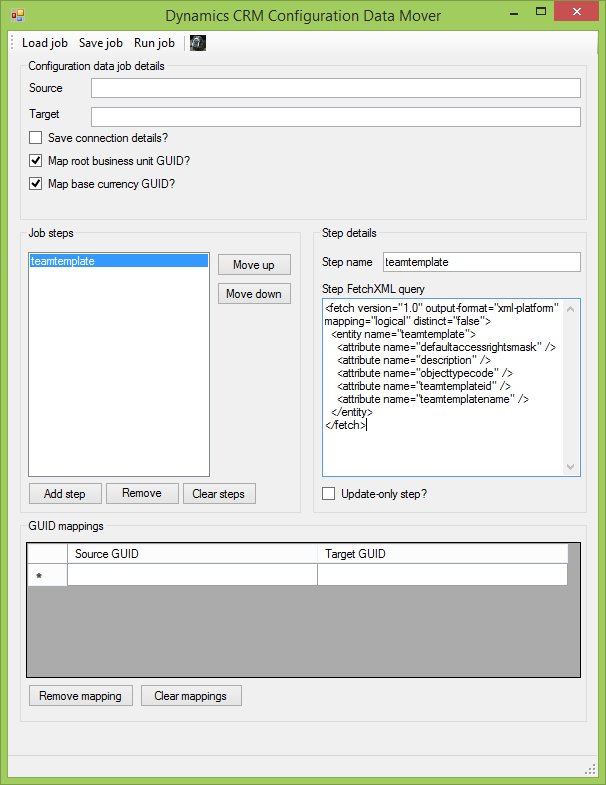
You can find a copy of this job in the code repository's samplefiles directory in the teamtemplates-noconnection.xml file. This job copies all access team templates for an organization, but you can modify the FetchXML to be more selective.
One thing to keep in mind is that if you use the Configuration Data Mover to copy access team templates, you must make sure the relevant entities are configured for access teams in the destination organization. Unlike my XrmToolBox plugin, the Configuration Data Mover cannot automatically enable access teams for an entity.
*This post is locked for comments