







Error When Trying to Change User Password in Microsoft Dynamics GP
 Ian Grieve
 22,784
 Like
Like Share
Share
 Report
 We’ve been implementing Microsoft Dynamics GP for a client recently. After creating some new user accounts, I was sending details to the users, when I realised that I couldn’t remember the password structure (I’d been distracted onto another project between creating the accounts and sending the email).
I went back into the User Setup window () and changed the password; however, when clicking Save:
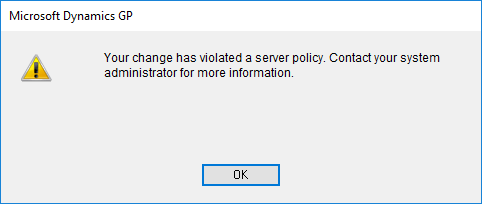
Microsoft Dynamics GP
Your change has violated a server policy. Contact your system administrator for more information.
I’ve reset passwords before which I have just set, so the error was somewhat puzzling. It took only a few minutes before realising that the problem was the Enforce Password Policy and Change Password Next Login checkboxes were marked.
I had a final stab at the password structure for these accounts and fortunately got it right, so I was able to email the users. The alternative would have been to delete and recreate the user accounts (which would have also required access and security roles to be assigned).
Read original post Error When Trying to Change User Password in Microsoft Dynamics GP at azurecurve|Ramblings of an IT Professional
This was originally posted here.
*This post is locked for comments