







Plugin assembly signing - Silly errors
Views (653)
 Arun Vinoth
 11,615
Moderator
11,615
Moderator
 Like
Like Share
Share
 Report
I was setting up the Plugin development setup in my new laptop VS IDE for my new team. Some silly errors surfaced, in turn I got a chance for reading lot of Non-Dynamics blogs & forums for troubleshooting. Interesting situation!
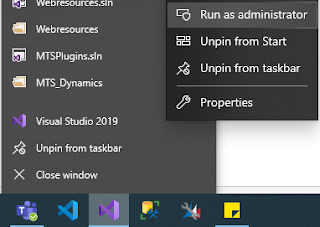
Long story short. I was a local admin in my machine, but failed to run my Visual studio as admin. :(

When I was trying to sign the assembly using strong name key file (though not necessary) - I encountered the "An attempt was made to reference a token that does not exist" error.
I ran regsvr32 as per some blogs for fixing corrupted dll files. After research and this blog suggested the other solutions, especially the solution no.2 is bit funny but helped me to move away from the above first error.
Then comes the second error - Access is denied. (Exception from HRESULT: 0x80070005 (E_ACCESSDENIED)). No clue at all. After some attempts front & back.. I was getting a weird error - Cannot import the following key file: companyname.pfx. The key file may be password protected.
As usual the Stack overflow is the savior. This SO thread talks about the same issue & the hint is "Run Visual Studio as Admin" - OMG!!!
Long story short. I was a local admin in my machine, but failed to run my Visual studio as admin. :(

When I was trying to sign the assembly using strong name key file (though not necessary) - I encountered the "An attempt was made to reference a token that does not exist" error.
I ran regsvr32 as per some blogs for fixing corrupted dll files. After research and this blog suggested the other solutions, especially the solution no.2 is bit funny but helped me to move away from the above first error.
Then comes the second error - Access is denied. (Exception from HRESULT: 0x80070005 (E_ACCESSDENIED)). No clue at all. After some attempts front & back.. I was getting a weird error - Cannot import the following key file: companyname.pfx. The key file may be password protected.
As usual the Stack overflow is the savior. This SO thread talks about the same issue & the hint is "Run Visual Studio as Admin" - OMG!!!

This was originally posted here.
*This post is locked for comments