







How to create deployable package in dynamics 365?
Views (2268)
 Mahmoud Hakim
 17,887
 Like
Like Share
Share
 Report
In Dynamics 365 cloud finance and operations, No direct access to customize or develop any business logic.
So, you can customize your requirements in the development environment and create a deployable package from the development environment to apply it in the test environment
Finally, after applying this package in the test environment and no errors found, you can submit a request to apply packages.
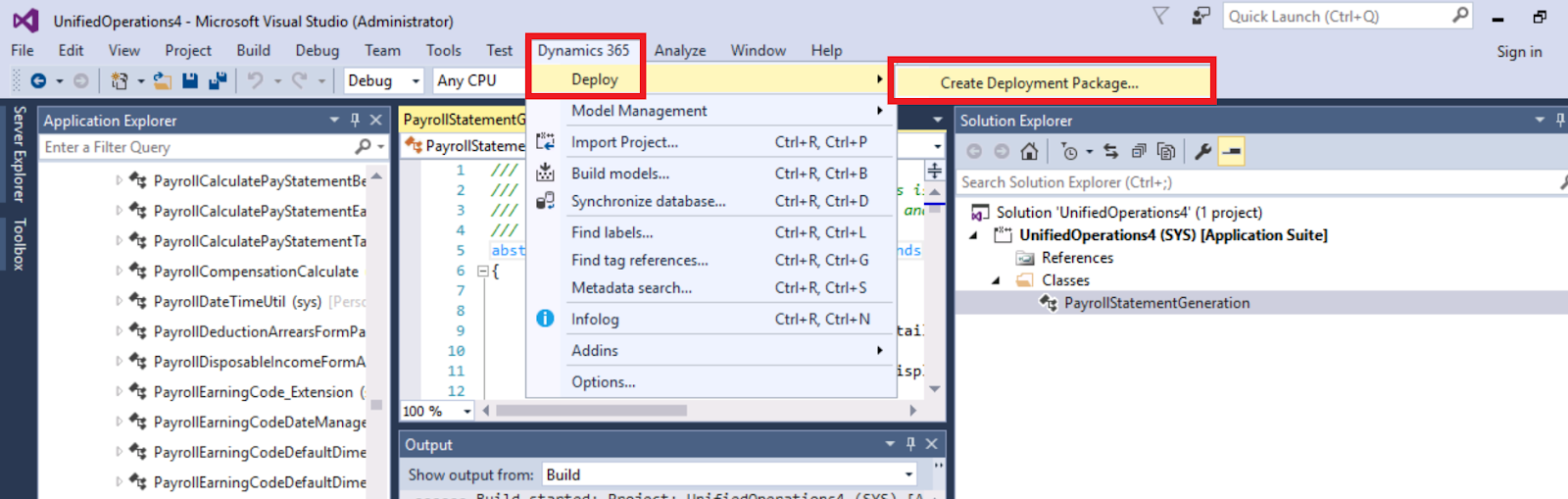
After complete your customization , Go to Dynamics 365 TAB in visual studio

select the package and the path to save this package

click create
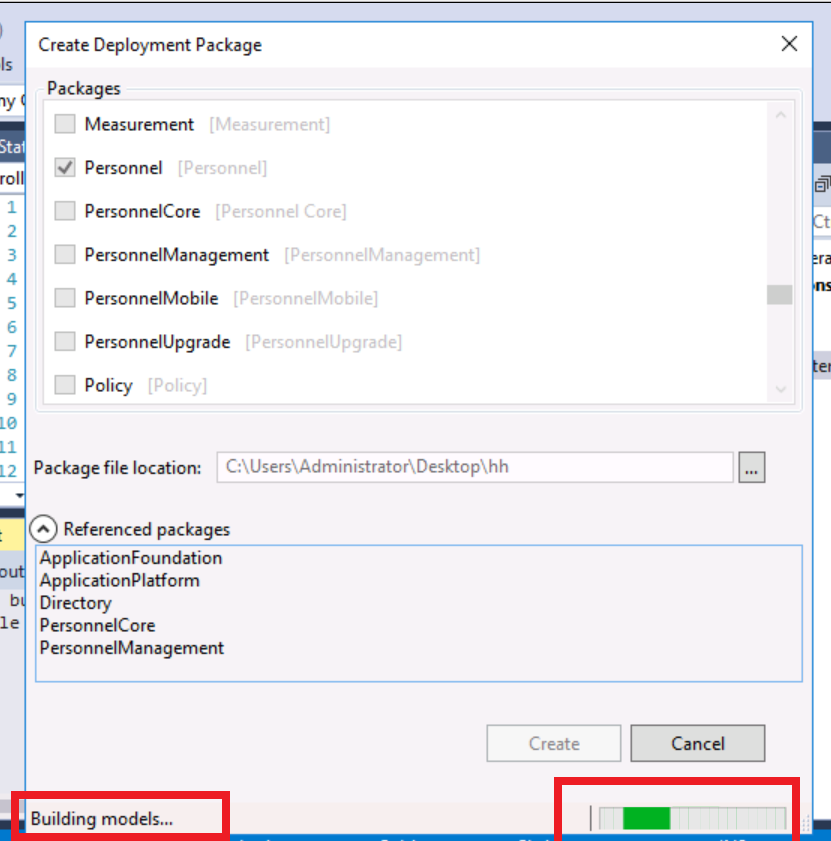
sytem will build the model to create the package

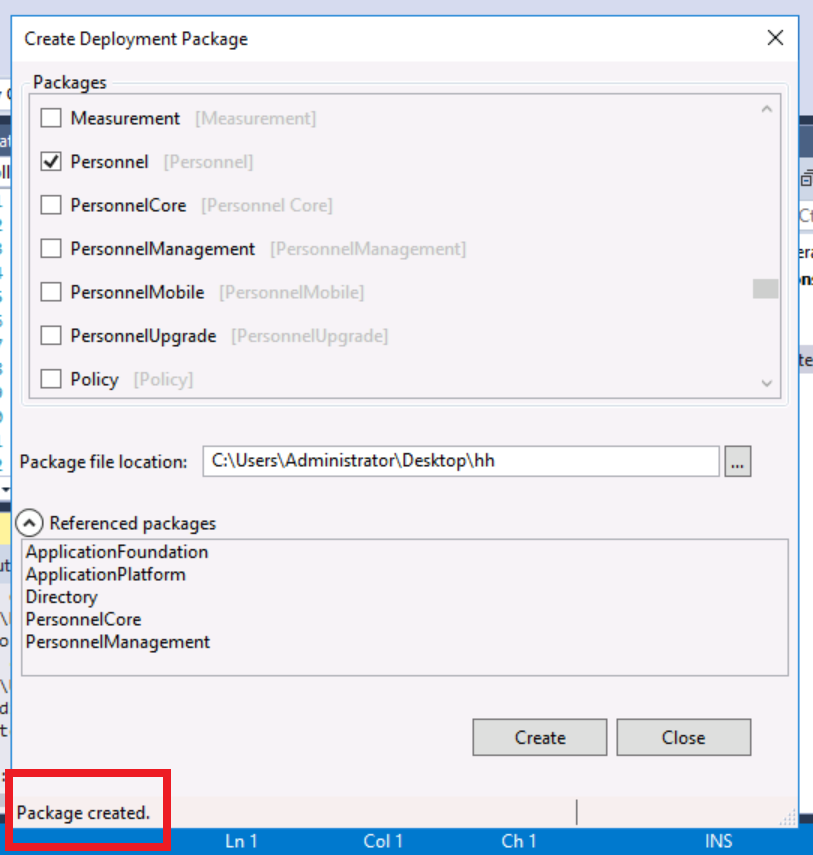
and finally, the package created

go to the path that you saved and copy the compressed file and paste as you need

also, you can import this package to LCS ...etc
So, you can customize your requirements in the development environment and create a deployable package from the development environment to apply it in the test environment
Finally, after applying this package in the test environment and no errors found, you can submit a request to apply packages.
After complete your customization , Go to Dynamics 365 TAB in visual studio
select the package and the path to save this package
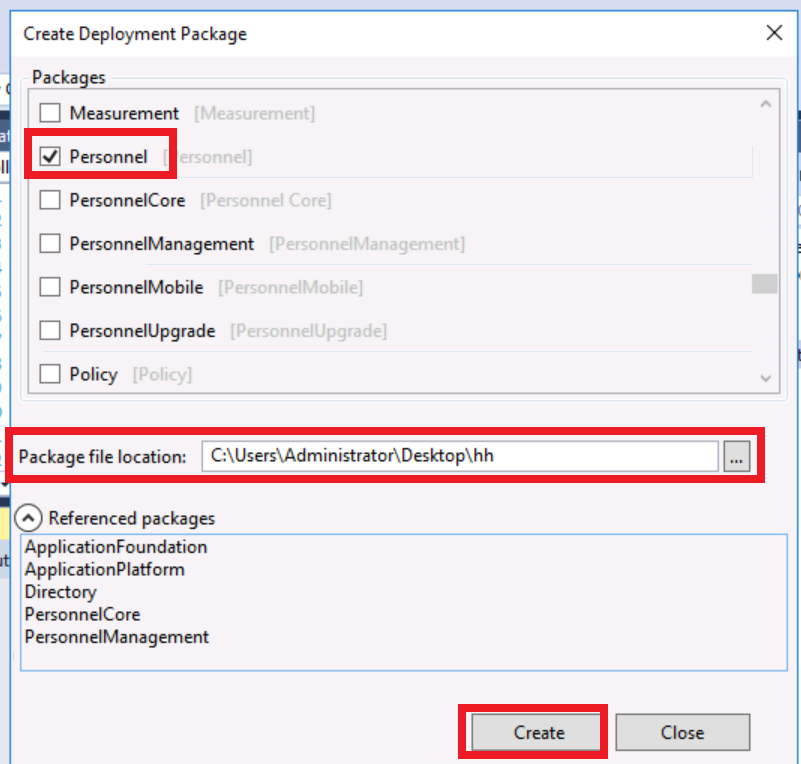
click create
sytem will build the model to create the package
and finally, the package created
go to the path that you saved and copy the compressed file and paste as you need

also, you can import this package to LCS ...etc
This was originally posted here.
*This post is locked for comments