







Tip #224: Email signatures

 Like
Like Share
Share
 Report
In Tuesday’s tip, George Doubinski threw me under the bus gave a great alternative use for translation files in Dynamics CRM. The eight year old boy that I pay to write tips for me thought that this was a great tip, and made me think of some other alternative uses for Dynamics CRM features. By “alternate use” I mean a use for a feature that is not its primary purpose.
Here is another of my favorite alternate uses.
Sometimes I send an email from the Dynamics CRM web client. If I’m on a contact record, it can be quicker to just send the email from within the Dynamics CRM web client. However, when I do this, my email signature from Outlook doesn’t appear on the email. There is no “insert signature” button. But you still can use email signatures from the web client. Just use an email template for your signature.
- Create a new email template. Add you relevant contact information. If desired, you can also paste in a photo of your face.
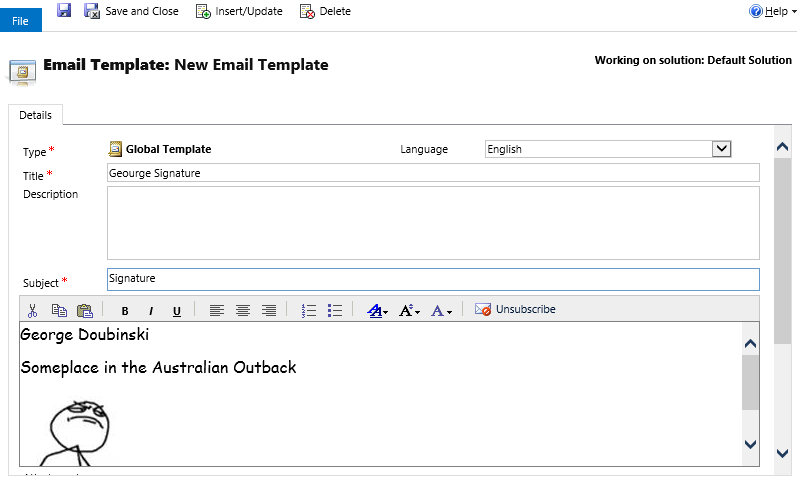
- When you write your email in the web client, after you compose your email, click the “insert template” button.

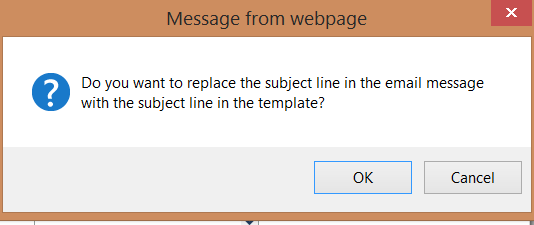
- Select the template for your email signature. CRM will ask you if you want to replace the email subject with the template subject. Click “Cancel.”
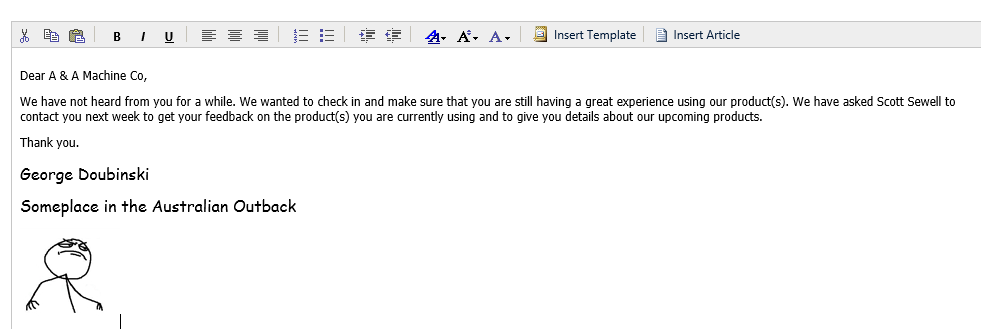
- Your email will now include your signature.
This was originally posted here.
*This post is locked for comments