







Tip #1214: Add “what’s new” to unified interface
Views (2323)

 Like
Like Share
Share
 Report
We use activity feeds and the “what’s new” dashboard in D365 classic UI to see a feed of posts in the system. This doesn’t show up in unified interface–how can we use the activity feed wall in unified interface?
Keep me posted
Dear posted,
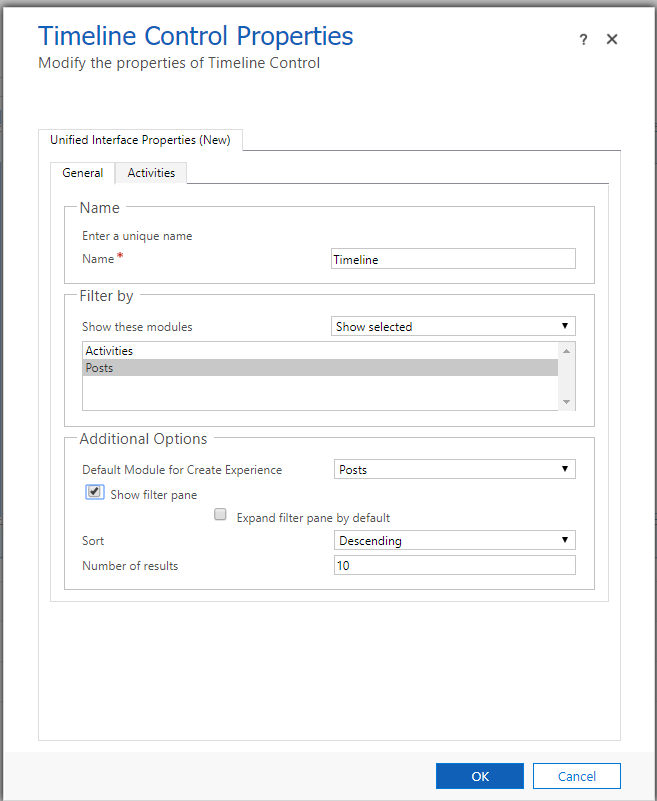
The activity feed wall is replaced in unified interface by the timeline control. On a dashboard (like the Sales Activity Social Dashboard) add the timeline control. If you want it to only display posts and not other types of activities, change show these modules to “show selected” and select “Posts”.
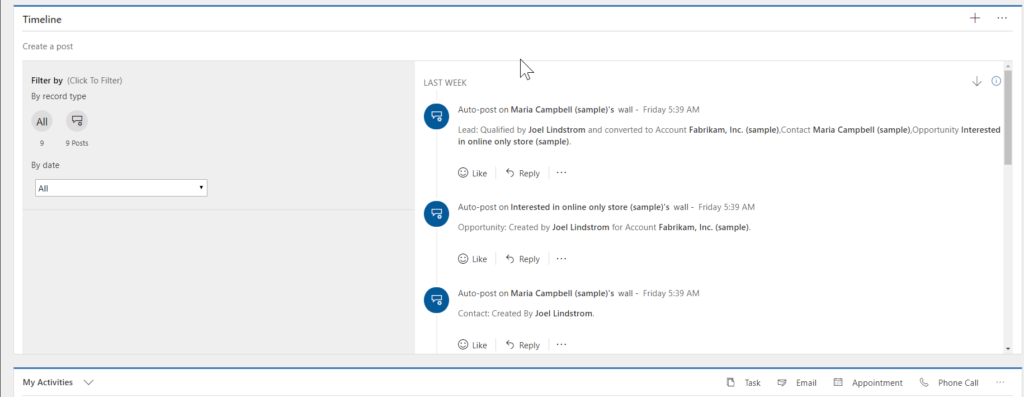
You will now see the activity feed wall on your dashboard.
(Cover photo by Waldemar Brandt on Unsplash)
This was originally posted here.
*This post is locked for comments