







Dynamics 365 For Operations: GenerateDrillThroughLink/DrillThroughProvider - Hyperlink on SSRS report data fields
Views (1645)
 Vishal Tiwari
 393
393
 Like
Like Share
Share
 Report
The process for embedding custom drill-down navigation links into application forms in Dynamics 365 for Operations differs from solutions in AX2012
Dynamics 365 for Operations Reporting framework does NOT auto-generate hyperlinks based on EDT relations.
How to get hyperlink on SSRS report data field:
In the Precision design, field 'Action' property, you can find the expression like:
=Microsoft.Dynamics.Framework.Reports.BuiltInMethods.GenerateDrillThroughLink(Parameters!AX_ReportContext.Value, Parameters!AX_UserContext.Value, "[MenuItemName]", "[MenuItemType]", "[TableName]", "{Arguments}")
Example:
=Microsoft.Dynamics.Framework.Reports.BuiltInMethods.GenerateDrillThroughLink(Parameters!AX_ReportContext.Value, Parameters!AX_UserContext.Value, "ProjTable","Display","ProjTable", "ProjId",fields!ProjId.Value)
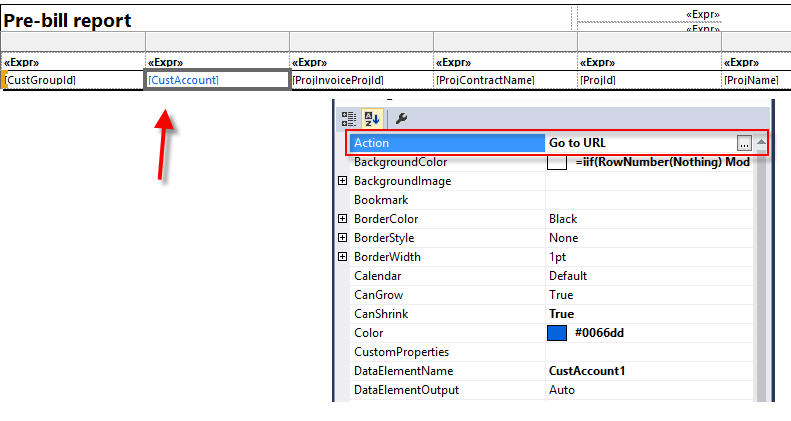

This was originally posted here.
*This post is locked for comments