




 Like
Like Share
Share
 Report
Introduction
In this blog, we will look into how to resolve the “Root Web Pages are not getting created in D365 Portal” issue.
Whenever we create a new web page in a portal its root web page automatically gets created and this root page renders entity forms, entity list or web form on the portal.
In one of our environments, root web pages were not getting created automatically.
We followed the steps below to resolve this issue.
Steps
- Navigate to Customizations -> Customize the system => Default solution will open
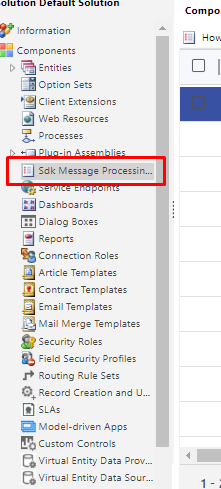
- Select SDK message processing steps
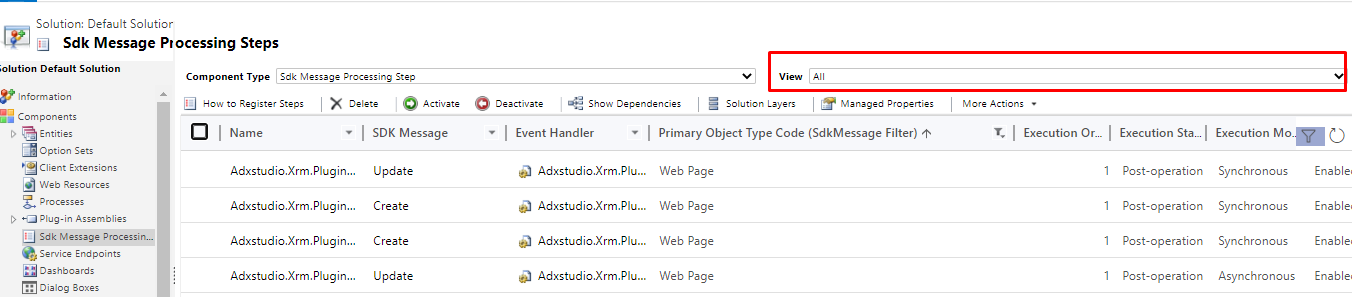
- Change the view to “All”
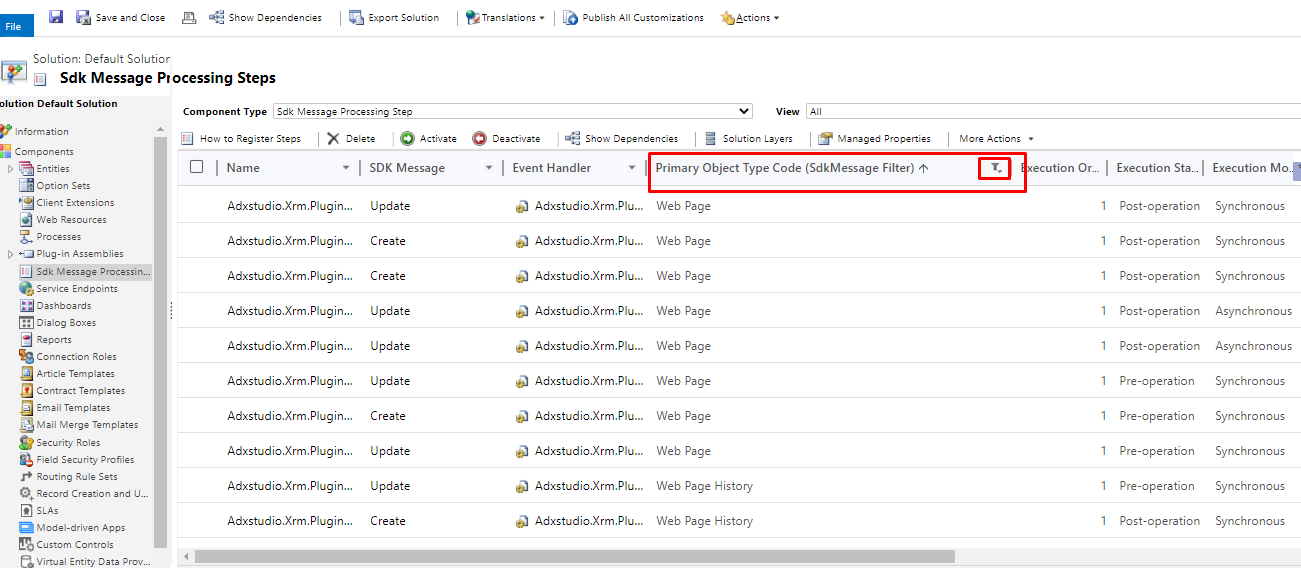
- Filter by primary object type begins with “web page”
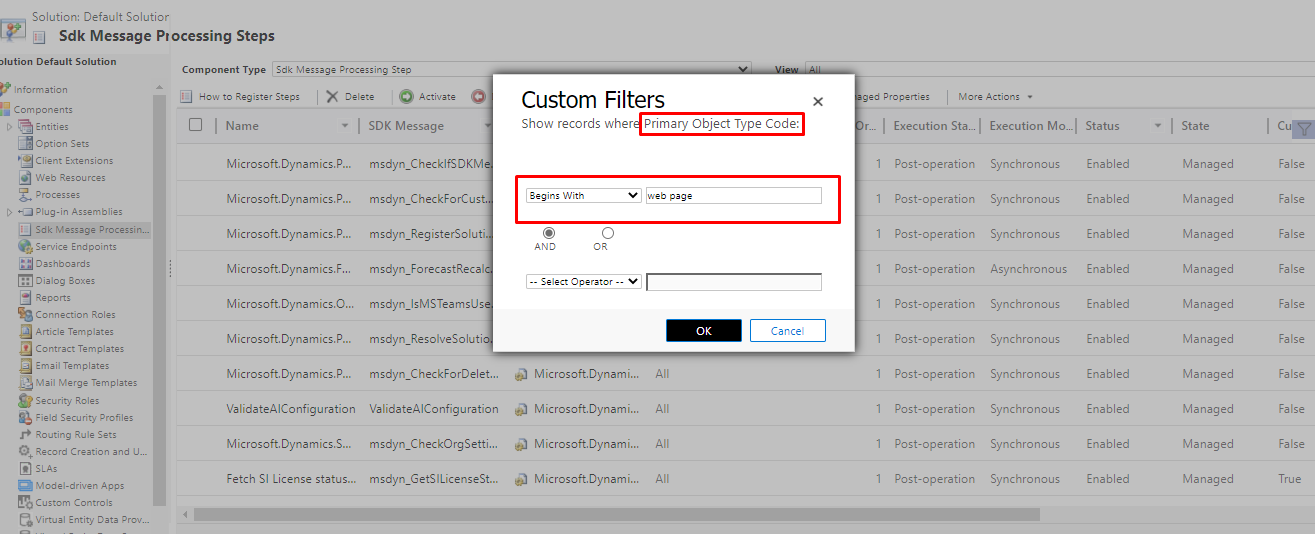
- This would show 10 sdk message processing steps, select all and activate these steps.
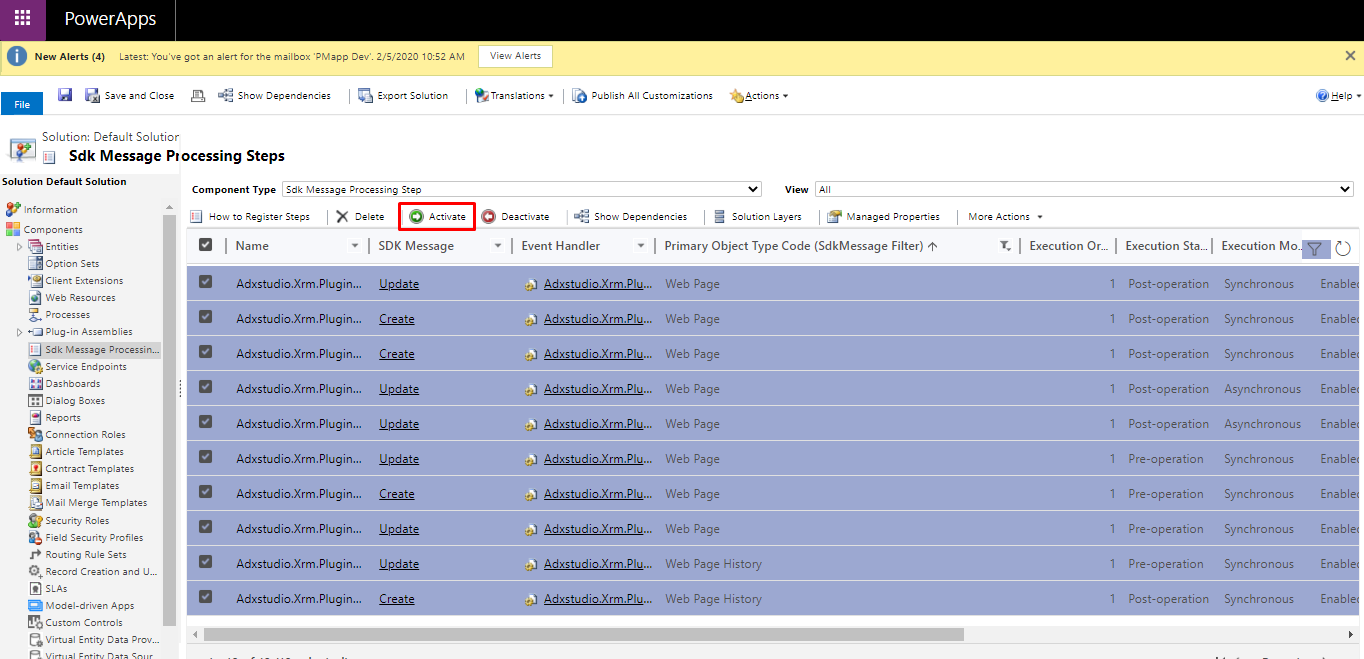
After this root web page will get created successfully.
The post [SOLVED] Root Web Page is not getting created in D365 Portals appeared first on .
*This post is locked for comments