




 11
11 Like
Like Share
Share
 Report
My previous post Dynamically Populating Ribbon Flyout Menu describes the way to add flyout menu buttons dynamically, but that was limited to web client and was not working in unified Interface.
As per my R&D and support ticket with Microsoft, we are still not able to add dynamic Flyout menu buttons directly in Unified Interface (UCI).
The issue is due to the dynamic buttons don't detect the command that we were adding through our JS code, so we need to attach that command to a hidden button so that internally the command is visible.
As per my R&D and support ticket with Microsoft, we are still not able to add dynamic Flyout menu buttons directly in Unified Interface (UCI).
The issue is due to the dynamic buttons don't detect the command that we were adding through our JS code, so we need to attach that command to a hidden button so that internally the command is visible.
Following are the two steps we need to achieve the dynamic flyout in both Web client and unified interface. These steps are actually a continuation of my previous post.
Step#1: Adding a button, where you need to call the command that we have used for dynamic buttons.
Add a flyout button and make it hidden.
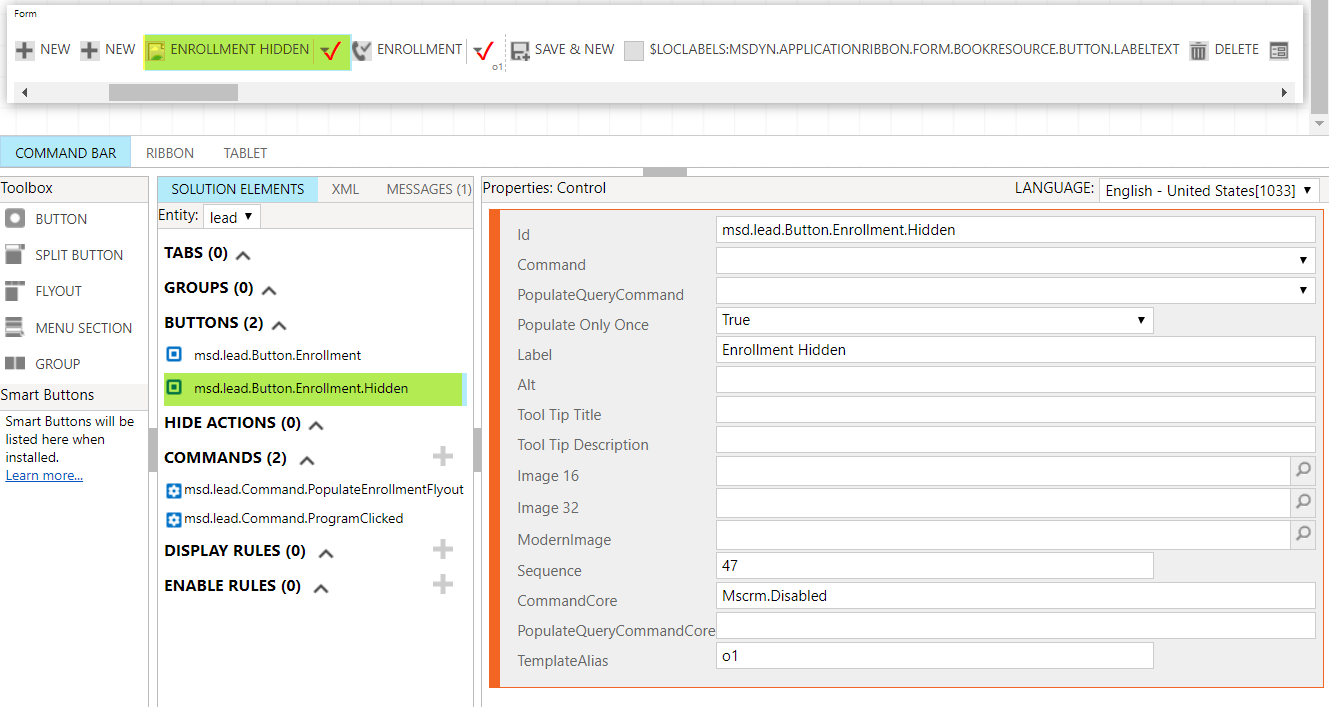
Add a menu section and then add a button, and call the command here.

Step#2: We need to update the JS code, i.e to append "lead|NoRelationship|Form|" at the start of the actual command for UCI.
function populateEnrollmentFlyout(commandProperties) {
    var programsRibbonXml = "";
    var programs = retrieveMultiple('msd_programs', "?$select=msd_programid,msd_name");

	var command="msd.lead.Command.ProgramClicked";

    //This code is used to build the command string for UCI
	if(commandProperties.SourceControlId!=null)
	{
        var source=commandProperties.SourceControlId.split('|');
        if(source.length>3)
        {
             //command="lead|NoRelationship|Form|msd.lead.Command.ProgramClicked"
		     command=source[0]+"|"+source[1]+"|"+source[2]+"|"+command;
        }
	}

	programsRibbonXml +="<MenuSection Id='msd.Lead.Programs.MenuSection' Sequence='10'><Controls Id='msd.Lead.Programs.Control'>"
    if (programs != null) {
        for (var i = 0; i < programs.length; i++) {
                var Name = programs[i].msd_name;
                var Value = programs[i].msd_programid;
				programsRibbonXml+="<Button Id='" + Value + "' Command='" + command + "'  Sequence='"+((i+1)*10)+"' LabelText='" +Name +"' />"
        }
    }
	programsRibbonXml +="</Controls></MenuSection>";
    commandProperties["PopulationXML"] = '<Menu Id="msd.Lead.Programs.Menu">' + programsRibbonXml + "</Menu>";
}
function programClicked(commandProperties) {
	alert ("program with id "+commandProperties.SourceControlId +" selected.");
}
Finally, the dynamic menu buttons will be shown in both Web client & Unified Interface.


Hope it will help!
*This post is locked for comments