




 239,082
 Like
Like Share
Share
 Report
New Dynamics AX is a web application running in cloud, so how can users work with files in such an environment? The answer is: in the same way as with other web applications. If you know how to add and download attachments in your webmail client, you can do it in AX 7 as well.
And it’s not too difficult for developers either.
Let me demonstrate it on a simple form I’ve built.

When you click the Upload button, a dialog opens where you can pick a file on your computer and upload it. It even shows progress of uploading.
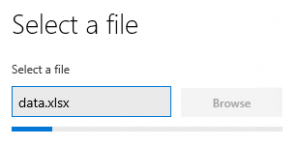
The whole upload is triggered by a single statement: File::GetFileFromUser(). You don’t have to deal with any details.
By default, the file is uploaded to a temporary blob storage and can be accessed through some ugly URL such as this:
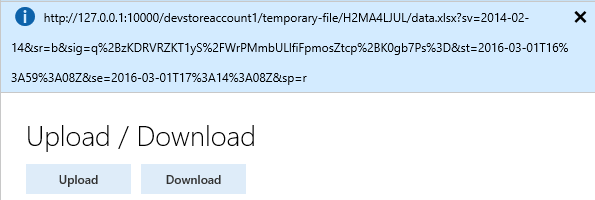
If you click the download button, it will navigate to the URL and your browser will do the rest:
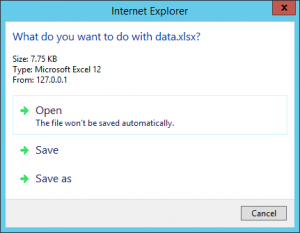
Code of Download button is again a one-liner: new Browser().navigate(fileUrl).
This is the complete code of the form, showing also how to get the URL of the uploaded file:
[Form]
public class UploadDownloadForm extends FormRun
{
    str fileUrl;

    [Control("Button")]
    class UploadButton
    {
        public void clicked()
        {
            FileUploadTemporaryStorageResult result = File::GetFileFromUser() as FileUploadTemporaryStorageResult;
            if (result && result.getUploadStatus())
            {
                fileUrl = result.getDownloadUrl();
                info(fileUrl);
            }
        }
    }

    [Control("Button")]
    class DownloadButton
    {
        public void clicked()
        {
            new Browser().navigate(fileUrl);
        }
    }
}
Your files typically aren’t accessible by URL, because they’re in database or in a secured storage. But that’s not a problem. Just load the content of your file to a stream and pass it to File::SendFileToUser(). It will put the file to the temporary blob storage and navigate to the URL, therefore users can download the file in the same way as above.
*This post is locked for comments