




 481
481 Like
Like Share
Share
 Report
I got the below error while trying to builld a new deployable package on visual studio azure DevOps.
MSBUILD : error MSB1009: Project file does not exist. Switch: C:\DynamicsSDK\VSOAgent\_work\4\s\AXModulesBuild.proj ##[error]Process 'msbuild.exe' exited with code '1'.
Reason: AXModulesBuild is missing from the branch, but it is defined in "Build the solution". And when I kick off a new build it's looking for AXModulesBuild.
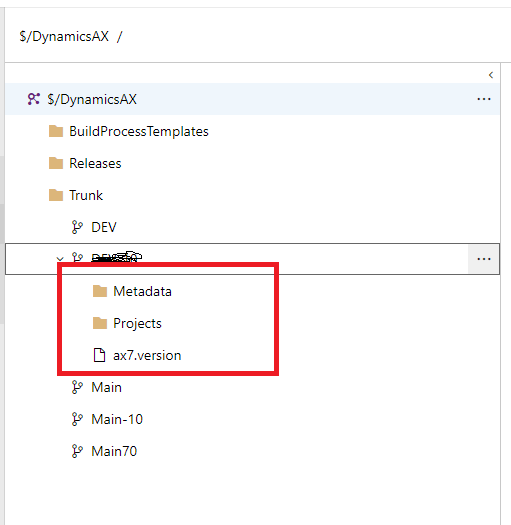
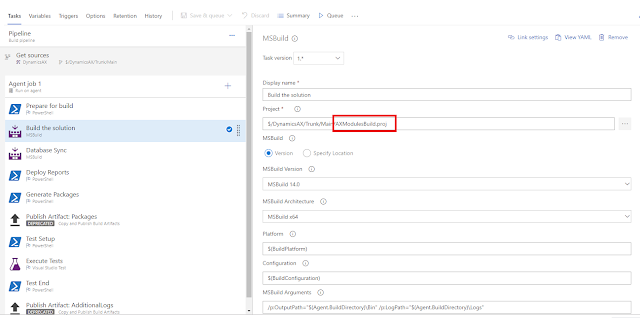
Solution:In my case I copied it from another branch.
Click on 3dots-> Download
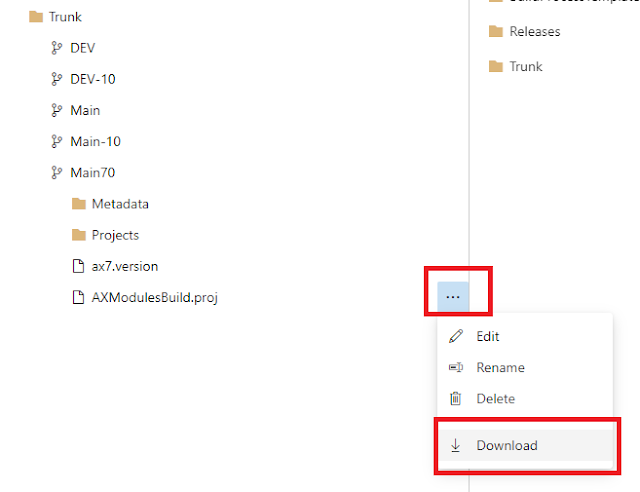
And go to the branch where you are trying to kick- off the new build and upload the file.
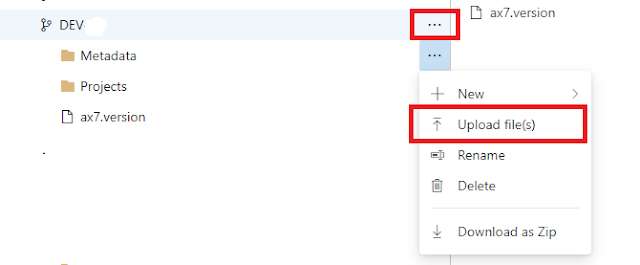
After that check-in the change.
That's it. Now kick-off the new build.
MSBUILD : error MSB1009: Project file does not exist. Switch: C:\DynamicsSDK\VSOAgent\_work\4\s\AXModulesBuild.proj ##[error]Process 'msbuild.exe' exited with code '1'.
Reason: AXModulesBuild is missing from the branch, but it is defined in "Build the solution". And when I kick off a new build it's looking for AXModulesBuild.
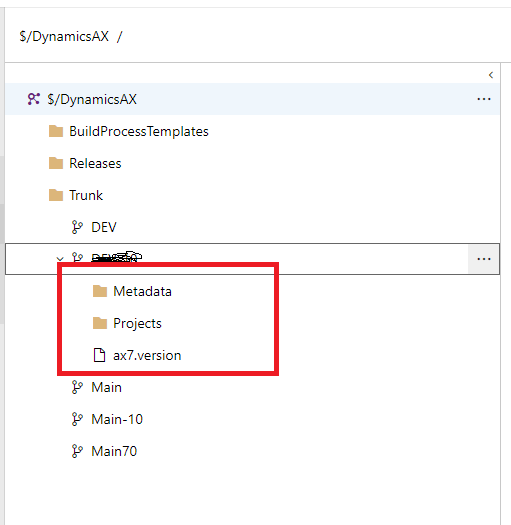

Solution:In my case I copied it from another branch.
Click on 3dots-> Download

And go to the branch where you are trying to kick- off the new build and upload the file.
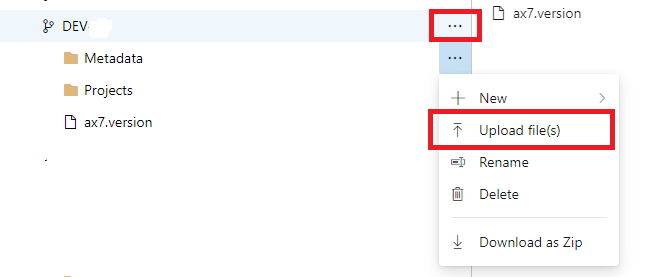
After that check-in the change.
That's it. Now kick-off the new build.
*This post is locked for comments